When we started developing Dasher in late 2009 – back then it had a desktop client – one of the main drivers was around providing an interface to explore IoT data (at the time measuring building performance) responsively in a 3D context. To do this we knew that we needed some way to summarize the raw sensor data at different levels of detail: there was no way we could wait around for the client to query years of sensor data in order to visualize a high-level summary, for instance.
In our time-series back-end the team developed a mechanism we refer to as "roll-ups", which effectively provides various levels of detail on the data. We have roll-ups that provide a single data point for each of these time periods:
- 1 day
- 6 hours
- 1 hour
- 15 minutes
- 1 minute
- 1 second
- Raw
It may be, of course, that the "raw" resolution has a lower frequency than 1 minute or 1 second – for building sensors it may very well be 5 minutes, for instance – so not all of these roll-ups exist for every sensor. That being said, the roll-up is intended to provide an overall view of the summarised data via a mean value (as well as a minimum and maximum range for that period) that can be displayed graphically. It's also worth noting that we can't just sample the data, it needs to be processed to create an average.
Here's an example of data from a CO2 sensor being displayed via our graphing component (which we refer to as Splash). We query different roll-ups as we zoom into and out from the data, much as Google Maps brings in new resolutions as you zoom into a map location.
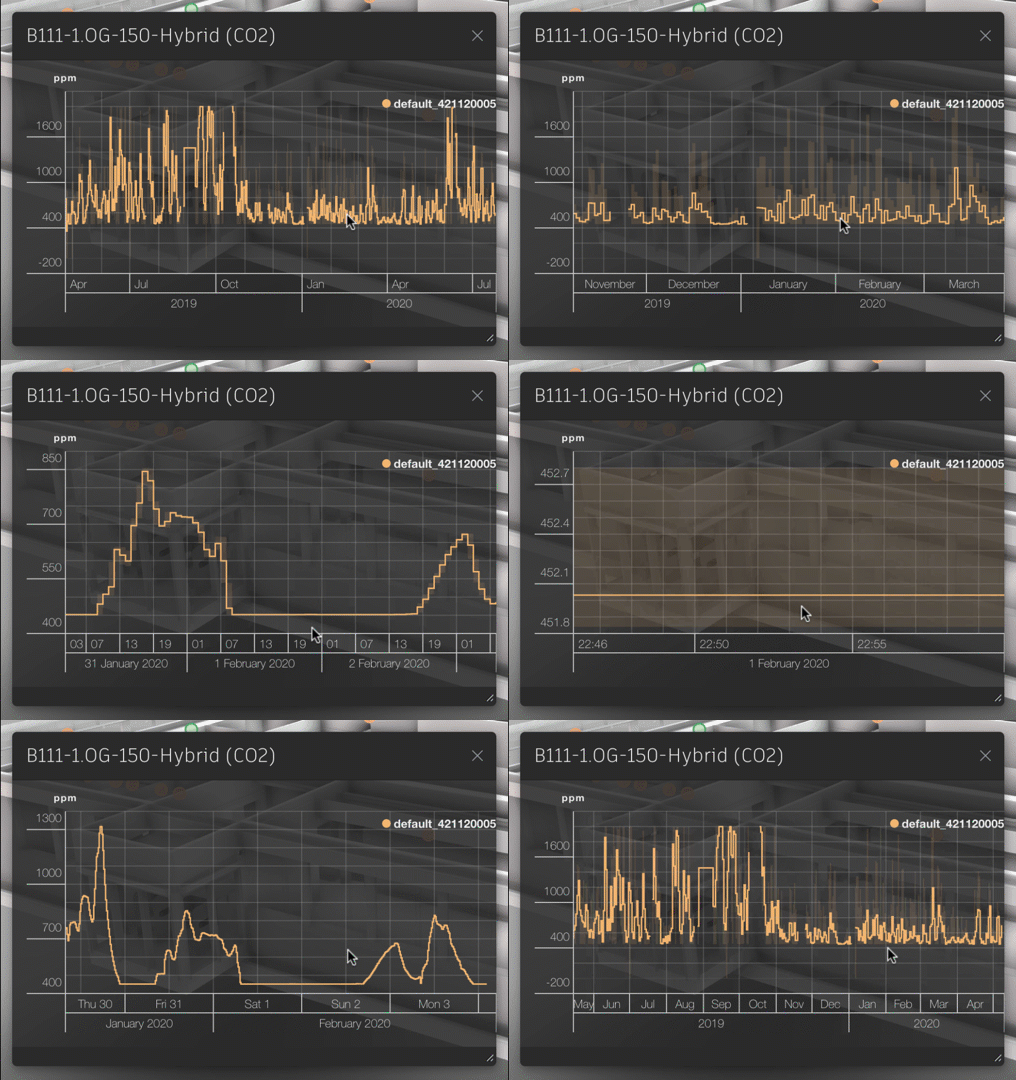
This gives a sense of the kind of responsiveness we wanted to build into Dasher, to make it easy to explore data in-context.
Roll-ups have other uses, too, such as in our "surface shading" feature that animates heatmaps of sensor data, mapping them onto zones of a building and showing variation over time.
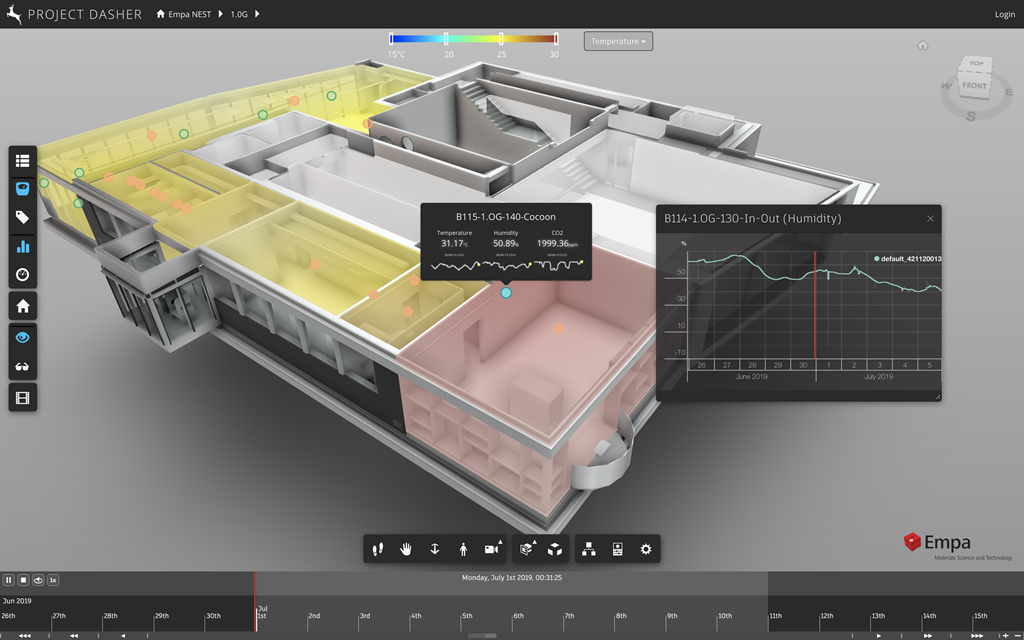
In earlier versions of Dasher 360, we had the ability to control the specific data resolution being used by the surface shading feature via a settings panel displayed by the timeline. This idea of resolution isn't really core to the timeline itself, so when we redesigned it we didn't include the ability to change resolution (only playback speed).
Yesterday I spent some time looking at other ways to integrate a UI to select the current data resolution back into Dasher.
The first approach I chose was to add it into the Data Display section of the Settings dialog's Appearance tab:
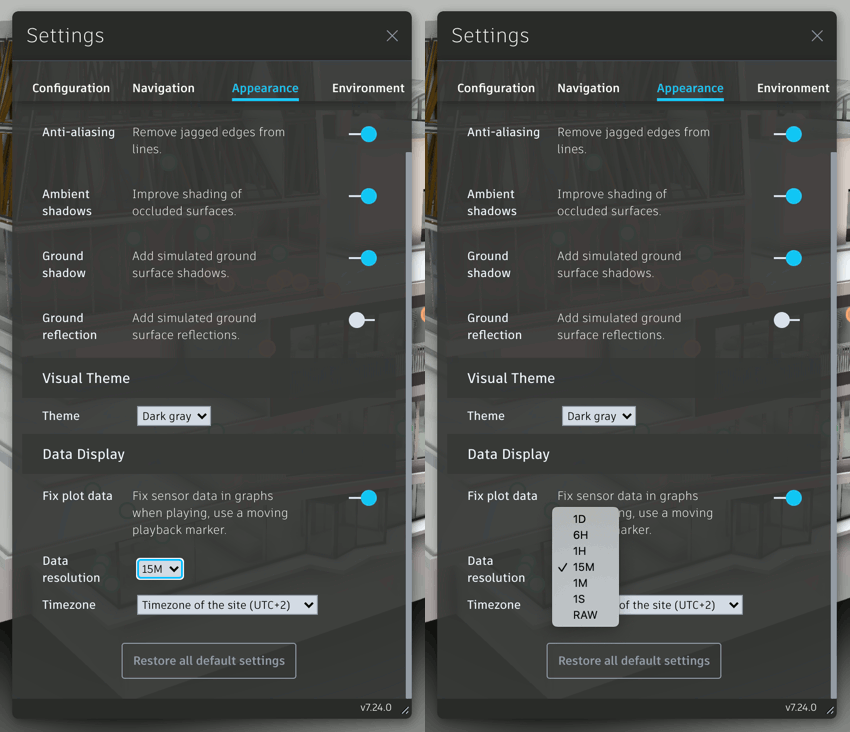
This was a little hidden-away, though, so I thought it was worth making it more obvious when using surface shading specifically. So I added a new dropdown next to the surface shading legend, allowing you to control the data resolution as well as the sensor type:
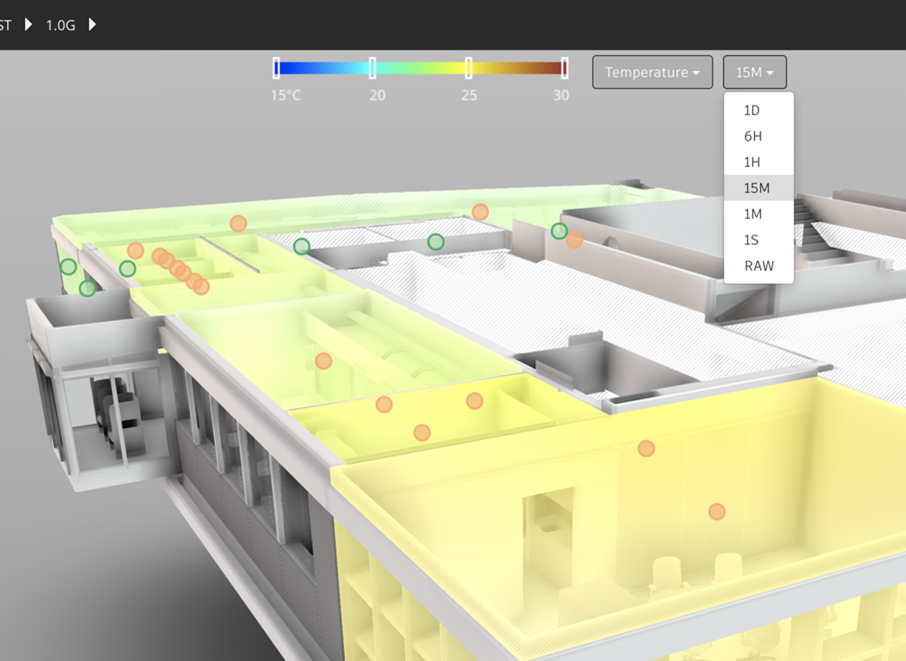
If you have both the settings dialog open and the surface shading feature switched on, you should see that changing the setting in one place leads to the change being reflected in the other place, too.
Having the option to change the data resolution allows us to explore the effect changing the data resolution has on visualization more easily. Here's what happens when we change from a 15-minute resolution to a 1-day resolution – when animating the temperature data for a 10-day period at 8x playback – for instance:
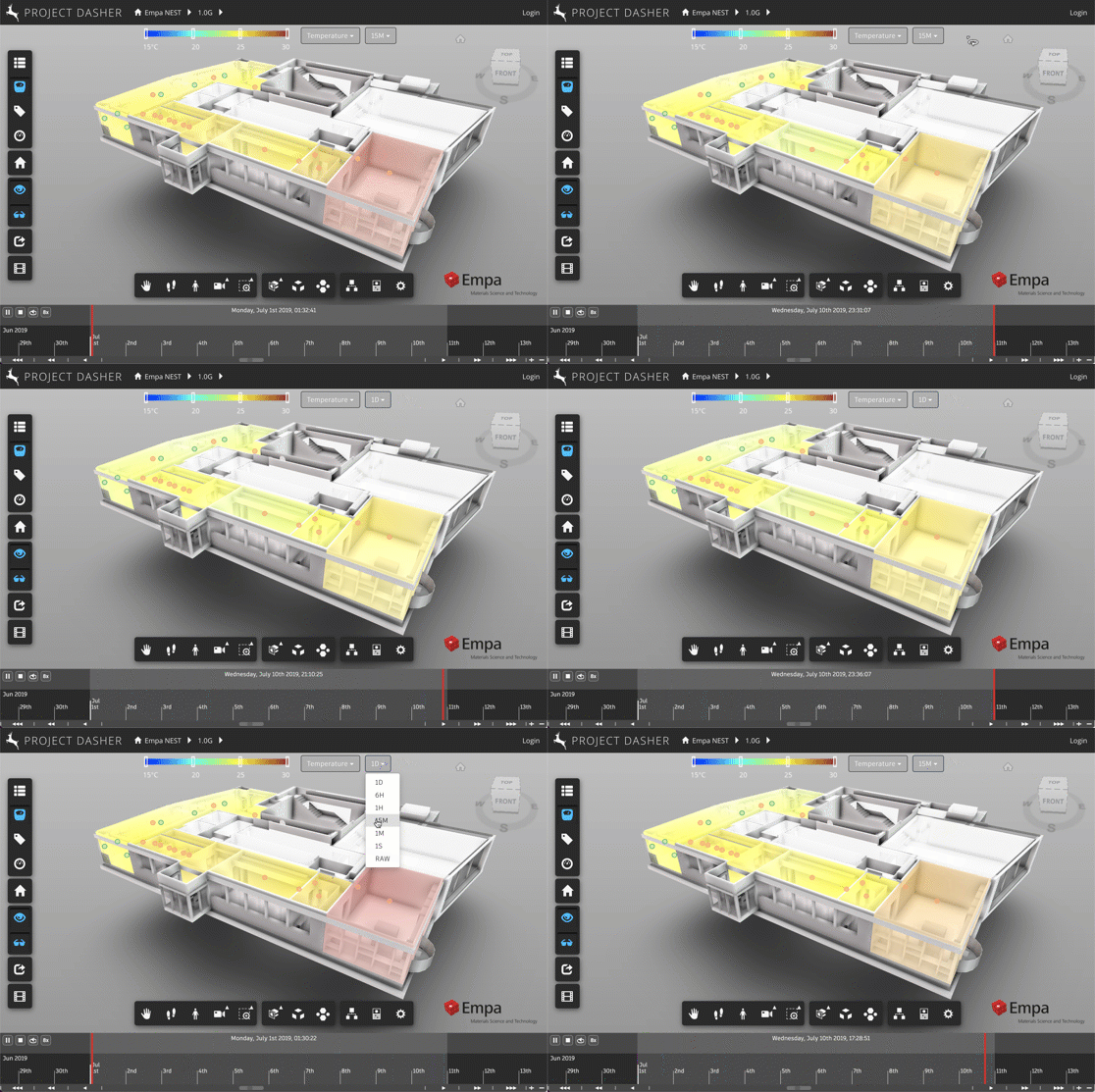
This is a somewhat extreme example, of course: it's much more likely that you'd want to start at a coarse resolution for a "zoomed out" view of a longer time period, and then increase the resolution as you focus in on a shorter period that perhaps shows an individual event occurring. It might also be possible to change the resolution automagically as people zoom in on data, for now we're providing this as a manual control.
It's worth noting the benefits of roll-ups when displaying animated heatmaps derived from the data from multiple sensors are even more pronounced than with a graph for a single sensor. It's likely that other time-series back-ends provide this capability, too – whether via batch-calculated roll-ups such the ones as we create, via some kind of streaming analytics summary, or a summary that's created server-side on-demand – but I can say that it's been fundamental to Dasher's development to have these roll-ups available to us. (Many thanks to Jacky Bibliowicz and the others who have made this magic happen, over the years.)
I haven't yet pushed the version live that allows you to play with the data resolution settings yourselves, but I expect to do so sometime this week.
Leave a Reply