A question came up during this week's Forge Accelerator in Dublin that I thought would be of broader interest. It related to the fact that the Forge viewer's default behaviour when you double-click the background and perform a zoom-to-fit isn't always desirable. In this case the developer was fine with a zoom-to-fit being performed, but felt the resultant view wasn't a good enough fit.
Here's the default zoom level on double-click in Dasher 360, for instance:
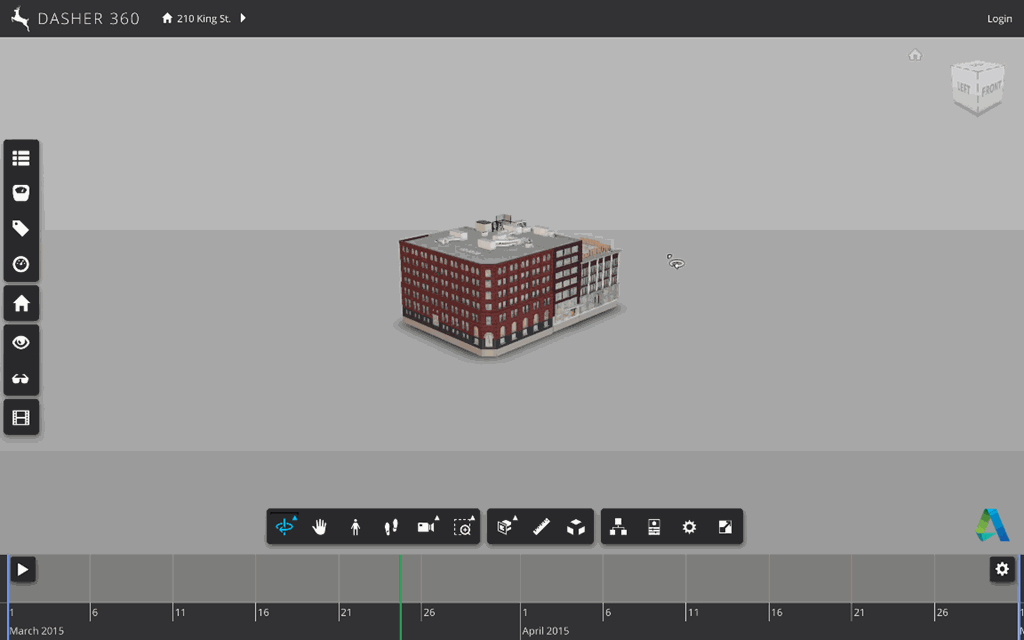
As you can see the model remains quite far from the camera.
The good news is that debugging into the Forge viewer source, you can easily see where this calculation happens, and it's based on a few variables that can be modified in your custom application.
From your GuiViewer3D instance, you can access the following properties via the navigation object:
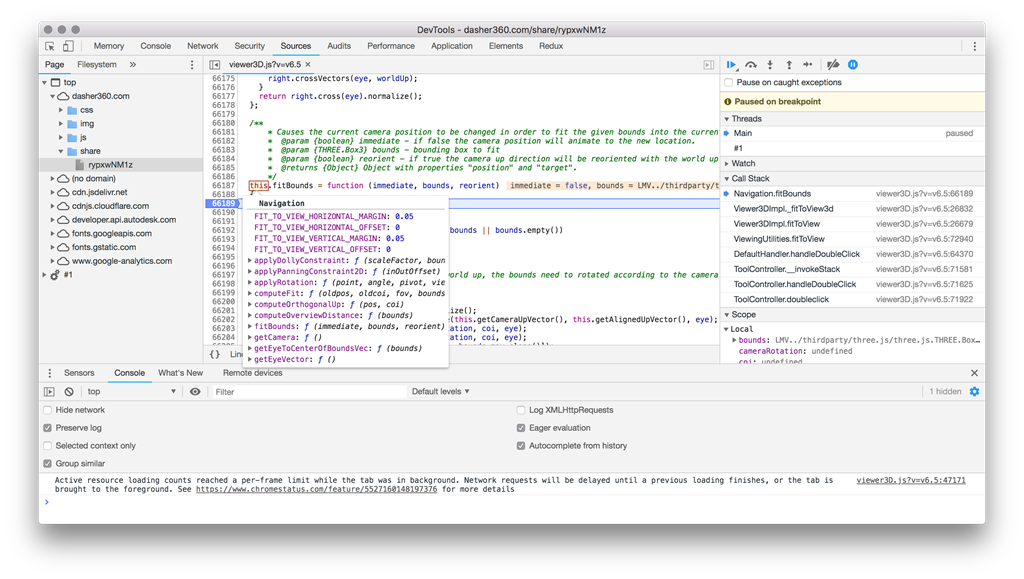
The main variables – with the default value of 0.05 – are FIT_TO_VIEW_HORIZONTAL_MARGIN and FIT_TO_VIEW_VERTICAL_MARGIN. This means – as far as I can tell from the code – that the camera will be moved 5% further away than the position at which it has a tight fit for the model.
The obvious thing to try is to set these to zero. I actually found this made very little difference (probably exactly 5%, in fact ;-), so ended up tweaking the variables to move the camera a bit more radically.
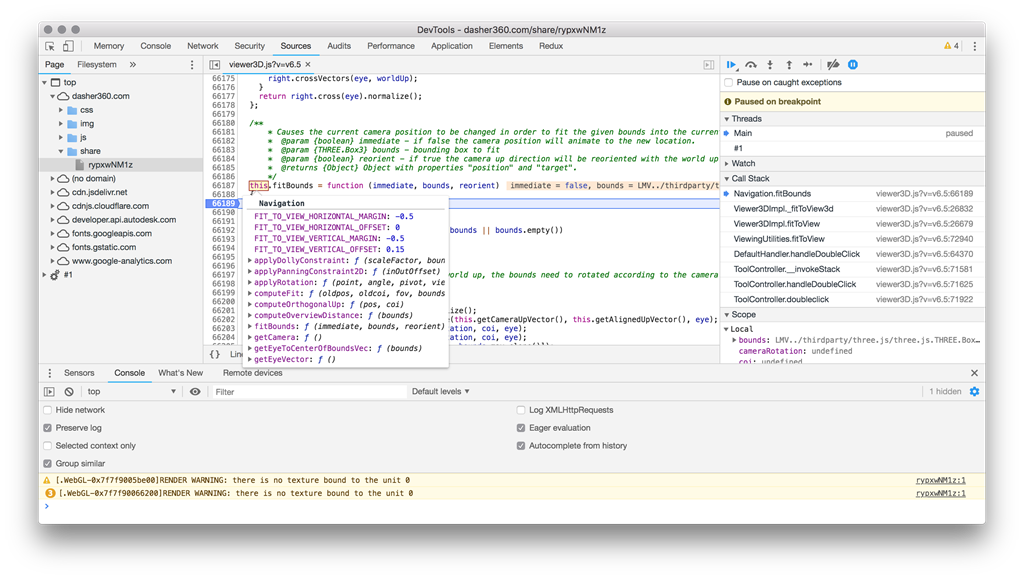
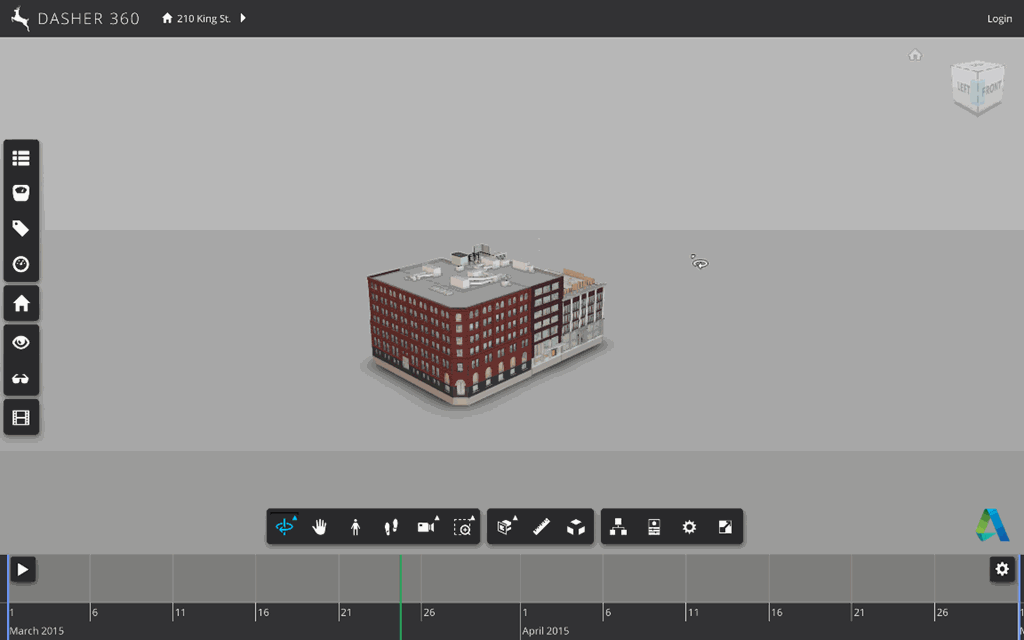
Setting these two variables to –0.5 (moving the camera 50% closer to the target) and tweaking FIT_TO_VIEW_VERTICAL_OFFSET to 0.15 resulted in a much better fit, at least for this model. (As a hint, it's much easier to set a breakpoint – such as in the computeFit ot fitBounds function – and then modify the state in the browser before you end up adding custom code to your application… this is a handy way to work out what the best values are for your particular application requirements.)
Here's how it looks with these tweaks:
I'm heading back a bit early from a great week, here in Dublin. I'll post a brief summary when I'm back home tomorrow.

Leave a Reply