I'm still mainly on holiday this week, so this is a really silly post that I don't realistically expect to be of use to anyone. But then you never know. 🙂
A colleague in Product Support asked me for a quick way to cause AutoCAD to crash, the other day. I didn't ask too much about why he needed to – I trusted he had his reasons – and so went ahead and gave it a try.
One very standard way to cause software to crash – at least software that is either written using a pointer-friendly programming language or implements a plugin model that can load in-process modules that are – is to dereference a null pointer. My first thought was to attempt to do this in LISP, whether by applying a nil pointer as a lambda function or something along those lines. I didn't have much, though, and neither did I find an undocumented "CRASH" command that could be used, so I ended up implementing something very simple in C#.
And here it is:
using Autodesk.AutoCAD.Runtime;
namespace CrashAutoCAD
{
public class Commands
{
[CommandMethod("CRASH")]
static public void Crash()
{
object o = null;
o.ToString();
}
}
}
When we run our CRASH command we see this:
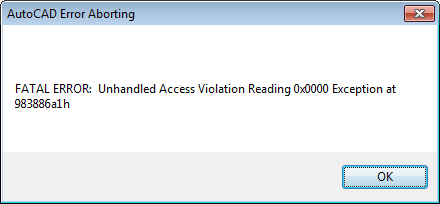
And then, predictably enough, this:

If any of you have tricks to crash AutoCAD that doesn't involve a plugin, please do let me know – I'd be interested to hear about them.


Leave a Reply