For my follow-up F# post I wanted to find something that showed off more of the capabilities of the F# language, while remaining something worth integrating with AutoCAD. The good news (at least as far as I'm concerned 🙂 is that one of the samples that ships with F# turned out to be perfect for this.
The sample is known as "The Famous DirectX Demo", and is really, really cool. It uses F# to represent - extremely succinctly - a simulated, animated surface. And when I say succinct I mean it's tiny: with F# it's possible to represent complex mathematical formulae (this particular code creates a surface representing a function over X & Y coordinates as well as being a function of time). This was perhaps the real "aha" moment for me: while it's possible to do this in C#, the code would be much larger... F# is very well suited to simulation and scientific computing.
That's not to say the F# code is easy - it takes some time to get your head around functional programming generally, and it can be very hard to pick up code written by someone else. But for certain applications the code created is often much smaller, and therefore easier to maintain (for knowledgeable coders), than the code written in a classic imperative language.
A quick note on the code I added. As I mentioned earlier, I do have some background in functional programming: back in my University days I worked on a project to model a full Motorola 6800 processor in a purely functional language (which is tricky, as you don't get to store or modify state in your functions). We implemented it from the logic gates upward, even to the point of being able to code against it using assembly language. Ah, what fun we had. 🙂
All this to say, that despite this background, it's all coming back very slowly. It seems I no longer have the academic's desire to code something as perfectly as possible: I'm now more moved by seeing something working and making the code as readable as possible (over the years I've learned the value in making code easy for other people to understand). So the code I've inserted doesn't always follow the most elegant approach from a functional programming perspective. But I'm pleased to note that I have been getting the odd flash of inspiration as to how certain code works in this sample. Hopefully I'll understand more as time goes on.
OK - while I'm not going to include the full code directly in this post (you can, of course, download the project, which includes a compiled assembly that you should just be able to NETLOAD, assuming you have the right version of DirectX installed), here are a few notes that are worth pointing out.
Firstly, in F# it's possible to use the #I directive to specify an "include" folder and #r to specify an assembly reference:
#I @"C:\Program Files\Autodesk\AutoCAD 2008"
#r "acdbmgd.dll"
#r "acmgd.dll"
Secondly, while F# infers types automatically, there are times you need to perform the equivalent of a cast, allowing you to access properties and call methods of that particular class. This code specifies a runtime type-check and cast to the BlockTable type for bt:
let bt = (tr.GetObject(db.BlockTableId,OpenMode.ForRead) :?> BlockTable);
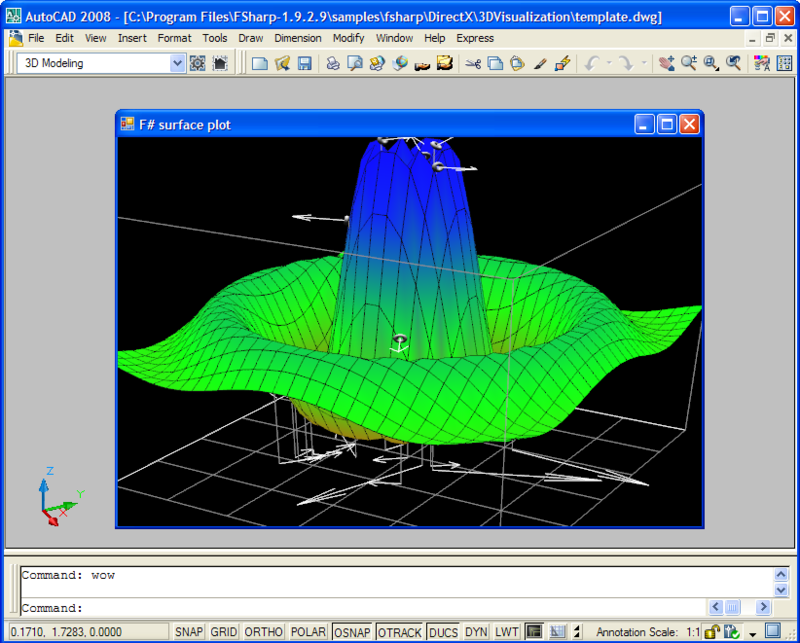
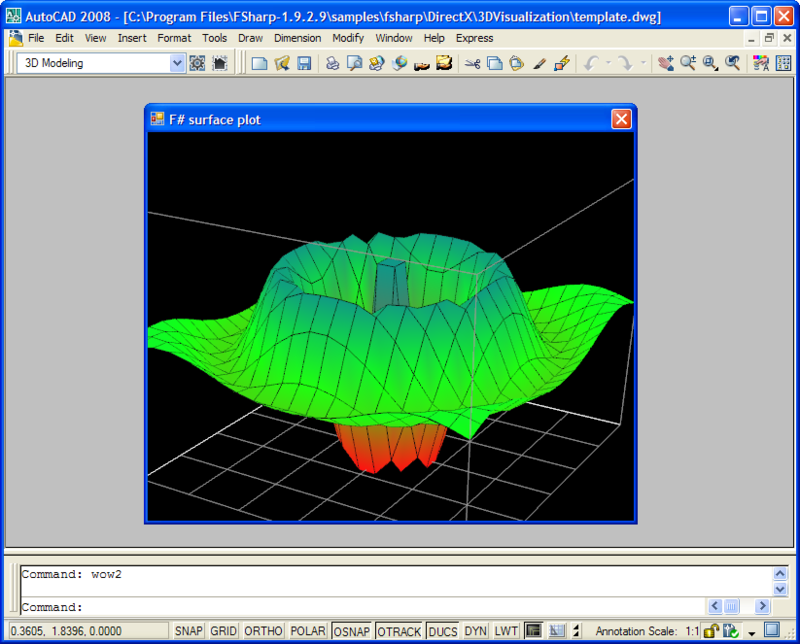
The project implements two commands, "wow" and "wow2" (I was that impressed). "wow" implements the full version of the code, with a few balls drawn on the surface, moving around over time. "wow2" uses a UserControl including a simplified version of the code, which is a little quicker to execute.
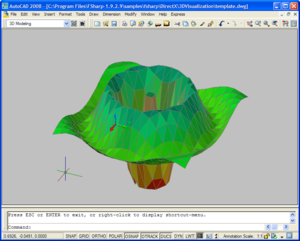
Using either command you can orbit the view using the left mouse button and zoom using the right. The code I added is driven by the middle mouse button: once you click the mouse wheel (if you have one - you'll have to modify the code if you don't) the code takes a snapshot of the surface being displayed in the separate dialog using DirectX, and creates 3D faces inside the modelspace of the current AutoCAD drawing.
Here's a view of the "wow" command. It turns out that each time you run it, more balls get added to the surface. But I'm calling that a feature, for now. 🙂
And here's "wow2", which is somewhat simpler:
Finally, once we use the middle mouse button (and it sometimes need a little drag for the handler to kick in), we get the snapshot of the surface created inside AutoCAD - shown here with the "realistic" visual style:
I hope this helps demonstrate some of the strong potential of F# for certain types of application. One of the things I love about working with .NET is the flexibility you have to choose the right language for the job in hand. F# definitely brings interesting new capabilities to the .NET language family, and I'm very much looking forward to working with it some more.


Leave a Reply