Thanks to Viru Aithal, from DevTech India, for providing the code for this post (I converted the C# code below from some C++ he had sent to a developer).
In the last post we showed how to create a table linked to an Excel spreadsheet using .NET in AutoCAD 2008. AutoCAD does a great job of looking for changes in the Excel spreadsheet, and asking whether you want to update the linked table:
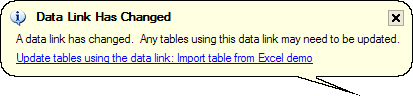
There may be times, however, when you want to force the update programmatically, whether from the spreadsheet to the table ot vice-versa. In this post we'll show the code to update the table from the spreadsheet, and in the next post we'll see some code to update the spreadsheet from the table (should it have been unlocked and edited).
Here's the C# code:
using Autodesk.AutoCAD.ApplicationServices;
using Autodesk.AutoCAD.DatabaseServices;
using Autodesk.AutoCAD.EditorInput;
using Autodesk.AutoCAD.Runtime;
namespace LinkToExcel
{
public class Commands
{
[CommandMethod("S2T")]
static public void UpdateTableFromSpreadsheet()
{
Document doc =
Application.DocumentManager.MdiActiveDocument;
Database db = doc.Database;
Editor ed = doc.Editor;
PromptEntityOptions opt =
new PromptEntityOptions(
"\nSelect table to update: "
);
opt.SetRejectMessage(
"\nEntity is not a table."
);
opt.AddAllowedClass(typeof(Table), false);
PromptEntityResult per =
ed.GetEntity(opt);
if (per.Status != PromptStatus.OK)
return;
Transaction tr =
db.TransactionManager.StartTransaction();
using (tr)
{
try
{
DBObject obj =
tr.GetObject(
per.ObjectId,
OpenMode.ForRead
);
Table tb = (Table)obj;
// It should always be a table
// but we'll check, just in case
if (tb != null)
{
// The table must be open for write
tb.UpgradeOpen();
// Update the data link from the spreadsheet
ObjectId dlId = tb.GetDataLink(0, 0);
DataLink dl =
(DataLink)tr.GetObject(
dlId,
OpenMode.ForWrite
);
dl.Update(
UpdateDirection.SourceToData,
UpdateOption.None
);
// And the table from the data link
tb.UpdateDataLink(
UpdateDirection.SourceToData,
UpdateOption.None
);
}
tr.Commit();
ed.WriteMessage(
"\nUpdated the table from the spreadsheet."
);
}
catch (Exception ex)
{
ed.WriteMessage(
"\nException: {0}",
ex.Message
);
}
}
}
}
}
When you run the S2T (for Spreadsheet-to-Table) command, you will be prompted to select a table. The code retrieves the link information from the table and then requests the data link to pull down new data from the spreadsheet before updating the table. Next time we'll look at the code for T2S...


Leave a Reply