One of the highlights of last week's Autodesk University was the chance to experience a prototype integration of Fusion 360 with Microsoft HoloLens. Here's a video showing something of the integration as well as a vision of future functionality:
To give HoloLens a try at AU 2015, you had to register for a specific timeslot during the 3-day event: the one that suited me was on Wednesday afternoon, after my last solo speaking engagement but before my last panel session. It turned out they were over-subscribed and a little behind – and they were understandably prioritising Autodesk customers in their scheduling process – so I ended up having to come back again at the end of the day on Wednesday, hoping they'd fit me in. They did!
They didn't allow cameras or recording equipment, though, so I've extracted a few frames from the above video that I found illustrative of the overall experience.
To set the scene…
The demo was given to groups of four people. As a group, we had a quick introduction to HoloLens and how to wear it, before we were assigned to one of four curtained-off demo stations where two Autodesk colleagues (in our case, anyway) demonstrated the prototype integration with Fusion 360. The two presenters and four attendees all wore HoloLens devices, of course, but we attendees were very much consumers of the experience: the demo wasn't set up for us to participate actively. This is a prototype integration, after all, and has no doubt been coded to work for very specific user scenarios, for now.
This image gives you some idea of the set-up:
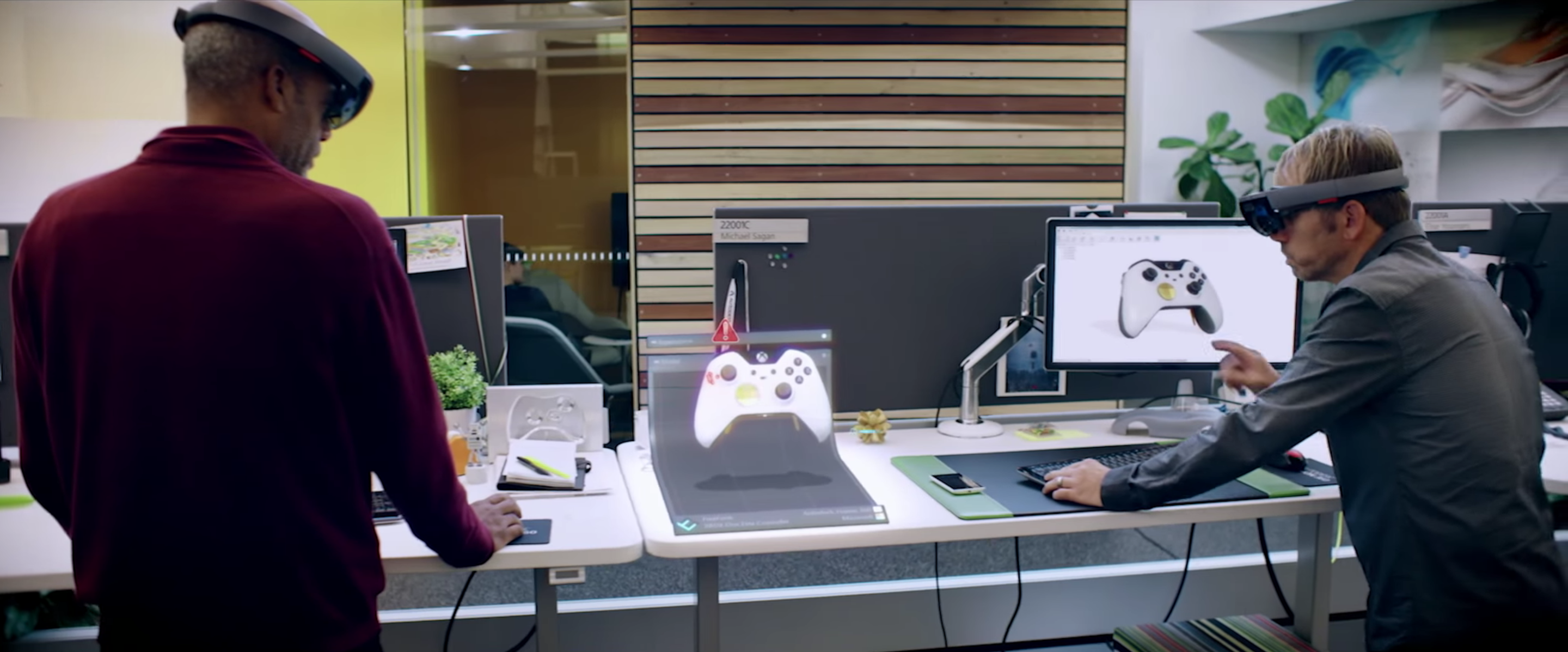
While the demo-jocks walked us through a bunch of potential design-workflow-oriented scenarios, I mostly walked around to probe the current limits of the technology: I'm personally more interested in understanding how well HoloLens works than what we might do with it (I have lots of my own ideas on that ;-). So I was mostly wandering around, trying to look at the "hologram" from different angles.
So what was it like? It was actually pretty compelling. For sure there was the letterbox effect:
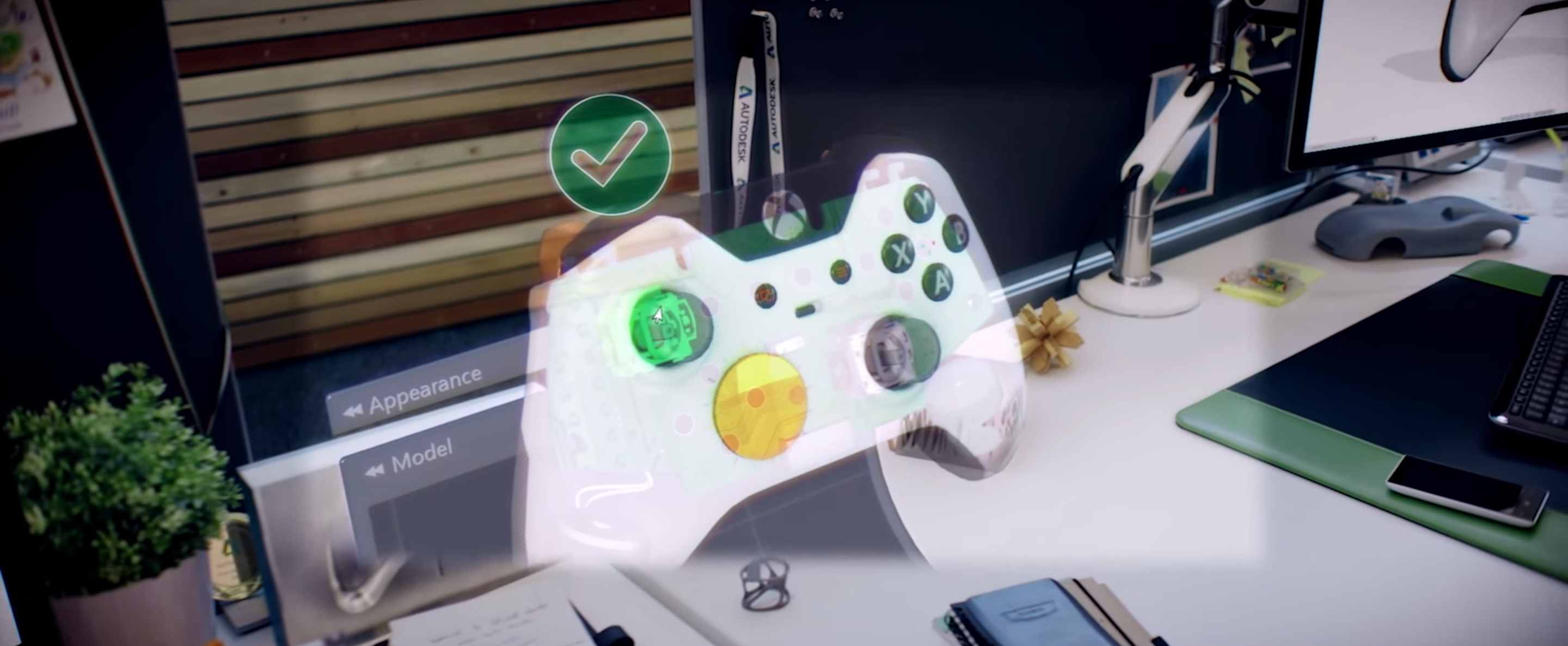
This does make the experience somewhat less amazing, but for sure you get used to it (and it's early days for the technology). The colours were fairly vibrant but the luminosity made it very clear you were looking at a projected image – the experience was a bit more "Princess Leia" than the videos suggest:
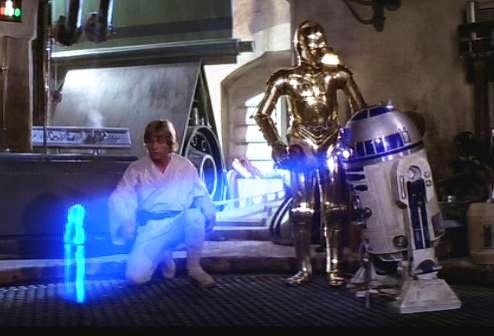
The image projection and positional tracking was solid: the only time I got it to move was by making the headset slip, which clearly wasn't a problem with the technology. I couldn't tell how the positional tracking worked: whether I was being geo-located via some kind of external tracking hardwar – à la HTC Vive – or whether the device used SLAM, depth mapping or sensor fusion to determine my location and where I was looking. Or perhaps all of the above! Anyway, whatever it was worked, and well.
The HoloLens devices do have dual depth sensors, as shown in the below image:
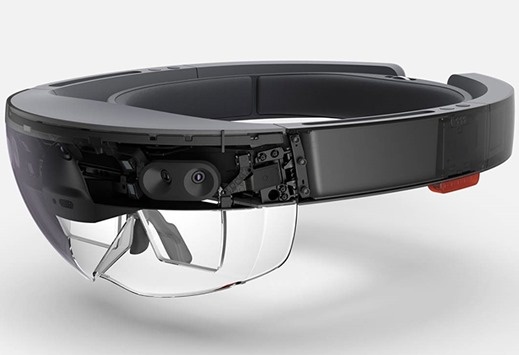
I'm pretty sure the depth cameras aren't being used to map your environment, at least: when another attendee occluded my view of the hologram, I saw it through their back (I was moving around all over the place, remember, to test for exactly this scenario). I do expect this to be fixed, at some point, whether at (hopefully) the platform or (if we have to) the application level.
On a side note, seeing that problem addressed was the thing I found most compelling about the recent Magic Leap demo video… the brief moment where the table leg occluded the waving robot:
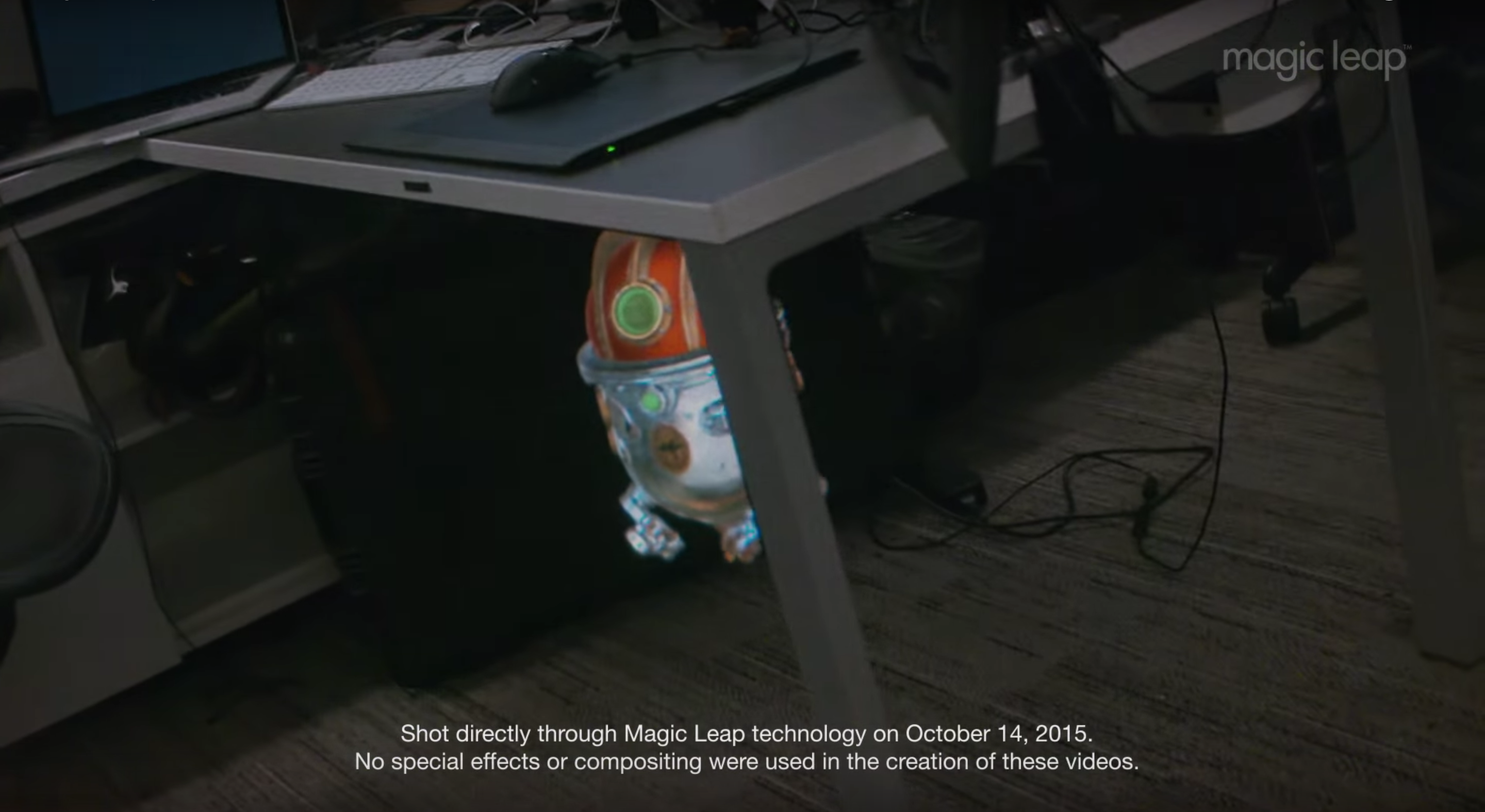
But then I wouldn't be at all surprised to find out Magic Leap solved this in a fairly narrow way for the video. Time will tell.
After the HoloLens demo was over, I definitely felt some visual fatigue (although, in fairness, I was suffering from significant AU fatigue by that point, also). The technology still has a way to go before it's usable for extended lengths of time. But we're still pre-v1, and it's already very impressive, especially as HoloLens has remained true to its promise of remaining untethered. (Yes, there were HoloLens charging stations in each demo room, and I don't know how long they last between charges.)
I wish I'd had the chance to bother some Microsoftees with my questions, but unfortunately no one was around for me to ask when the demo was over. So the above is very much based on my brief, personal experience of having used the device in a fairly passive way, rather than any information provided by either Autodesk or Microsoft.
I can't wait to get my hands on a HoloLens Development Edition. Although I doubt very much I'll be in the initial wave at $3,000 a pop.


Leave a Reply