I wasn't planning on posting to this blog again, this week – three times per week is enough, I find, so I tend to save any leftovers for the week after – but this question James Maeding asked is very much related to this week's posts, and – in any case – I already have three fun posts planned for next week. 🙂
Here's the question James asked, again:
wish I had something to make tooltips disappear when needed. I like them on for many things, but then they get in the way sometimes, and you have to cancel all you are doing to turn them off. If only I could toggle them transparently with some command...maybe its easy I just have not thought about it too much.
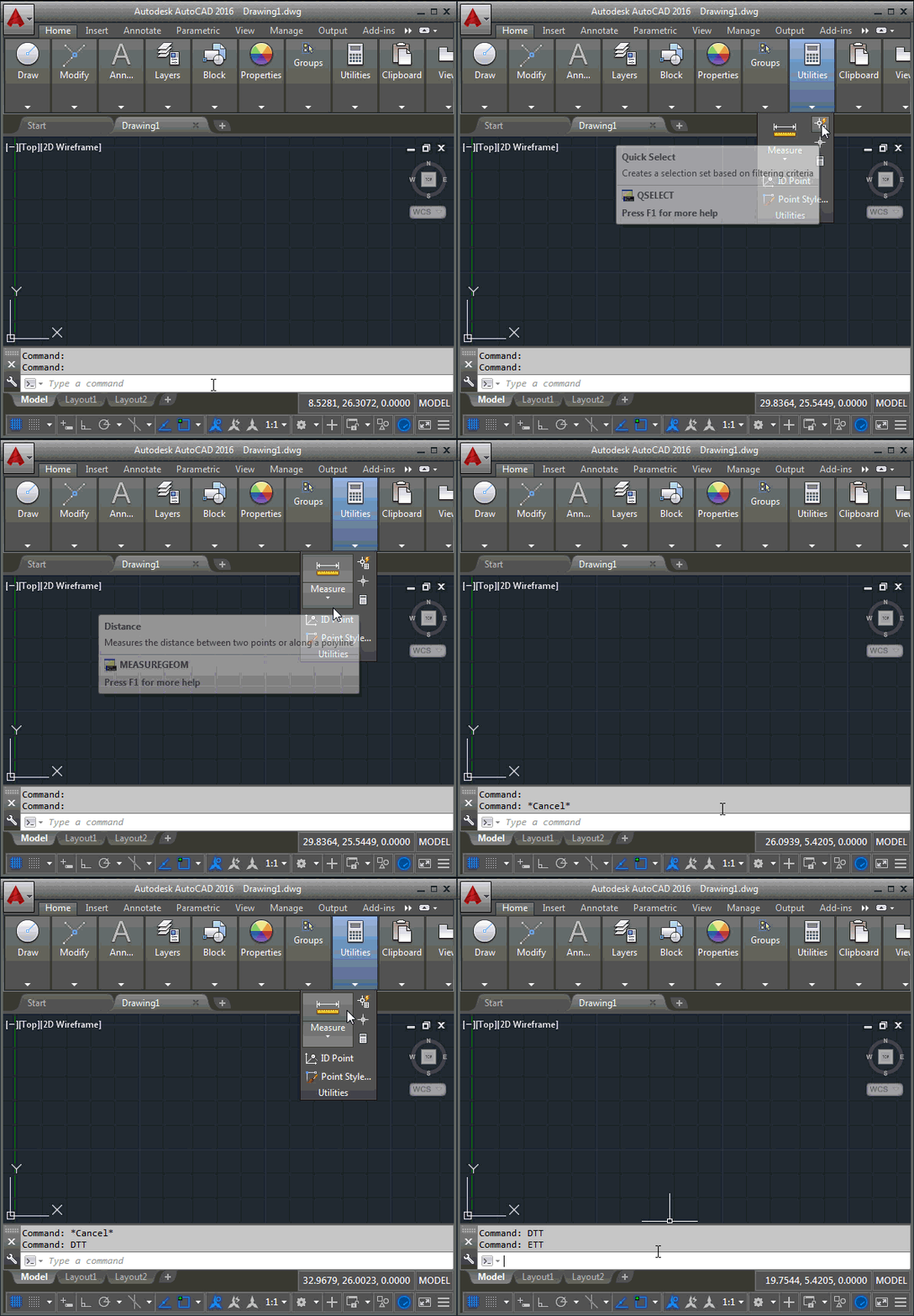
It turned out to be pretty easy. Based on the approach I used – way back when – for automatic tooltip translation, I went and added an event handler that makes tooltips invisible as soon as they're shown. One interesting point is that I needed to make them visible again as they were closing (not that we see that). Otherwise they won't come back – in the same session – once we re-enable them by removing the event handler.
Here's the C# code defining the DTT and ETT commands, which disable and enable tooltips, respectively.
using Autodesk.AutoCAD.ApplicationServices;
using Autodesk.AutoCAD.Runtime;
using Autodesk.Windows;
namespace UserInterfaceManipulation
{
public class Commands
{
[CommandMethod("DTT", CommandFlags.Transparent)]
public static void DisableToolTips()
{
EnableTooltips(false);
}
[CommandMethod("ETT", CommandFlags.Transparent)]
public static void EnableToolTips()
{
EnableTooltips(true);
}
public static void EnableTooltips(bool enable)
{
if (enable)
{
ComponentManager.ToolTipOpened -= OnToolTipOpened;
ComponentManager.ToolTipClosed -= OnToolTipClosed;
}
else
{
ComponentManager.ToolTipOpened += OnToolTipOpened;
ComponentManager.ToolTipClosed += OnToolTipClosed;
}
}
private static void OnToolTipOpened(object sender, System.EventArgs e)
{
var tt = sender as System.Windows.Controls.ToolTip;
if (tt != null)
{
tt.Visibility = System.Windows.Visibility.Hidden;
}
}
private static void OnToolTipClosed(object sender, System.EventArgs e)
{
var tt = sender as System.Windows.Controls.ToolTip;
if (tt != null)
{
tt.Visibility = System.Windows.Visibility.Visible;
}
}
}
}
Here are the commands in action:


Leave a Reply to Jamed Maeding Cancel reply