I've been thinking about Virtual Reality, of late, as I've been working on an internal project that requires VR to deliver architectural visualizations. As I've been thinking about it, I thought I'd write about it. Trust me, it's better than me writing about something I'm not thinking about. 🙂
The state of the art
"If you want quality VR, you need an HTC Vive or an Oculus Rift." If I had a dollar every time someone said this to me, I'd be able to afford a round of venti lattes at Starbucks. The prevalent thinking is that you need positional tracking and a high-end PC driving one of these HMDs (Head Mounted Displays) to make VR a compelling experience. It's also believed you need a game engine – most commonly Unity, but I expect to see more use of Stingray here, especially for design viz – to deliver real-time graphics with a frame-rate that's not going to make you violently ill.
Cutting the cord
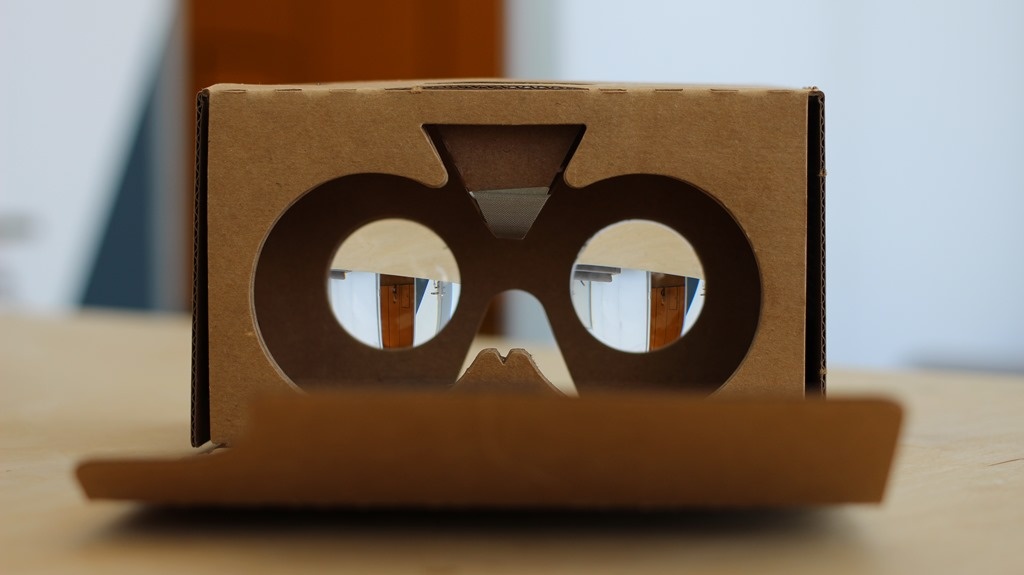
For me it feels as though we're falling victim to entrenched thinking: in the early 1980s who honestly believed CAD would ever be possible on anything other than a high-end workstation? Let alone a phone! Technological advances (I'm loathe to say "Moore's Law", as there's more to it than that) mean untethered experiences will become increasingly viable – whether via Google Cardboard, devices such as Gear VR or (one day) a self-contained VR solution based on Android VR.
There is incredible power in being able to experience VR in this way. You can hand someone a phone (or – and this is even more powerful – have them use theirs!) and give them the chance to visualize a design they care about in stereoscopic 3D. No cords, no attachments… quick and easy.
Going non-native
VR is still very much client-based: again, you "need" a native experience to meet the "quality requirements" for VR. That means having an app of some kind – often a game engine runtime – delivering stereo graphics. This is really no longer the case: major browser manufacturers (Mozilla and Google) already have nightly builds (of Firefox and Chrome) that support the nascent WebVR protocol, allowing them to deliver 75Hz (and in due course 90Hz) graphics via tethered HMDs. And a comparable mobile experience shouldn't be far behind.
In my opinion the future of VR is web-based. The benefits are just way too compelling for us to be stuck with siloed, native VR experiences.
Beauty is in the eye of the beholder
VR people get really hung up on frame-rates, mainly because their assumption is that they're catering to the entertainment market, where people will be immersed in VR for hours on end. This is not the case for design viz: for many purposes the convenience of an untethered experience more than makes up for any lack in quality. And for the majority of design viz use-cases, they're going to be using it for minutes, not hours, which changes things dramatically.
VR sickness is a real problem, but one that can be mitigated in different ways. You can either go for quality – make sure the brain is completely fooled into really believing the information it's being fed – or you can stop short of "uncanny valley" (and yes, I know this is really something else… but the parallel is there). You can limit the experience in a way that feels OK to the user but stops the nausea… I found that having the object pinned on a turntable – that head rotations causes to spin – is one great way to avoid the problem (known technically as the vergence-accommodation conflict), but I'm sure there are others.
So where am I heading with all this? Overall my point is that I believe there to be a number of VR solutions for design visualization that are compelling to users, without us all requiring umbilicals to gaming PCs. And even if you're not convinced, today, it will increasingly be the case as technology evolves.
In the next post I'll try to enumerate the different categories of "VR for design viz" solution that I'm aware of today. I'll also spend some time talking specifically about a solution I've been looking into that some might consider the ultimate in low-tech VR, but that works with any decent architectural rendering from Autodesk software.
In the meantime, what do you think? Are you a VR-purist or -pragmatist?
(By the way, some of you may have noted that I'm supposed to be on vacation, this week. If you find this post a bit of a rant, or slightly rushed, please take the fact I'm not even meant to be writing it into account. 😉
photo credit: Google Cardboard 2 via photopin (license)


Leave a Reply to James Maeding Cancel reply