Thanks for the positive responses to the last post. I can see it's an interesting topic for people, so I'm going to stick with it for a bit.
I promised some kind of categorisation of where I see existing VR solutions in the design visualization space. These are fairly broad categories that focus on the technology, rather than the user scenario, so hopefully I've managed to cover the main ones.
- Tethered (HTC Vive, Oculus Rift)
- Realtime graphics
- Game engine runtime *
- Lots of people are using this approach, today. One of the main issues continues to be around the content pipeline: getting CAD models into VR – with accurate materials, lighting, etc. – is just hard. There are external companies working on this problem and Autodesk's Project Expo is our attempt to solve it for the Revit to Stingray (which includes VR) workflow.
- Web-based **
- This is an emerging space… WebVR hasn't yet hit the mainstream, but it's of genuine interest. Some game engines are also targeting HTML5/WebGL for deployment, too.
- Game engine runtime *
- Realtime graphics
- Untethered (Google Cardboard, Gear VR)
- Realtime graphics
- Game engine runtime *
- I don't know enough about the ability of mobile game engine runtimes to support serious CAD data, today. I have to believe this is an area that will be of increasing interest over time, though.
- Web-based **
- This will come, in due course. An early attempt, based on the View & Data API – and not strictly WebVR – can be found here: Vrok-It.
- Game engine runtime *
- Pre-rendered graphics
- You can use cloud rendering in A360 to generate stereo panoramas today, which is the main subject of this post. (And yes, you could use this for tethered headsets, too, but I've only listed it here as it's a really good way to harness mobile VR devices.)
- Realtime graphics
* Unity, Unreal, CryEngine, Stingray
** WebGL & WebVR
I could have flattened this matrix in different ways, but this made as much sense as any to me, at least. I have no doubt that there's activity in the various sub-categories that I'm unaware of, but I did want to touch on the last one: pre-rendered CAD scenes viewed on mobile VR solutions.
A number of modern rendering tools allow you to generate 3D stereo panoramas. While it apparently isn't that hard, it isn't immediately obvious how it works (to me, anyway). The trick is that you're essentially generating two panoramic images – typically cube or spherical maps – and using one for each eye. But as your head rotates around, the two "cameras" need to rotate, too. Anyway, thankfully it's a solved problem, at this stage, even if the solution isn't obvious to rendering luddites such as myself.
The A360 rendering team has created a mechanism that allows you to generate stereo renders directly from within 3ds Max or Revit as well as via uploaded AutoCAD or Fusion 360 models. It's really easy to do, and you can find a bunch of stereo renders inside the online gallery:
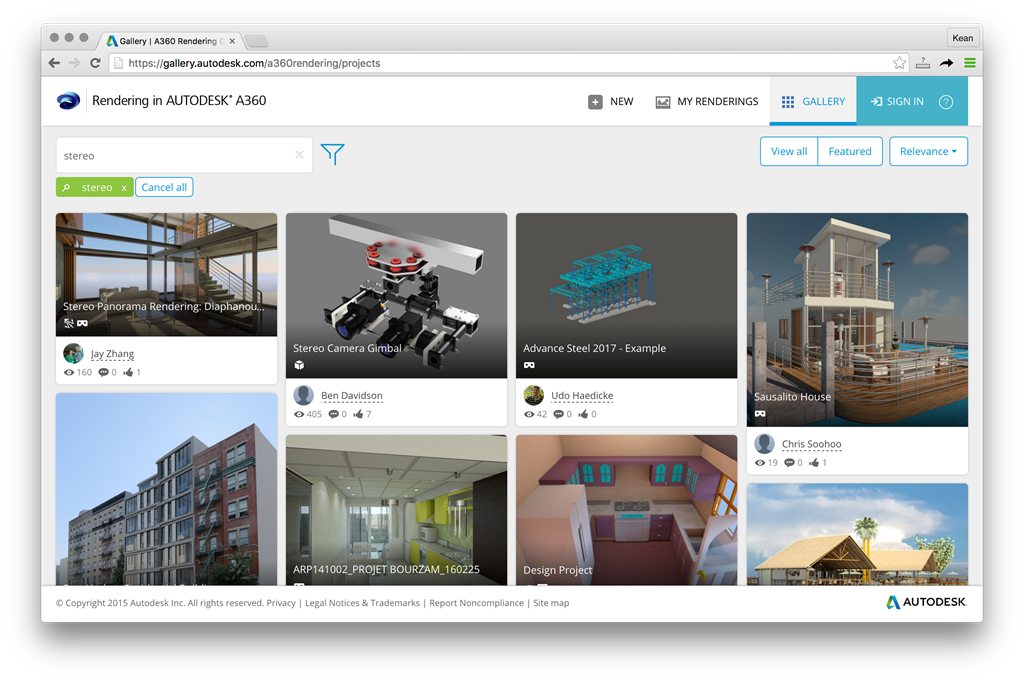
To view one of these panoramas on a mobile device, open up a project that shows the little VR goggles icon, and then look for a rendering in the project that shows it, too. When you select it, you should see a dialog such as this:
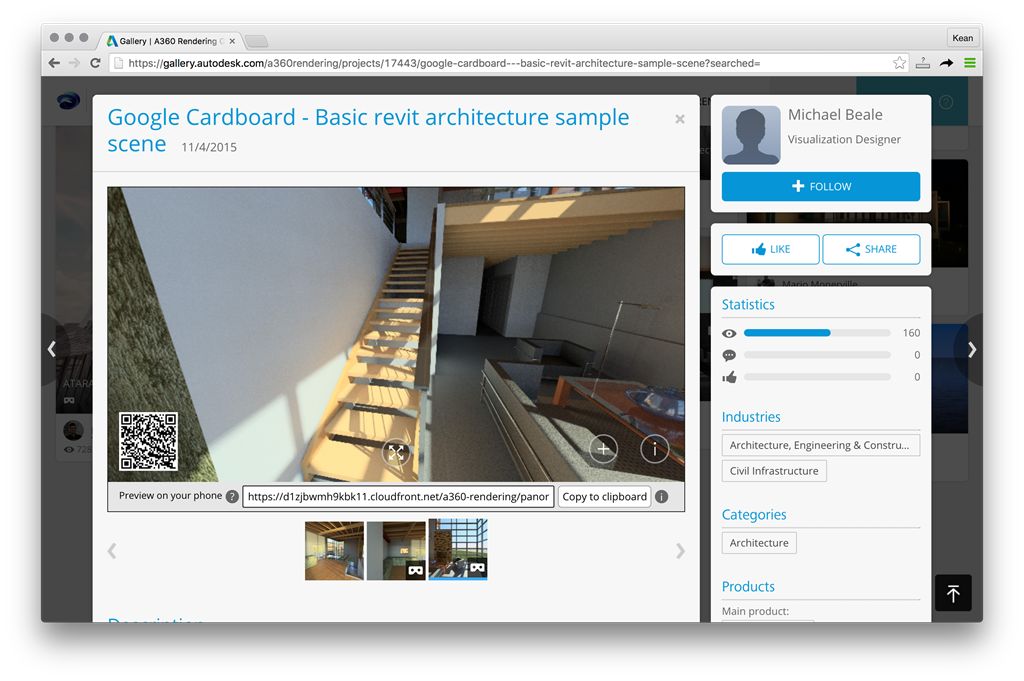
You can copy and paste the link or use the QR code to view the stereo panorama using Google Cardboard on your phone. Very cool, very easy. Oh, and a cloud rendering API is coming soon as part of the Forge platform, too. I'll be reporting more on that in due course.
Pre-rendering has a number of advantages, today, in that you can quickly generate decent VR-like visualizations without having to prepare a scene completely for navigation or worrying about the specific capabilities of the target device (such as whether it can run a game engine runtime). It has its limitations, of course: you can't move around the scene, for instance, but it can nonetheless be a powerful visualization tool.
Something the current implementation doesn't really support is the ability to aggregate a bunch of scenes into a single "presentation", allowing you to navigate between renderings without removing the headset. This type of aggregate scene can go a long way mitigate the issue of individual scenes being rendered from a single location.
For the internal project I mentioned last time, I went and built a simple tool that downloads the contents of a number of stereo renderings and builds a set of HTML files that use the krpano viewer for display and navigation. We'll take a look at more details next week.


Leave a Reply to Kean Walmsley Cancel reply