Over the weekend I managed to wind down nicely after giving 10+ hours of HoloLens demos on Thursday and Friday at our Design Night events (it may well have been less, but feels like it was much more).
In advance of the Design Night, I'd recorded a video that I ended up putting on a loop during the event. It was an effective way for people coming near the HoloLens exhibit to understand what it was all about.
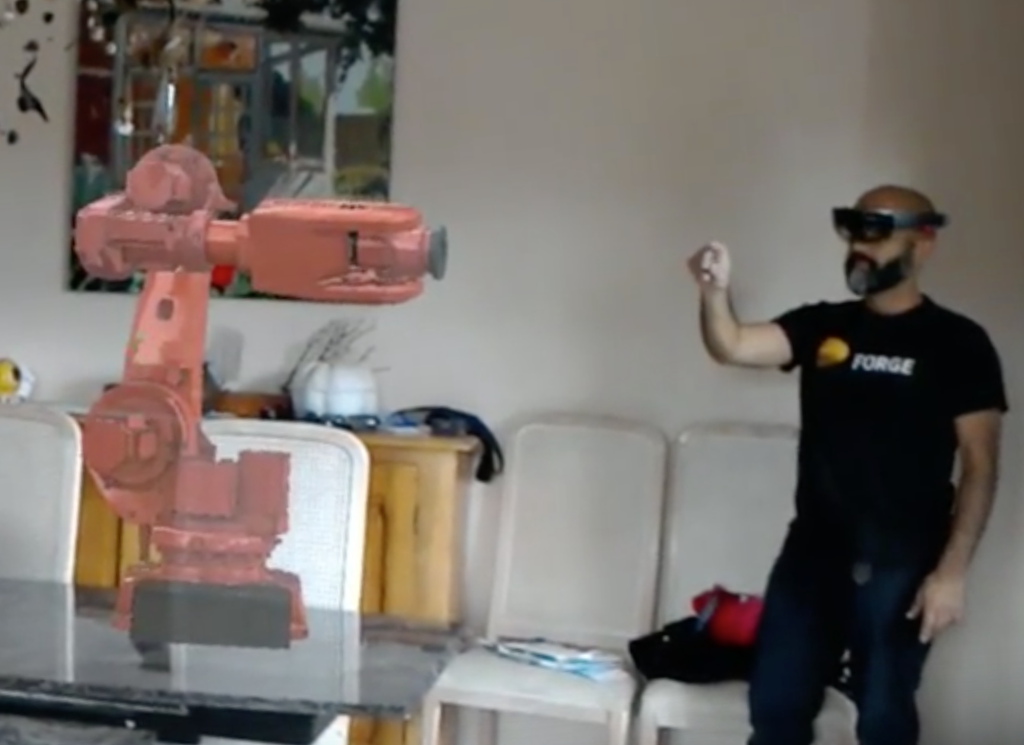 What was particularly interesting to me was whether people understood – or even thought to question – how this video was made. You see me manipulating a hologram – along with the hologram in question – in the video, after all:
So how was it made? Well, my eldest son was wearing one HoloLens and used it to record the video. What you see in the video is pretty much exactly what he saw through the device (with a somewhat better field of view, of course). The recording had really bad audio, initially, so I ended up using a pretty significant filter on it. My apologies if the sound is a little inaudible – it's a lot better than it was, I promise.
The video shows that the basic sharing capability is now in place. If you're interested in checking out the code, it's all there in GitHub (I haven't consistently shared this link in this series of posts, but the code is there and keeps evolving along with the sample).
The placement of the hologram remains a little finicky: for the purposes of the video I placed both robots at the same spot manually… anchoring just isn't working consistently well for me. There's probably something I'm missing, but still: for now the sharing capability works really well, with this one caveat. If someone manages to work out what I'm doing wrong (or not doing) please submit a pull request!
Anyway, I'm now in Munich for the latest Forge Accelerator: we have really high attendance for this week's event, so I was asked to come across for a few days to help out: I'm presenting at a VR conference in Zurich on Thursday, so can only be here for the first 3 days.
It'll no doubt be a fun few days, and it will do me good to be looking at something that isn't sitting on the end of my nose, too: slightly worryingly the headaches are still with me, so I'm starting to think I really need to spend a few days in reality0(a new label I'm trying out for meatspace). Let's hope it helps!


Leave a Reply to Rodolink Cancel reply