For the latest release of AutoCAD a new set of imagery was created. This is the first major evolution of the AutoCAD product brand in several years: our Brand Strategy & Design group recently shared some material about the work they do that I thought would be of interest to readers of this blog. Many thanks to Sabrina Humphreys and Bonnie Cha for contributing the content for this post.

The last major redesign happened for the AutoCAD 2014 product family, and was used until AutoCAD 2018. Here's what the team said about this effort (I'll share their words verbatim in a series of quotes, below):
We found inspiration in DNA, and based our imagery on a helix of different elements interacting and coming together to form something grand. The transparencies show details that reference the functionality of AutoCAD and the layered nature of our customers' work in architecture, assemblies, products, and components. We were purposeful in our abstract approach, as to not define the image by industry or discipline. Instead, they're meant to showcase the possibilities of our software and inspire.
For reference, here's the imagery used for AutoCAD 2014-2018, showing the evolution from the initial concept to the final design:

This was, of course, adapted across the full AutoCAD product family:

Once we had the main artwork, we created variations to represent the different products within the AutoCAD family. For each image, we emphasized the visual elements that help describe the functionality of the product. For example, the top left image illustrates a playful take on ductwork and piping to represent AutoCAD MEP.
Fast forward to the rebranding work performed for One AutoCAD, the 2019 release.
With the release of AutoCAD including specialized toolsets, we needed to create new imagery that represented the entire AutoCAD family as a single model. So, we reimagined how the different elements of AutoCAD might interact in this new version. We began sketching some ideas to investigate what the image might look like if it were a building.

From those sketches, we modeled in AutoCAD and 3ds Max, bringing together the different elements and aspects of AutoCAD—architecture, engineering, product scale, and more—into a unified form.

We also designed the model to be engaging in plan, elevation, and section to represent the functionality of AutoCAD LT.
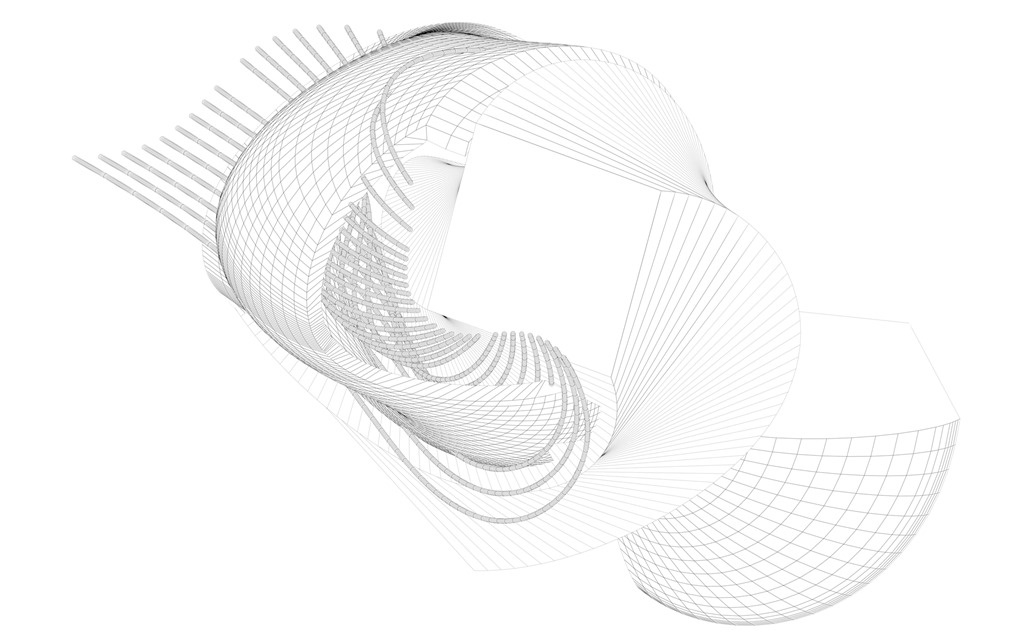
To remain authentic to our brand, it was important to incorporate the "make" aspect into our creative processes and brand imagery, so we decided to fabricate a physical model of the 3D model.
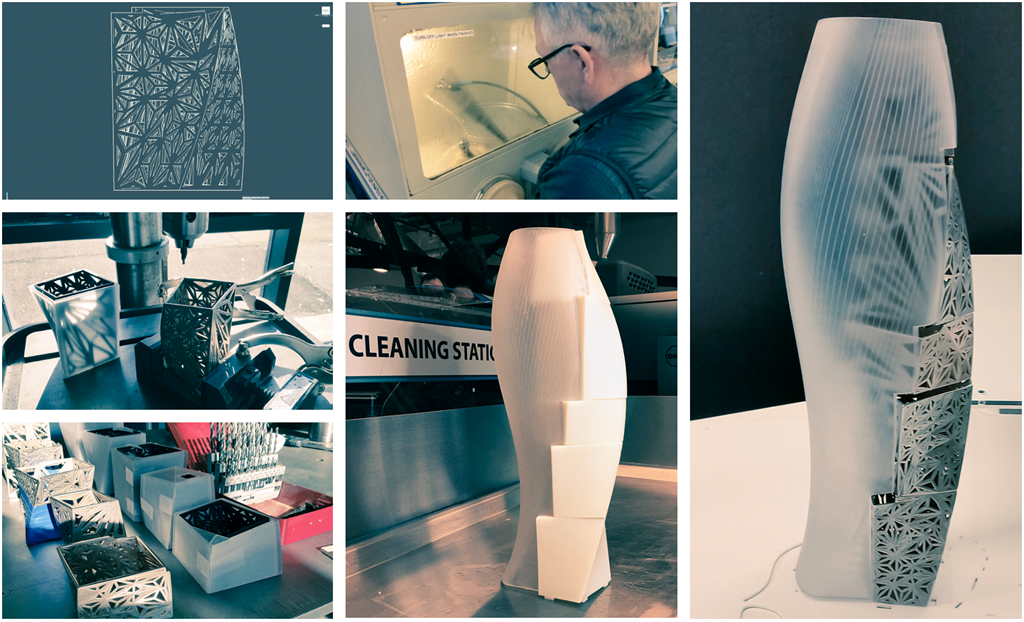
We designed a version we could build at our Pier 9 Technology Center in San Francisco using our tools. Most parts were 3D printed, but sintering was also used to generate the metal components. The pieces were then painted and finished before being assembled into the final structure.
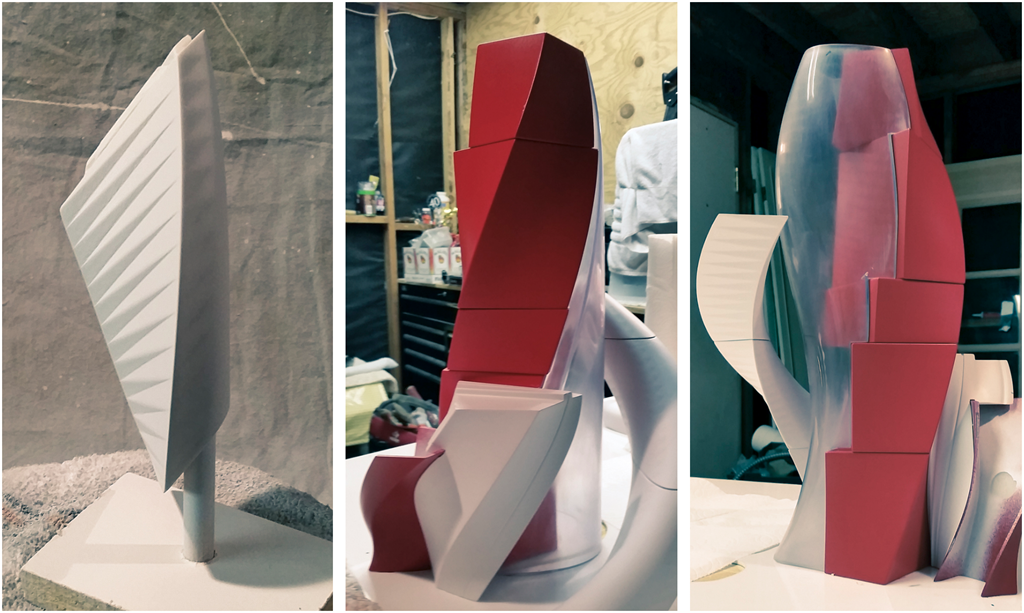
Once built, we then photographed the model, camera matched it, and added digital overlays that relate to the original 3D digital design files to create a final image that fully encompasses the design to make process.
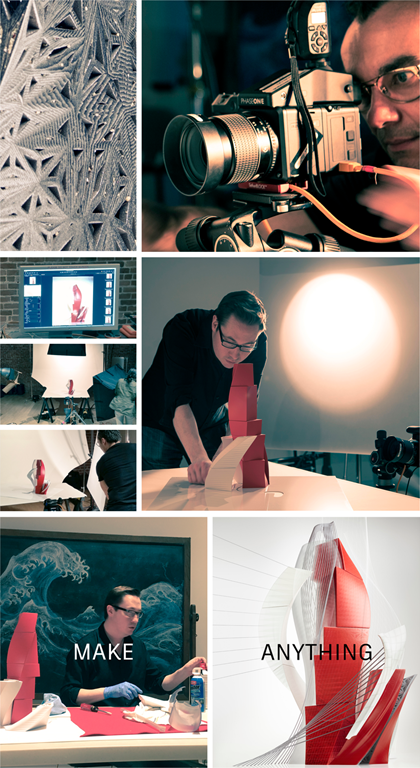
I love the fact the base imagery comes from photographing a physical model: it's great that the Brand Strategy & Design team integrated this aspect of Autodesk's strategy into the process. Very cool stuff!


Leave a Reply to Majd Ali Cancel reply