Have you tried Node Auto Complete in Dynamo 2.9?

If so (or if not but you're up for doing so) then the Dynamo team would like to hear from you!

For some background, here's the post on Dynamo Core 2.9 that introduces the feature. To enable the feature via Settings –> Experimental –> Enable Node Auto Complete.

Then you can simple place a node (from the Library or by right-clicking on the canvas) and start to use auto-complete to find nodes to connect by Alt-clicking the input ports. Here's me creating a small graph to create a polygon, for instance.
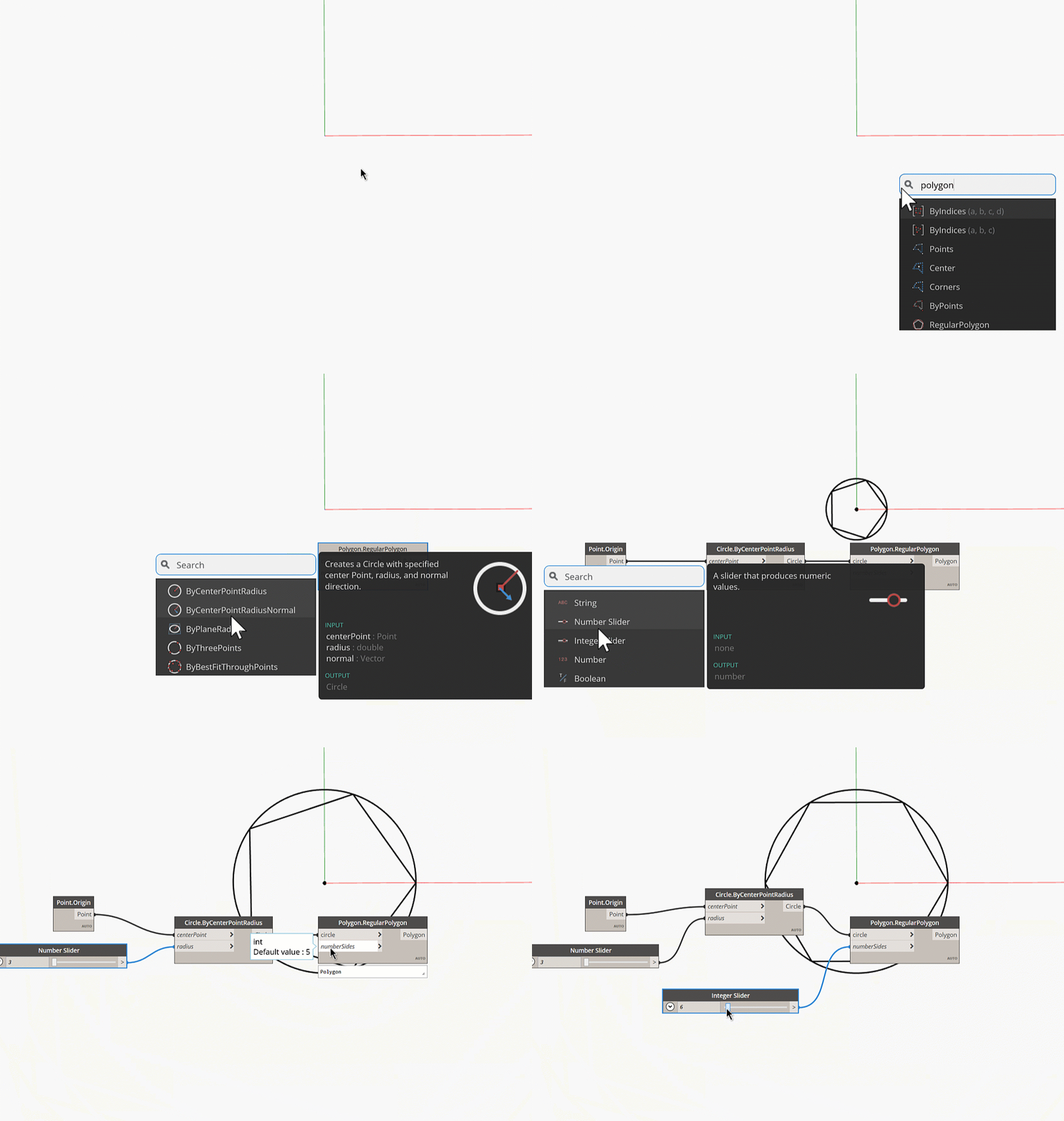
Node auto complete

From my cursory inspection it seems a really handy feature for novices and advanced users alike. If you're interested in providing formal feedback on this to the Dynamo team, please see this post for some instructions on how to do so. Thanks in advance for your help improving Dynamo!

3 responses to “Have you tried Node Auto Complete in Dynamo 2.9?”

  1. Kean,

    if i am not mistaken it seems at present dynamo+refinery is possible only through client machine installation, by when we can expect web interface for same; where app developers can simply invoke dynamo scripts and let refinery generate designs based on parameters and allow third party or even autodesk forge like APIs to consume them for further usage.

    Regards-

    1. You're correct - this is currently a client-side technology. You'd have to check in with the Dynamo team to see what their roadmap is for this changing (I'm not aware of the plans).

      Kean

  2. Hi Kean, Any chance to run this on Dynamo for Revit? or its just for sandbox at the moment?

Leave a Reply to Amin Cancel reply

Your email address will not be published. Required fields are marked *