MX3D
-
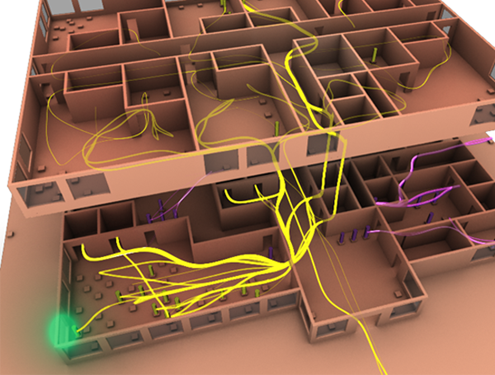
The integration of the MeshLine library into the Forge viewer – which we're using for the display of skeleton data, as we saw last time – has opened the door to displaying all kinds of other cool stuff. Back in 2014 colleagues in Autodesk Research published a SimAUD paper entitled "Towards Visualization of Simulated Occupants and their Interactions with Buildings at Multiple Time Scales". It explored the use of various visualization techniques to display how a building's simulated occupants interact with it. One of these techniques was called Speedlines (we also use the term Streamline): The original visualizations were created…
-
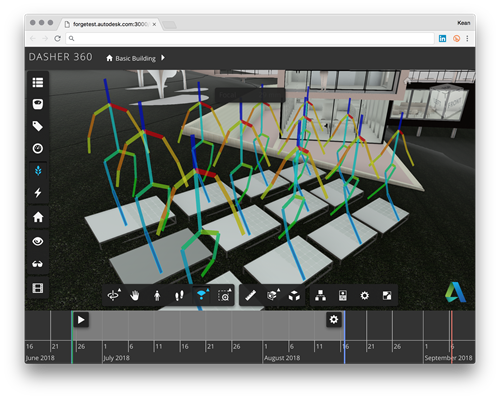
Right then… now it's time for the really fun stuff. Looking back over this series of posts, we introduced it then looked at adding simple geometry to the Forge viewer, followed by animated skeletons and animated skeletons with fixed meshes attached. Today we'll dig into making our animated skeletons properly visible. Having given up on using a SkinnedMesh, the remaining option was to tweak the underlying display of the SkeletonHelper object. This proved challenging for all sorts of reasons. Back in Chrome 55, it seems the ability to show lines with widths broke in three.js. This was fixed in three.js…
-

We introduced the series, then looked at adding simple geometry to the Forge viewer, followed by animated skeletons. Now it's time to look at approaches for making these skeletons more visible. As mentioned last time, today's post is a bit of a "non-post": it talks about adding a SkinnedMesh to be animated alongside an underlying skeleton, which we already know doesn't currently work inside the Forge viewer. But it's instructive to see the process in case either the situation changes or someone wants the code for a pure three.js application. Basically it's possible to add a SkinnedMesh into a render…
-
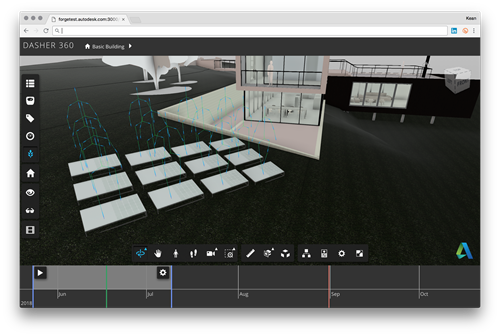
After introducing the series and seeing how we can add simple vertex and edge geometry to a scene, today we're going to start digging into the guts of the problem of how to display skeletons in the Forge viewer. This proved to be a really interesting process: I ended up learning a lot about how the Forge viewer and the three.js library it uses both work. I don't recall the full history of the Forge viewer's use of three.js, but recent releases have all depended on r71. This can present challenges, largely because three.js is (at the time of writing)…
-

It's been a strange few days. It's the very last week anyone will be working from Autodesk's Neuchatel office. This really hit home when the Autodesk name and logo were removed from the building, last Friday. Photo credit: Estelle Ormrod I salvaged an A (the were signs on the front and back of the building, so this wasn't the only one) for my daughter's bedroom. It'll be some kind of reminder of the wonderful years we've all spent here. The staff departures have been staggered, over the last 6 months or so: there have been leaving aperos for people on…
-
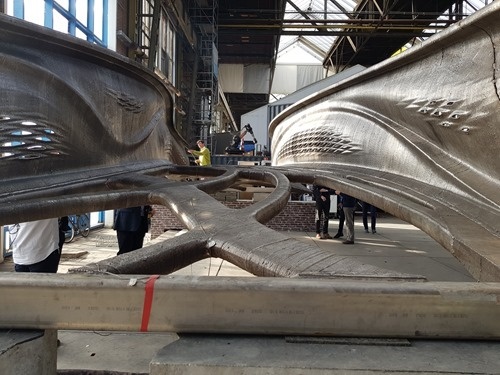
In a recent post I mentioned a trip to Amsterdam to visit with Van Wijnen and MX3D. The press embargo has now lifted on MX3D's bridge – as you can see from a slew of recent articles – so I can now share a bit more information about that part of the visit. During that week I spent 2.5 days at MX3D, mostly to participate in discussions about how best to instrument the bridge with sensors. Autodesk started our collaboration with MX3D around the vision of using generative design for the creation of the bridge's form… during the last year…
-
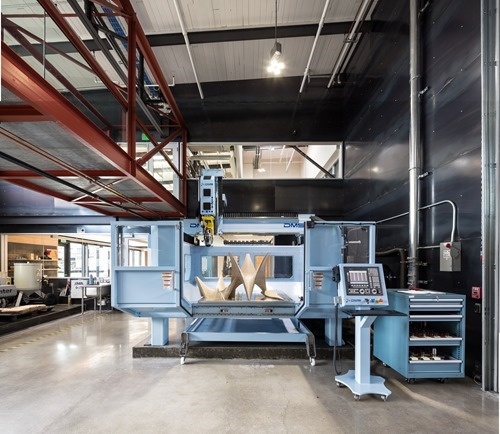
Over the coming weeks I'll be sharing a number of guest posts by Autodesk colleagues working on a project that I think will be of interest to many of this blog's readers. The first post is by Alec Shuldiner, who is introducing the project. At Autodesk, we have a bridge. Recently, we gave that bridge a nervous system: sensors, wires to carry the signal, a small amount of local computing power to pre-sort the data, and, far away, in a virtual head, a brain to make sense of it all. It's a neat thing, and in a subsequent post…