Thanks to Stephen Preston from DevTech Americas for the code that originally inspired this post.
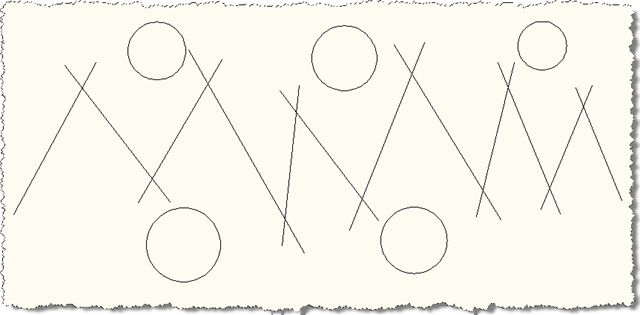
A nice little one to start the week. We're going to ask the user to select a bunch of lines and we'll then go through and edit each one, extending it in both directions by a quarter of its original length.
The code shows a couple of interesting techniques: aside from extending the lines themselves we also use a SelectionFilter in combination with a PromptSelectionOptions object to restrict the selection process from selecting anything but lines (and to give a customized experience by changing the selection prompt).
Here's the C# code:
using Autodesk.AutoCAD.Runtime;
using Autodesk.AutoCAD.ApplicationServices;
using Autodesk.AutoCAD.DatabaseServices;
using Autodesk.AutoCAD.EditorInput;
using Autodesk.AutoCAD.Geometry;
namespace GeometryExtension
{
public class Commands
{
[CommandMethod("EXL")]
public void ExtendLines()
{
Document doc =
Application.DocumentManager.MdiActiveDocument;
Database db = doc.Database;
Editor ed = doc.Editor;
// We only want to select lines...
// Use an options object to specify how the
// selection occurs (in terms of prompts)
PromptSelectionOptions pso =
new PromptSelectionOptions();
pso.MessageForAdding = "\nSelect lines: ";
// Use a filter to specify the objects that
// get included in the selection set
TypedValue[] tvs =
new TypedValue[1] {
new TypedValue(
(int)DxfCode.Start,
"LINE"
)
};
// Perform our restricted selection
PromptSelectionResult psr = ed.GetSelection(pso, sf);
if (psr.Status != PromptStatus.OK)
return;
// Assuming something was selected...
if (psr.Value.Count > 0)
{
// Start our transaction
Transaction tr =
db.TransactionManager.StartTransaction();
using (tr)
{
// Edit each of the selected lines
foreach (SelectedObject so in psr.Value)
{
// We're assuming only lines are in the selection-set
// Could also use a more defensive approach and
// use a dynamic cast (Line ln = xxx as Line;)
Line ln =
(Line)tr.GetObject(
so.ObjectId,
OpenMode.ForWrite
);
// We'll extend our line by a quarter of the
// existing length in each direction
Vector3d ext = ln.Delta / 4;
// First the start-point
ln.Extend(true, ln.StartPoint - ext);
// And then the end-point
ln.Extend(false, ln.EndPoint + ex
t);
}
// Mustn't forget to commit
tr.Commit();
}
}
}
}
}
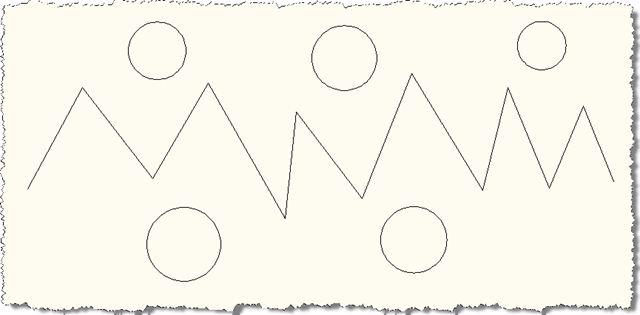
To put it through its paces, let's start by drawing some lines and circles:
Now we start the EXL command and window-select all the above geometry:
Command: EXL
Select lines: Specify opposite corner: 12 found
Select lines:
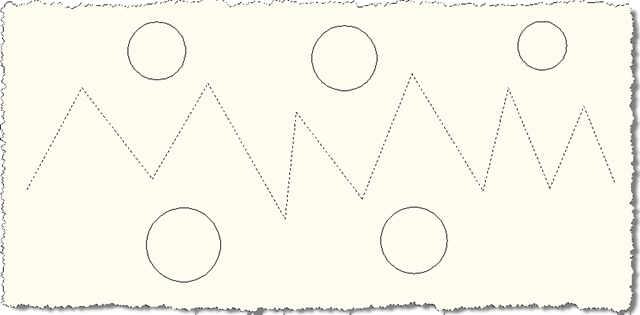
We can see that only the lines actually get selected:
And then once the selection is completed, the selected lines each get extended in both directions:


Leave a Reply to Kean Walmsley Cancel reply