In the last post we saw a very simple, preliminary exploration of some of the new programmatic capabilities of the in-place MText editor in AutoCAD 2011. In that basic case we just used it to strip off all formatting from an MText object. Now we're going to implement a couple of commands to toggle the case of the contents of an MText object between lower- and uppercase.
Here's the C# code:
using Autodesk.AutoCAD.ApplicationServices;
using Autodesk.AutoCAD.EditorInput;
using Autodesk.AutoCAD.DatabaseServices;
using Autodesk.AutoCAD.Runtime;
namespace MTextEditing
{
public class Commands
{
[CommandMethod("CTU")]
public void ChangeToUppercase()
{
ChangeCase(true);
}
[CommandMethod("CTL")]
public void ChangeToLowercase()
{
ChangeCase(false);
}
private void ChangeCase(bool upper)
{
Document doc =
Application.DocumentManager.MdiActiveDocument;
Database db = doc.Database;
Editor ed = doc.Editor;
// Specifically select an MText object
PromptEntityOptions peo =
new PromptEntityOptions(
string.Format(
"\nSelect MText to change to {0}case: ",
upper ? "upper" : "lower"
)
);
peo.SetRejectMessage("\nObject must be MText.");
peo.AddAllowedClass(typeof(MText), false);
PromptEntityResult per = ed.Get
Entity(peo);
if (per.Status != PromptStatus.OK)
return;
Transaction tr =
doc.TransactionManager.StartTransaction();
using (tr)
{
// We only need our MText open for read
DBObject obj =
tr.GetObject(per.ObjectId, OpenMode.ForRead, false);
MText mt = obj as MText;
if (mt == null)
return;
// Create a text editor object for the MText
TextEditor te = TextEditor.CreateTextEditor(mt);
if (te == null)
return;
// Select the entire contents of the MText
te.SelectAll();
TextEditorSelection sel = te.Selection;
if (sel == null)
return;
// Check whether we can change the selection's
// case, and then do so
if (sel.CanChangeCase)
{
if (upper)
sel.ChangeToUppercase();
else
sel.ChangeToLowercase();
}
// Be sure to save the results from the editor
te.Close(TextEditor.ExitStatus.ExitSave);
tr.Commit();
}
}
}
}
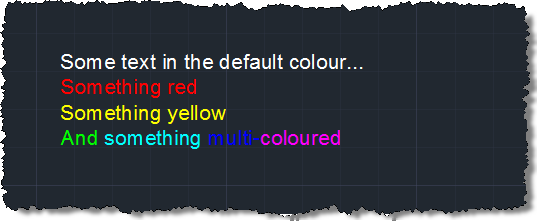
After building the code into a DLL and NETLOADing it, we can use our new custom commands to change the case of the entire contents of an MText object.
Before…
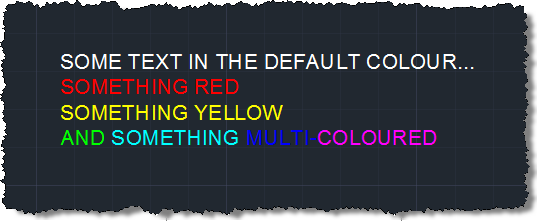
After using the CTU command to change it to all caps…
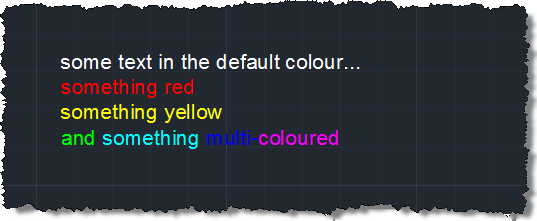
After using the CTL command to change it to all lowercase…


Leave a Reply to Quân Trần Cancel reply