New version of the AutoCAD .NET Wizard posted

A new version of the AutoCAD .NET Wizard – compatible with AutoCAD 2011 and with Visual Studio 2010 – has been posted to the AutoCAD Developer Center (and you can also get it from this direct link (8.74 MB)).
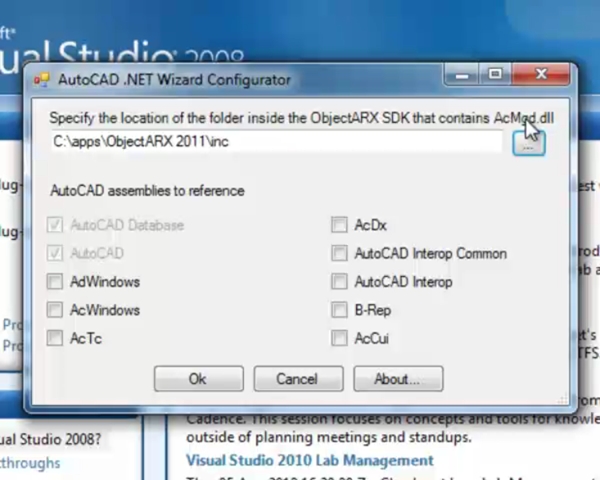
Using the AutoCAD .NET WizardThe download size has jumped from a little under a megabyte its current size: this is due to a very helpful screencast recorded by Stephen Preston and included in the Wizard's distribution.

If you've been using prior versions of this Wizard – or are just interested in its capabilities – be sure to check it out!

9 responses to “New version of the AutoCAD .NET Wizard posted”

  1. Could you offer some insight on what
    benefits Autodesk's wizard offers, that
    Visual Studio project and item templates
    are lacking?

  2. I'm probably not best-placed to comment, as I don't use the tool myself. Here is some commentary from me on the initial (pre-)release of the tool, in case that helps.

    Kean

  3. Cadbloke.wordpress.com Avatar
    Cadbloke.wordpress.com

    Wouldn't install for me on Win 7 x64 with AutoCAD 2010 & 2011. The VBA enabler is also installed for both of those, as are the ARX toolkits Also, curiously wouldn't repair or uninstall. It gave the same errors from the listing in add/remove programs, which would seem to indicate the installer didn't crash very gracefully. That entry shouldn't be there.

    Screengrabs at yfrog.com/0kpqtp yfrog.com/5ovpcp yfrog.com/2ocu9p

    This probably isn't the place to look for answers but the Internet is a very big place and Autodesk often hides its answers very well.

  4. Cadbloke.wordpress.com Avatar
    Cadbloke.wordpress.com

    Solved. After much frustration I found it was "blocked" in much the same way that CHM files are blocked when you copy them from another computer. To unblock it, right click - Properties - down at the bottom there is an "unblock" button. After I unblocked it the installation went fine. I hope this helps someone out there.

  5. This new installer will not install if you don't disable the user accont control on windows 7 even if you have full administrator rights? please fix this issue...

  6. In future, the email address to use for providing feedback on the Wizard is oarxwiz-feedback@autodesk.com.

    I've forwarded your comment to that address.

    Kean

  7. Just to let you know the response...

    This is "as designed". The installer makes use of a VBScript file, and so needs to run in this way. This is documented in the Wizard's ReadMe.

    Kean

  8. xanhnhnn280683@gmail.com Avatar
    xanhnhnn280683@gmail.com

    Welcome Forum!
    I have a question related to vba of AutoCad, reference your comments. Comments Reference sent to the email address: xanhnhnn280683@gmail.com thank you.
    Questions:( I write mã VBA trong autocad running best, select in objects domain non empty, select the outside of objects domain Empty:)

    Sub testboundary
    Dim kiemtradoituong As Long, RetPoint As Variant
    kiemtradoituong = ThisDrawing.ModelSpace.Count
    Dim pt As Variant
    pt = ThisDrawing.Utility.GetPoint(, "Select object or enter to finish")
    ThisDrawing.SendCommand "-Boundary" & vbCr & pt(0) & "," & pt(1) & vbCr & vbCr
    If ThisDrawing.ModelSpace.Count > kiemtradoituong Then
    RetPoint = ThisDrawing.Utility.GetPoint(, " non domain Empty ")
    Else
    RetPoint = ThisDrawing.Utility.GetPoint(, " domain Empty ")
    End If
    End sub
    by vb.net language that supports creating dynamic library (dll), so I make run some examples vba in autocad.( Address reference: keanw.com/2011/08/debugging-autocad-net-projects-using-express-editions.html).
    when I create file dll by visual tudio 2010 (vb.net) support, the variable (Dim pt As Variant) in vba autocad, vb.net changed (Dim pt As Object) run vba autocad error, looking for help
    Best regards
    Xanhnhnn280683

  9. Sorry, this is absolutely *not* a support forum.

    Please post your question to the appropriate online Autodesk discussion group.

    Regards,

    Kean

Leave a Reply to Tony Tanzillo Cancel reply

Your email address will not be published. Required fields are marked *