Customizing ScriptPro 2.0 to process drawings not present in the AutoCAD editor

It's time to wrap up the series on batch-reporting Registered Application IDs. For reference, here's how we got to where we are today:

  1. Implement a command to collect RegAppId information for the active document
  2. Extend this command to work on a drawing not loaded in the editor
  3. Save our RegAppId information to some persistent location (XML)
  4. Create a modified version of ScriptPro 2.0 (one of our Plugins of the Month) to call our command without opening the drawing

The broader point of today's post – other than simply to deliver on step 4, above – is to demonstrate that there are definitely simple options when it comes to architecting and building your own batch-processing tool. It's quite possible that ScriptPro 2.0 does what you want, out of the box, but in our case it does not: we do not want to load a drawing into the AutoCAD editor to process it, we want to run a custom command to load drawings in side databases in order to process them more quickly.

But as the full source code for ScriptPro 2.0 is available on Autodesk Labs, it's a simple matter of editing it for our own purposes. I won't go into great detail on the changes that were needed – most of which were cosmetic in nature – but I will list a few areas:

  • Changed the name of the application from ScriptPro 2.0 to RegAppReport
  • Stripped down the UI of the main dialog
    • Reduced unwanted items from the ribbon (load SCP, for instance)
    • Removed the script selection box and associated code
    • I didn't bother changing the options dialog, at all, but I did change the load/save of the drawing lists not to include that information
  • Removed the code to open the selected document in the AutoCAD editor
  • Customized the code to call our XRA command – rather than SCRIPT – passing in the DWG we want to process via the command-line
  • Added some code to copy the file placed at C:\RegAppData.xml to the executable location, where our XSLT resides
    • I also decided to back up the previous contents of this file, in case they were needed
    • We could also have specified the XML as an argument to the command, but felt it less disruptive (in terms of changes to the previous implementation) to do it this way
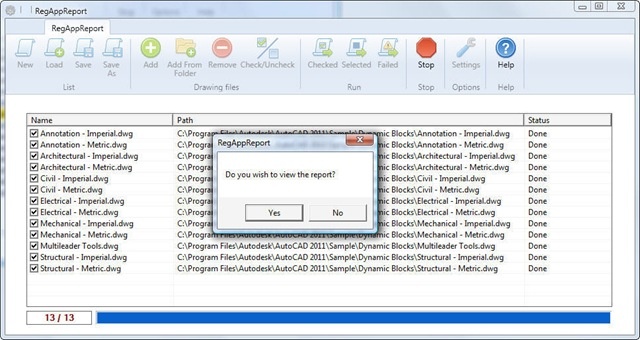
  • We give the option of automatically launching the XML report (rendered to HTML, of course) after processing

It should be noted that the code developed in the previous posts, defining the XRA command, should be built into a plugin and set up to load automatically into AutoCAD at startup or when the XRA command is called (you can, of course, set this up programmatically).

Here are the C# source project and executable files for the modified ScriptPro 2.0 application.

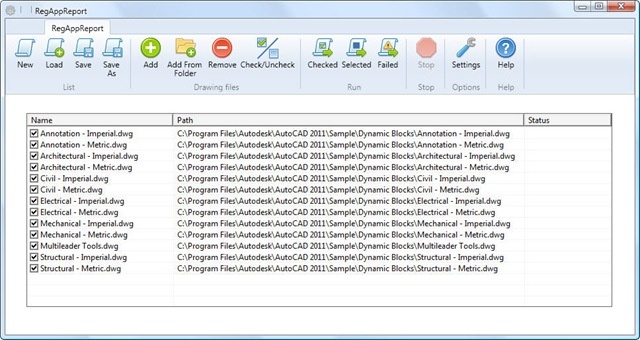
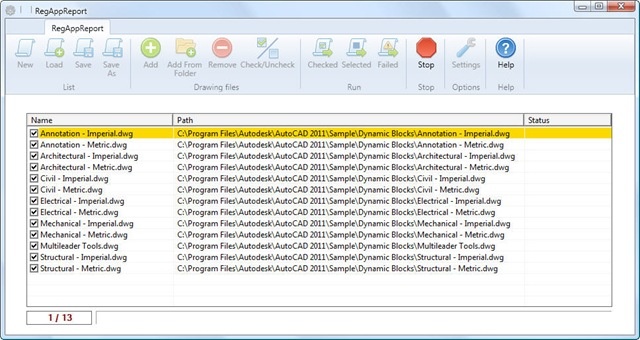
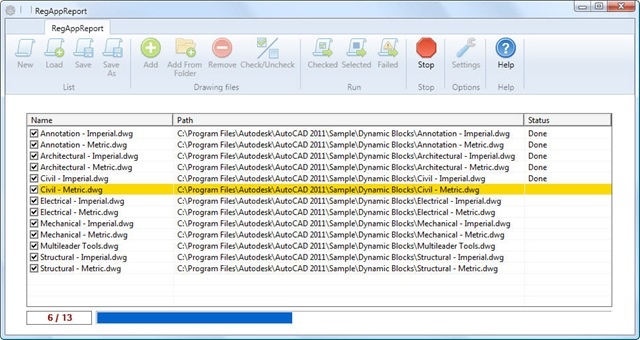
Here's the application in action…
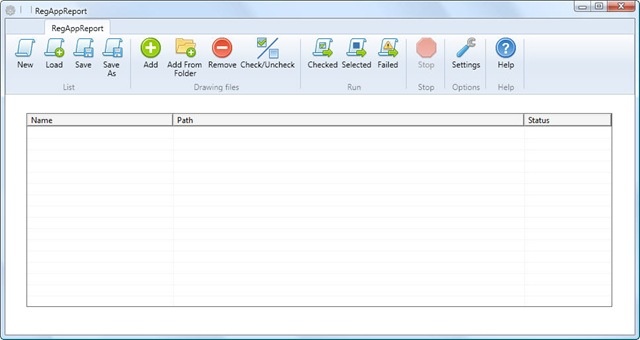
Our customized ScriptPro 2.0 dialog

With files loaded

During processing 1

During processing 2

Executed

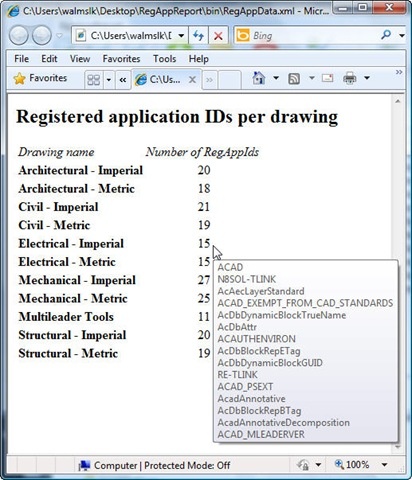
And finally the results…

Our RegAppId report

It's altogether possible to extend this application to actually – even selectively – purge RegAppIds from drawings, but that's being left as an exercise for the reader.

16 responses to “Customizing ScriptPro 2.0 to process drawings not present in the AutoCAD editor”

  1. This has been a great series Kean, thanks very much. It is working beautifully and I'll use it as a template for other batch processing. Regards, Dale

  2. Hi Dale,

    Great - I'm glad it's been of help.

    Regards,

    Kean

  3. Hi Kean:
    I have modified the ScriptPro to run my customized application. Now I have this problem, how handle the error in my custom command (XGA, in your case) to the ScriptPro host application. Now if something wrong in my AutoCAD custom command, ScriptPro still show done.
    I'm think save it to AutoCAD system varibles like USERRx, then read it back in ScriptPro. What do you think?

    Thank you,

  4. Hi Wesley,

    That's certainly one option - you might also just save to a text (XML for more structured information) file.

    Cheers,

    Kean

  5. Hey Kean,
    Sorry to drag up an old post, but I had a question about some of the methodology used to access the AutoCAD application. I see that a batch file is being written on the fly and run beforehand to get the proper object type and handle. However then a new process is created and pointed to the batch file. Wouldn't pointing the created Process to the exe path skip needing to create the batch file altogether?

    ' Create the AutoCad Process
    Dim acadExe As New Process()

    ' Populate AutoCAD process starting details
    acadExe.StartInfo.FileName = acadExePath
    acadExe.StartInfo.Arguments = "/nologo /b " & tmpExitScript
    acadExe.StartInfo.WindowStyle = ProcessWindowStyle.Hidden
    acadExe.Start()

    The above works for me, but I don't want to go this route if using a batch file is more stable or has benefits I'm not seeing.

  6. I think that was inherited from the base ScriptPro 2.0 app - I'll have to ask the author to comment.

    Kean

  7. Virupaksha aithal Avatar
    Virupaksha aithal

    You are correct. Please take a look at the update version of the ScriptPro published on 16th Jan 2012 (labs.blogs.com/its_alive_in_the_lab/2012/01/updated-scriptpro-202-adn-plugin-of-the-month-now-available.html ).. The new version do uses same procedure as yours...

  8. Thanks for the clarification Viru, and of course for this excellent plugin.

  9. Hi Kean,

    I am running a custom .NET dll command through ScriptPro 2.0 and it works well. However my command includes a few calls to SendStringToExecute(), and it appears that these calls are completely ignored.

    I tried SendCommand() and acedCmd() but these didn't work either, so this doesn't seem to be a synchronicity issue.

    I haven't tested it, but perhaps this is a limitation for script files in general rather than a ScriptPro specific problem. Any ideas what's happening with this?

    Regards, Art

    p.s. No idea if "synchronicity" is a real word, but I'm sticking to it 🙂

  10. Kean Walmsley Avatar
    Kean Walmsley

    Hi Art,

    Hmm - good question: can you script commands inside AutoCAD that call other commands via SendStringToExecute()? I've never tried it (that I can recall, anyway).

    You might have more luck forcing "syncronicity" if you declare the commands as "session", but otherwise you might try pinging ADN or the AutoCAD .NET Discussion Group, to see what ideas you can get from them.

    Cheers,

    Kean

  11. Quick Update:

    I tested my script file using the SCRIPT command and both SendStringToExecute() and SendCommand() failed. So it appears this is an AutoCAD scripting issue.

    Good news is that acedCmd() is executed from a script file, and hence will work with ScriptPro.

    I now have options, I can use acedCmd(), and I can also enter strings into the script file itself. With this I can get something to work for me, which is great because I think ScriptPro is a sweet piece of kit.

    Thanks, Art

  12. steve carlson Avatar

    Viru - can i modify the source code with C#.
    I would really like to add DRAG & DROP to the interface. which files in the source should i make that change in?

  13. Virupaksha aithal Avatar
    Virupaksha aithal

    Thanks for the interest. I always wanted to add this functionality to this tool. Anyway, I think you need to allow the drop in “DrawingListControl” user control. (Note, I may be wrong here)…

    In general, this tool host a winform user control (DrawingListControl) in a WPF application. all the best

    Thanks again
    Viru

  14. Hello i am new on this blog.
    First of all, this block is really great.

    I am searching for the ScriptPro tool 32-bit / 64-bit.
    Autodesk has changed the Support site´s, so all the links are broken.
    Would you please so kind and give the community the correct link ?

  15. Hi joerg,

    I'll pass your question on to the ADN team and post their reply here (if they don't do it themselves).

    Thanks for raising this,

    Kean

  16. Hi.

    Should ScriptPro 2.0 work with AutoCAD OEM 2014?

    I know this is an old post so here's hoping it gets noticed 🙂

Leave a Reply to Kean Walmsley Cancel reply

Your email address will not be published. Required fields are marked *