Batch processing
-
This request came in a few weeks ago regarding the source code for the recently posted DGN clean-up tool: Would you modify the tool so that it can be processed by the equivalent figure ObjectDBX (of course for AutoCAD, not RealDWG)? I would like to give the Database object to the function, and the tool would have to process them in batch (a tool for loading drawings on my side). It seemed like a reasonable enough request, so I spent some time putting together a version of the code that can be used on non-editor resident drawings. I changed the…
-
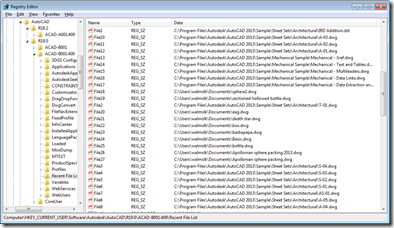
Inspired by the Windows 8 conference I attended on Monday, I've decided to build my first Metro-style application which scrolls through AutoCAD's Most-Recently-Used (MRU) drawing list. I now have a barebones installation of the Windows 8 Consumer Preview + VS11 Beta inside a Parallels VM on my Mac, but rather than installing AutoCAD into that, I decided to write a simple exporter on my existing Windows 7 machine (which now has AutoCAD 2013 installed) to generate the data for my Metro-style application. Let's start by looking at what file-oriented MRU data AutoCAD stores, and where. At the end of each…
-
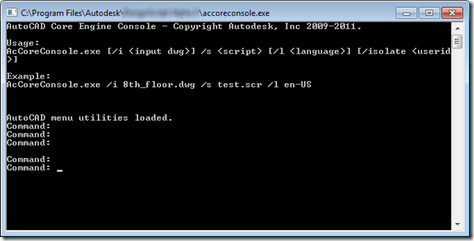
In the first of this week's posts on the new, developer-oriented features in AutoCAD 2013, we're going to take a look at the AutoCAD Core Console. I predict that this one feature alone is going to be worth its weight in gold to many customers and developers. Picture this: a stripped down version of AutoCAD – but only from a UI perspective – that can be executed from a standard Command Prompt. We're talking about a version with almost all the capabilities of full AutoCAD – with the ability to load certain applications and execute scripts – but launches in…
-
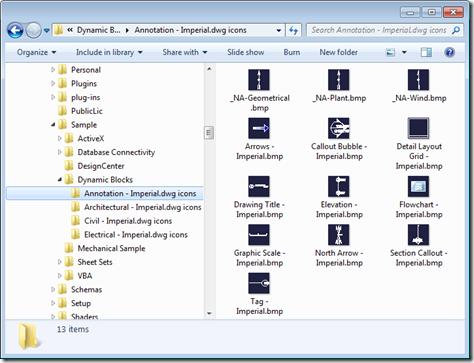
This was a nice little solution I saw provided recently by Viru Aithal from DevTech India. It's a simple command to open a drawing and generate preview icons for each of the blocks it contains. It forces an icon to be generated – when it doesn't already exist – via Viru's old trick of using InvokeMember() to call IAcadDocument::SendCommand() via COM (which is synchronous, where Document.SendStringToExecute() is asynchronous and only executes once the command has completed). Viru's trick allows him to call SendCommand() without creating a dependency on the AutoCAD Type Library (something developers often prefer to avoid, as it…
-
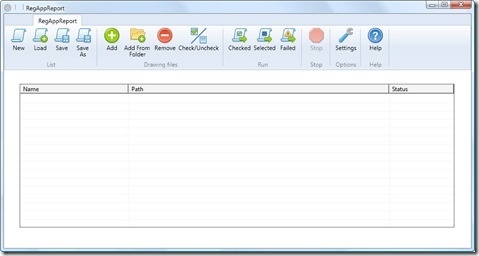
It's time to wrap up the series on batch-reporting Registered Application IDs. For reference, here's how we got to where we are today: Implement a command to collect RegAppId information for the active document Extend this command to work on a drawing not loaded in the editor Save our RegAppId information to some persistent location (XML) Transform the resulting XML file to HTML using XSLT Create a modified version of ScriptPro 2.0 (one of our Plugins of the Month) to call our command without opening the drawing The broader point of today's post – other than simply to deliver on…
-
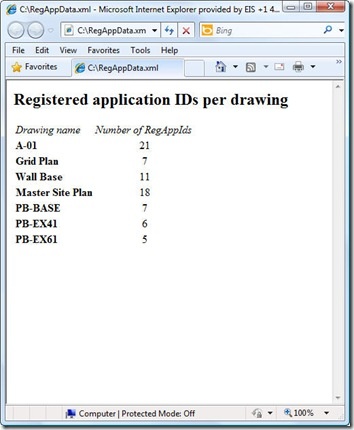
As raised as a possibility at the end of the last post, I did choose to throw together a quick XSLT stylesheet to generate an HTML report of the XML data created by our XRA command. To enable this I did make a few changes to our command implementation, which we'll take a look at first. Here's the updated C# code, with new/modified lines in red (and here's the updated source file): 1 using Autodesk.AutoCAD.ApplicationServices; 2 using Autodesk.AutoCAD.DatabaseServices; 3 using Autodesk.AutoCAD.EditorInput; 4 using Autodesk.AutoCAD.Runtime; 5 using System.Collections.Generic; 6 using System.Text; 7 using System.Xml; 8 using System.Xml.Serialization; 9 using System.IO; …
-
This post takes the code from the last post and extends it to serialize the collected RegAppId data to an XML file, as per Step 3 below: Implement a command to collect RegAppId information for the active document Extend this command to work on a drawing not loaded in the editor Save our RegAppId information to some persistent location (XML) Create a modified version of ScriptPro 2.0 (one of our Plugins of the Month) to call our command without opening the drawing I've chosen once again to leverage the very handy XmlSerializer class to handle serialization to and from XML:…
-
Many of you will be aware of what has been referred to as the "RegAppId virus": drawings that have been unfortunately polluted with excessive Registered Application IDs – which are used by applications to attach XData to entities – have these RegAppIds brought into a main drawing when Xrefed, duplicating and duplicating IDs that were often redundant in the first place. In fact – back in the day – I remember a very popular 3rd party application (which has long since been fixed and shall remain nameless) that erroneously used to create hundreds (if not thousands) of these IDs in…
-
Thanks for Chris, Dan and Dale for pointing out the obvious issue(s) with my last post. Let's just blame it on a few holiday cobwebs needing brushing away during the first week back in the saddle. 🙂 The main issue with my previous implementation was that I'd somehow forgotten that Database.Insert() allows you to insert into a named block definition. This simple function does all my previous, manual approach did and more. The secondary issue – but still very important to those using annotation scaling – is that the previous code does not work for annotative blocks, as Dan very…
-
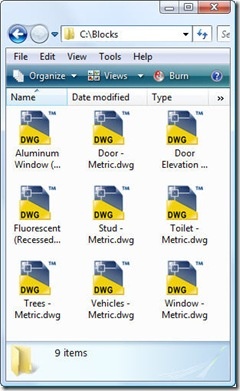
Important note: the code in this post – while potentially interesting, at a certain level – has been superceded by the code in the following post. Please go ahead and use that simpler, more complete implementation instead. This question came in, over the holidays, that seemed like it was worth addressing: How do I get an external DWG into the blocks table as a block definition? I started by quoting this ancient (at least in terms of this blog) post, but it turned out only to be of partial help: the problem is that the external DWG does not contain…