We've been looking a lot at transient graphics, recently. The standard approach we've been using to displaying graphics in all viewports has been to pass in an empty IntegerCollection into the various transient graphics-related methods, rather than listing the viewports specifically in which we want to display the graphics.
Thorsten Meinecke made the very valid point that this doesn't always work as you'd like, particularly when you have multiple floating paperspace viewport. Now I fully admit I'm not a big user of viewports, as far as it goes, so I sometimes forget to cater for scenarios that are probably extremely common among AutoCAD users. Thorsten also kindly provided some code that does a much better job of supporting display in multiple viewports.
Here's Thorsten's C# code (formatted to fit this blog):
using Autodesk.AutoCAD.ApplicationServices;
using Autodesk.AutoCAD.DatabaseServices;
using Autodesk.AutoCAD.EditorInput;
using Autodesk.AutoCAD.Geometry;
using Autodesk.AutoCAD.Runtime;
using AcGi = Autodesk.AutoCAD.GraphicsInterface;
using System.Collections.Generic;
using System;
namespace MyInsert
{
public class MyInsertCommand
{
// The command MyInsert displays the transient entity
// in all viewports (IntegerCollection is always empty)
[CommandMethod("MyInsert")]
public void MyInsert()
{
MyInsertCmd(new int[] { });
}
// The command MyInsertVP tries to be sensible: it
// shows the transient entity in all viewports only
// when TILEMODE = 1; in the paper space viewport
// alone when CVPORT = 1; else in the active floating
// viewports
[CommandMethod("MyInsertVP")]
public void MyInsertVP()
{
MyInsertCmd(ViewportNumbers());
}
// Naive implementation of block insert to demonstrate
// the display of a transient entity
void MyInsertCmd(int[] vps)
{
Document doc =
Application.DocumentManager.MdiActiveDocument;
Editor ed = doc.Editor;
Database db = HostApplicationServices.WorkingDatabase;
// Ask user for a block name and check if it's in
// the BlockTable
PromptStringOptions pso =
new PromptStringOptions("Block name")
{
AllowSpaces = true
};
PromptResult psr = ed.GetString(pso);
if (psr.Status != PromptStatus.OK)
return;
Transaction tr =
db.TransactionManager.StartTransaction();
using (tr)
{
BlockTable bt =
(BlockTable)tr.GetObject(
db.BlockTableId, OpenMode.ForRead
);
if (!bt.Has(psr.StringResult))
ed.WriteMessage(
"\nBlock {0} not found.", psr.StringResult
);
else
{
// Set up the BlockReference to draw as transient
AcGi.TransientManager ctm =
AcGi.TransientManager.CurrentTransientManager;
IntegerCollection ints = new IntegerCollection(vps);
BlockReference br =
new BlockReference(
Point3d.Origin, bt[psr.StringResult]
);
ctm.AddTransient(
br, AcGi.TransientDrawingMode.DirectShortTerm,
128, ints
);
// Add event handler for PointMonitor event, then
// let user select an insertion point, afterwards
// ensure removal of event handler and transient
PointMonitorEventHandler handler =
delegate(object sender, PointMonitorEventArgs e)
{
br.Position = e.Context.RawPoint;
ctm.UpdateTransient(br, ints);
};
ed.PointMonitor += handler;
PromptPointResult ppr;
try
{
ppr = ed.GetPoint("Select insertion point");
}
finally
{
ed.PointMonitor -= handler;
ctm.EraseTransient(br, ints);
}
// If insertion point selection was
// successfull, add BlockReference to
// current space
if (ppr.Status == PromptStatus.OK)
{
BlockTableRecord cs =
(BlockTableRecord)tr.GetObject(
db.CurrentSpaceId, OpenMode.ForWrite
);
cs.AppendEntity(br);
tr.AddNewlyCreatedDBObject(br, true);
}
}
// Common exit point for all code paths inside
// using statement
tr.Commit();
}
}
// Determines which viewports will display the transient
int[] ViewportNumbers()
{
Document doc =
Application.DocumentManager.MdiActiveDocument;
Editor ed = doc.Editor;
Database db = HostApplicationServices.WorkingDatabase;
// Are we in model space outside floating viewports?
// Then we'll initalize an empty IntegerCollection
if (db.TileMode)
return new int[] {};
IList<int> vps = new List<int>();
Transaction tr =
db.TransactionManager.StartTransaction();
using (tr)
{
Viewport vp =
tr.GetObject(ed.ActiveViewportId, OpenMode.ForRead)
as Viewport;
// Are we in paper space and not inside a floating
// viewport? Then only the paper space viewport itself
// is of interest
if (vp != null && vp.Number == 1)
vps.Add(1);
else
// Now we're inside a floating viewport and
// will display transients in active viewports
foreach (ObjectId vpId in db.GetViewports(false))
{
vp = (Viewport)tr.GetObject(vpId, OpenMode.ForRead);
vps.Add(vp.Number);
};
tr.Commit();
}
int[] ints = new int[vps.Count];
vps.CopyTo(ints, 0);
return ints;
}
}
}
The above code defines two commands:
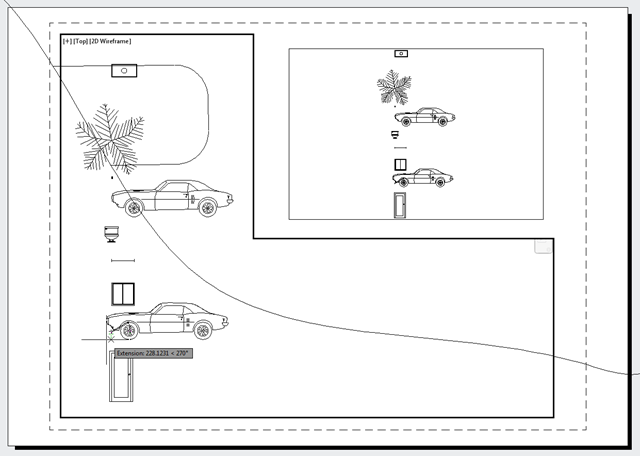
- MYINSERT, which uses the "empty IntegerCollection" approach to show transients in all viewports
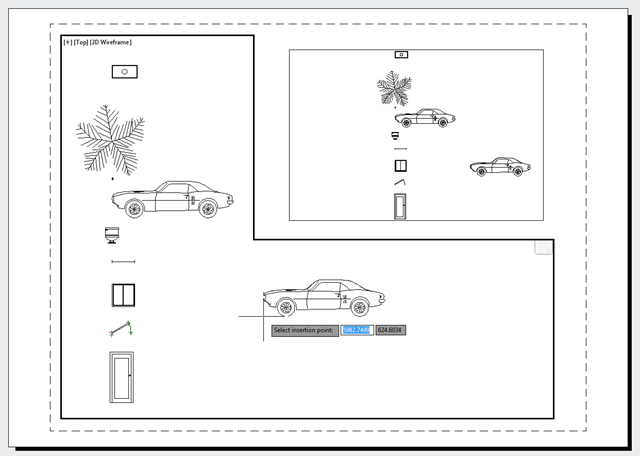
- MYINSERTVP, which uses a more controlled approach to display the graphics in selected paperspace viewports
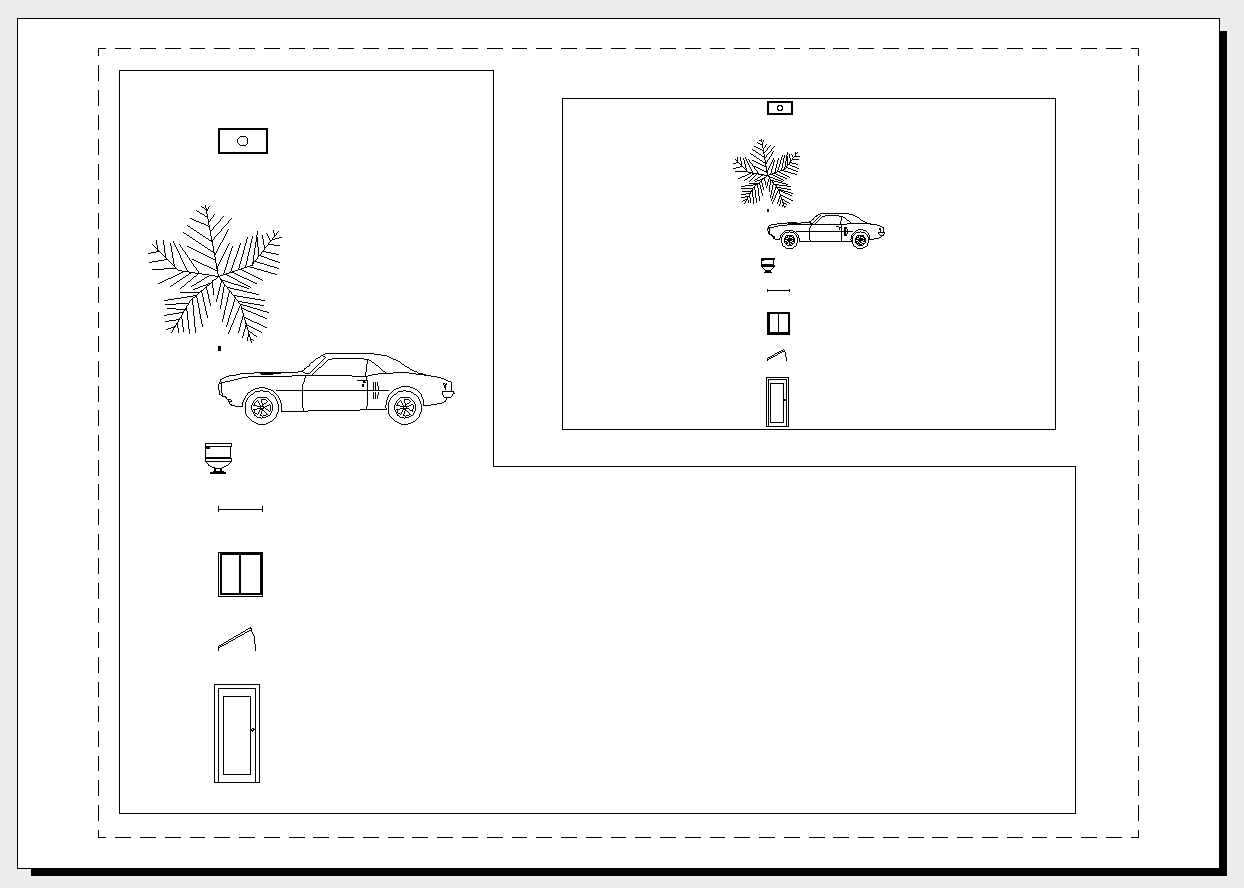
To demonstrate the problem with the first approach, let's take a paperspace view with two floating viewports:
When we make the larger viewport active and start the MYINSERT command to insert a block, we sometimes see unwanted graphics in the top-level paperspace view:
But if we use MYINSERTVP, we don't have that problem:
Many thanks, Thorsten, for highlighting this issue and providing a solution for it! 🙂


Leave a Reply to NenaOlano Cancel reply