2D vs. 3D graphics system inside AutoCAD (+ request for information)

Everyone who uses AutoCAD โ€“ even if they use it exclusively in one or the other mode โ€“ knows that it's capable of being used to generate both 2D drawings and 3D models. Not everyone realises there are actually two distinct graphics systems in the product, however. (At least at the time of writing, talking about AutoCAD 2013โ€ฆ I'm not making predictions, for people reading this from the future. ๐Ÿ™‚

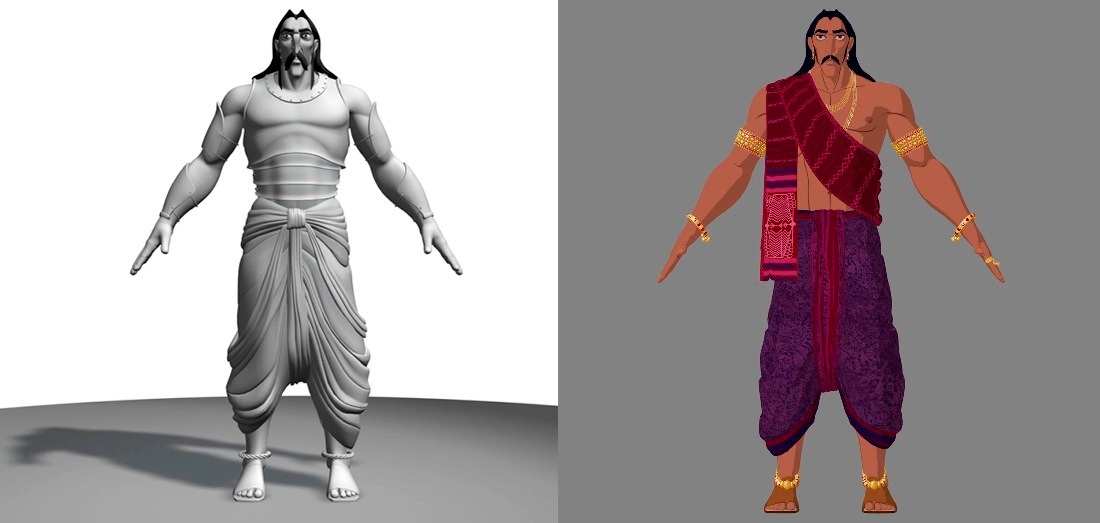
A 2D and 3D character, almost certainly not inside AutoCAD

The 2D graphics system is known as WHIP and has been around โ€“ albeit with regular enhancements โ€“ since the days of R13. You know if you're using WHIP if the current Visual Style is set to "2D Wireframe". What's sometimes a little confusing is that WHIP is also 3D-capable: it's not as though everything appears flattened onto the XY plane when WHIP is enabled, for instance. But it is focused on โ€“ and highly optimised for โ€“ working with 2D data.

The 3D graphics system has been in the product โ€“ again, with various incremental improvements, release-on-release โ€“ since AutoCAD 2007. For the sake of this post we're going to refer to the 3D GS as AGS (AutoCAD Graphics System). You know if you're using AGS if the current Visual Style is set to anything other than "2D Wireframe".

Programmatically it's possible to check whether you're using WHIP or AGS via one simple API: if the result of calling Document.GraphicsManager.GetGsView() (making sure you pass "false" as the second argument, as we don't want to create a new view) is null, then you know you're using WHIP, otherwise you're using AGS.

[Many developers who care whether they're in WHIP or AGS are working with ObjectARX from C++, a requirement for implementing custom entities: these developers will check whether acgsGetGsView() returns NULL. This is, of course, the underlying unmanaged API that is wrapped by the .NET API mentioned above.]

Here's some simple C# code that reports whether you're in 2D or 3D (from a GS perspective, that is):

using Autodesk.AutoCAD.ApplicationServices;

using Autodesk.AutoCAD.GraphicsSystem;

using Autodesk.AutoCAD.Runtime;


namespace GSTest

{

  public class Commands

  {

    [CommandMethod("GGS")]

    public void GetGS()

    {

      var doc = Application.DocumentManager.MdiActiveDocument;

      var ed = doc.Editor;


      short vpn = (short)Application.GetSystemVariable("CVPORT");

      View v = doc.GraphicsManager.GetGsView(vpn, false);


      ed.WriteMessage(

        "\nGraphics system is {0}D.", v == null ? "2" : "3"

      );

    }

  }

}

Running the GGS command should report "Graphics system is 2D" when using WHIP (i.e. with Visual Style is "2D Wireframe") and "Graphics system is 3D" when using AGS (i.e. with any other Visual Style).

As these graphics systems have different capabilities โ€“ such as the way graphics are displayed โ€“ it's sometimes important for applications to be aware of whether the current graphics system is WHIP or AGS. This is something that's pretty common for applications with complex graphics โ€“ the AutoCAD-based verticals are examples of these โ€“ but it's something we'd like to understand better and reduce the need for. Our ideal scenario would be to provide a unified graphics API that doesn't require any knowledge of the specific, underlying GS.

Now we've worked through the preamble, here's what I'm interested in knowingโ€ฆ Does your application at any point check whether it is in the 2D or 3D graphics system? If so, why does it need to know (i.e. what does the application use the information for)? The gist of the question I'm really asking is this: what capabilities would you therefore like to see generalised across both graphics system implementations? (Please send me an email, assuming you don't want to post this information in a blog comment for the world to see. ๐Ÿ™‚

To be clear, I don't actually expect many people will respond to this, as this is quite a niche area for developers who are making heavy use of custom graphics (whether via custom entities or overrules). But then I may well be surprised, and any information in this area would certainly help the AutoCAD team a great deal.

photo credit: audiovisualjunkie via photopin cc

18 responses to “2D vs. 3D graphics system inside AutoCAD (+ request for information)”

  1. Good information on the 2D and 3D graphics. Thanks.

  2. Hi Kean.

    I have to switch to 2D wireframe mode constantly when working with 3D objects.

    I have to do that, because for some strange reason that I cannot seem to find a reasonable explanation for, Grips on 3D objects cannot be selected even when visible, if they're obscured behind a surface. That's true for all modes that have some kind of shading, and also true for "X-Ray" mode.

    Grips are user-interface elements, not model elements, and the fact that they can't be used in that context is particularly-puzzling.

  3. Reading between the lines, I'd say that Autodesk are looking to consolidate the graphics engines from 2 to 1, although I'm sure Kean couldn't possibly comment...!!!!:)

  4. You're correct: I couldn't possibly comment. ๐Ÿ˜‰

    Actually my input-gathering is less about driving towards a unified GS than it is about reducing the dependency on a specific GS and its behaviours (and quirks).

    That's probably about as much as I can say, at this stage. ๐Ÿ™‚

    Kean

  5. As a total non-programmer, I'm guessing that a unified GS may be programatically more efficient?

  6. Possibly. But the needs of a 2D graphics system can be quite different to those of a 3D graphics system, so the answer is unfortunately much more complicated. WHIP has evolved to be a *really* good 2D GS, over the years. Unifying under a single GS might appear to be a good thing, but a lot depends on the specific GS and its capabilities.

    Kean

  7. I imagine 2D is far simpler to program than 3D but it all seems extremely complicated....which is why I just stick to being an end user rather than a developer...:-)

  8. Interestingly 2D can often be gnarlier to deal with than 3D (the requirements around "correctness" being quite different).

    But yes: both are indeed complicated. ๐Ÿ™

    Kean

  9. Hi Tony,

    Thanks - interesting feedback.

    The foreground objects must be absorbing UI events when even partially shaded. The Wireframe Visual Style appears to behave as 2D Wireframe, in this respect, so at least it's consistent across 2D and 3D graphics systems (even if it's not what you'd like to have happen).

    It might be interesting to allow the user to enable background grip manipulation when in (for instance) the X-Ray VS, though. There are no doubt issues related to this that I'm smoothing over, but I can see how it would be useful.

    Kean

  10. Hi Kean,
    As you seem to require some kind of statistics on GS uses, here is for me:
    I've looked at my custom entities implementations to see if there are some specific code testing if 2d or 3d mode.
    All my custom entities (I have more than 50 custom ent classes) generally behaves the same way regardless the GS used (yet, some of custom entities have quite complex viewportDraw/worldDraw implementations: embedded 3d solid draw calls, block table record draw, etc...).
    However, I've found some few cases where the two GS behaves differently:

    - I have a transient drawable that draws an image aligned on the screen, its subSetAttributes method returns kDrawableViewDependentViewportDraw. When zooming and panning in 3dmode, my transient is updated correctly, in 2d mode, subWorldDraw and subViewportDraw are not even called during of after zoom/pan operations (I has to update my transient in a AcEditorReactor::viewChanged reactor)

    - I've found another piece of code that tests indirectly the gs: a command that inserts custom objects from an external database (in short, srcdb->wblock then destdb->insert) has to invalidate the current AcGsModel to make inserted custom objects displayed. I strongly suspect that the cause of the issue is somewhere in my custom entity dwgIn/Out but the result is two GS behaves differently here.

    Not sure these two cases are kind of comments you were looking for, I hope yes.

    Just my two cents

  11. Hi Loic,

    This is great - thanks for taking the time to put this feedback together!

    Regards,

    Kean

  12. Alexander Rivilis Avatar
    Alexander Rivilis

    Hi, Kean!
    Another similar observation: subTransformBy/subMoveGripPointsAt
    is not called if subCloneMeForDragging returns False and Visual Style is not 2d
    Wireframe

  13. Alexander Rivilis Avatar
    Alexander Rivilis

    Hi, Tony!
    I could be wrong, but does not help if you set CULLINGOBJ to 0 ?
    usa.autodesk.com/ads...

  14. Hi Alex, and thanks. Yes, that works.

    I never noticed that sysvar, and because it's set to the default that changes the behavior from AutoCAD 2010, I incorrectly assumed the change was hard-wired.

  15. Hi Kean, and thanks.

    Actually, as Alex pointed out, there was a new sysvar added in AutoCAD 2011 that allows you to revert the behavior to what it was in AutoCAD 2010, that I had just overlooked.

  16. Alexander Rivilis Avatar
    Alexander Rivilis

    Hi, Tony! Glad to help you! ๐Ÿ™‚

  17. Stephan Kaiser Avatar

    Very interesting topic.

    We have somewhere around 150 custom enties and have some very complex viewportDraw()/worldDraw() implementations and make heavy use of both the AcGi*Draw interfaces and the transient graphics API.

    In our structural modeling package users want to use 2D (or 3D Wireframe) to create the system, and use 3D to check a solid/mesh representation (e.g. extruded cross sections along beams, etc.). While we switch to a different visual representation on-the-fly, we also have a setting in our visualization options UI that allows the user to control this behaviour in more detail.

    While technically it works OK most of the time, there are two main issues with 3D for us:

    1) Caching: Invalidation is required to keep the two GS representations in sync, and sometimes that fails and in any case, requires quite some tweaking.

    2) The 2D GS in combination with 3D Orbit behaves funny/unexpected at times, but this may at least partially because of the two representations we provide.

    In our detailing package different aspects of the 2D GS are way more important and I totally understand why 2D can be harder than 3D to get "right", for some definition of "right" (having implemented 2D editors myself).

    One recent issue that comes to my mind, is the handling of draw order: For example, custom entities, AutoCAD entities, hatches, wipeouts are created in a certain draw order to yield a specific visual result. Unfortunately, at the moment we run into issues where the draw order changes unexpectedly (checked using the API) if some of the objects are modified/updated or new objects are created. This can result in a different plot - which is not really acceptable.

    Looking forward to hearing about what you guys come up with!

  18. Many thanks, Stephan!

    I've passed your feedback on to our graphics team.

    Kean

Leave a Reply to Tony Tanzillo Cancel reply

Your email address will not be published. Required fields are marked *