 I'm a few days late to the party (largely because I got a little distracted), but felt it was still worth posting on this topic: we've just launched AutoCAD 360, the successor to AutoCAD WS.
It's more than a straight re-branding, though: while the mobile apps for iOS and Android are updates to the existing WS-branded technology, there's a brand new web app that's currently in Beta. We've also taken the opportunity to roll out a true freemium offering, whereby the basic, free capabilities are complemented by "Pro" and "Pro Plus" mobile plans. Here's a comparison of the offerings, in case you're interested, as well as 12 reasons to go with a Pro plan.
The "Pro Plus" branding takes me back to my student days in the UK, where caffeine pills of the same name were often used by those needing to pull all-nighters (most typically to cram for exams). I didn't personally use them for that, but I do remember taking some to get through a 24-hour Twin Peaks marathon at the Prince Charles Cinema, which is just off Leicester Square. Ah, the memories.
Anyway, back to the topic at hand. I'm really only a casual user of the former AutoCAD WS tools, and so while I won't go into detail on the updates that have been made to them I will talk a little about the new web app.
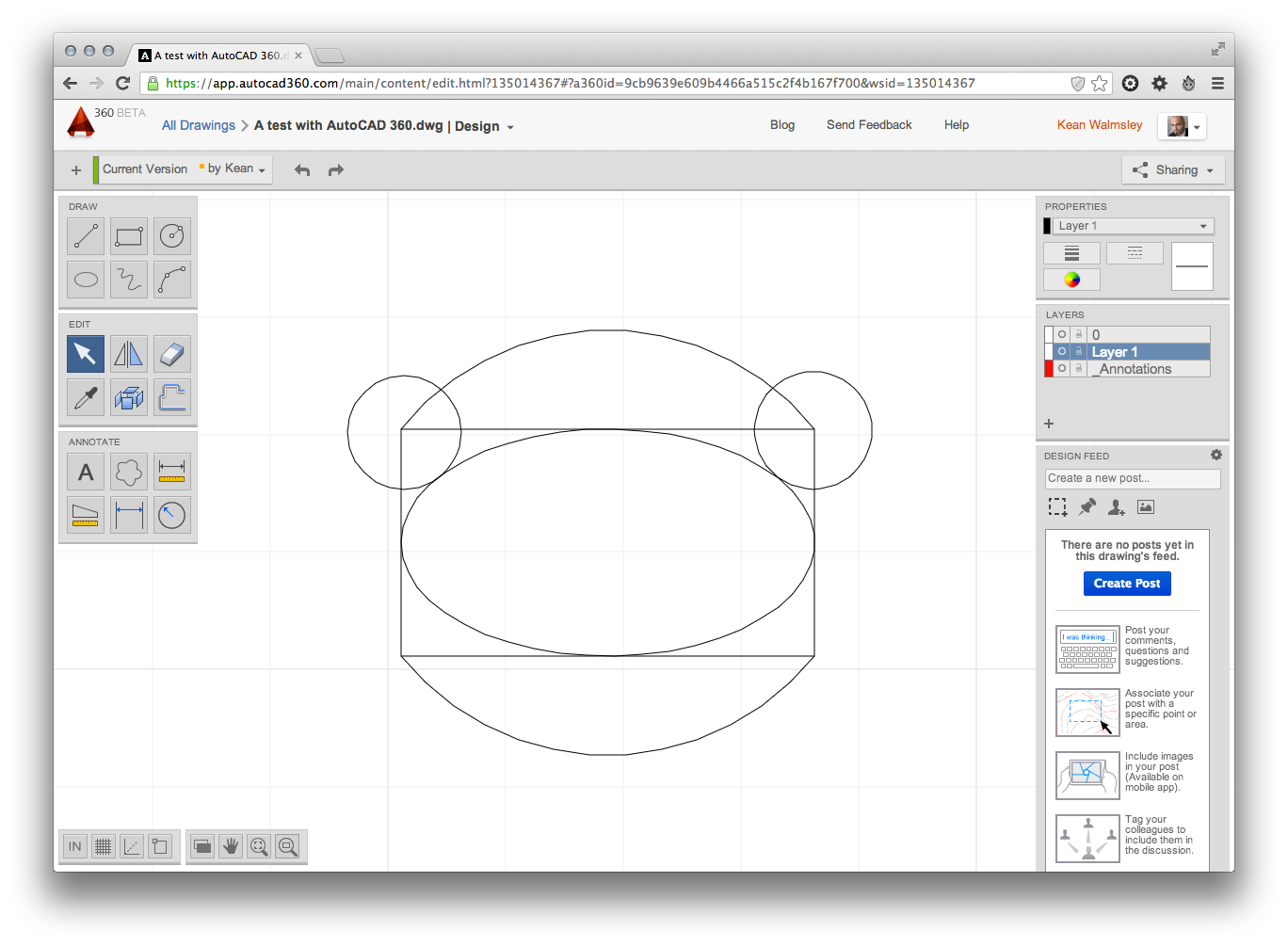
The AutoCAD 360 web app is a ground-up re-write of the former Flash-based AutoCAD WS web client, for which we've now made the transition across to HTML5 and JavaScript.
Here's something to try… if you view the HTML source of a drawing you open using AutoCAD 360, you'll see some very interesting script references in the body of the page, such as this one. What's particularly interesting is the commonality between the JavaScript files referred to from the AutoCAD 360 web app and the Shaping Layer introduced in AutoCAD 2014.
That's not to say that the contents of these files are currently identical – without knowing specifics, I can well imagine that forks were made in order to get AutoCAD 360 working effectively for its initial Beta release – but you can hopefully see the intention for this layer to be common (and it's my expectation that over time it will become so).
Which certainly raises the interesting – albeit still very much future – possibility of being able to write apps targeting AutoCAD's JavaScript API that can share code (and are perhaps even identical?) across the two platforms.
I'll certainly be sharing more on any extensibility model that we make available for the web app (whose project name was "Corona" – something else you'll be able to glean from looking at the HTML source), in due course. Hopefully this at least presents a somewhat more concrete example of the direction we're intending for this API technology and its future promise. Interesting times!


Leave a Reply to Jimmy Cancel reply