JavaScript
-
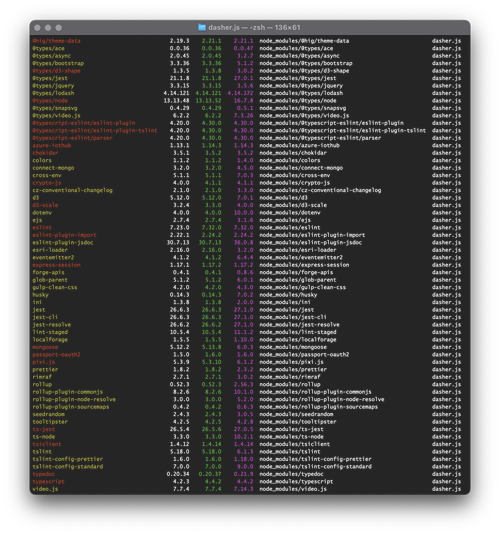
Over the last week I've been heads-down on core Dasher work, but with very little visible result. Here's why. Early last week I received an email telling me that it was time to dig into Dasher's use of 3rd party components and make sure there weren't any security issues. (This isn't something unusual – all our products go through this, and many of our research projects, too.) As anyone working on web development projects will know, it's important to go through from time to time to reduce the technical debt that accumulates due to the use of old libraries and…
-
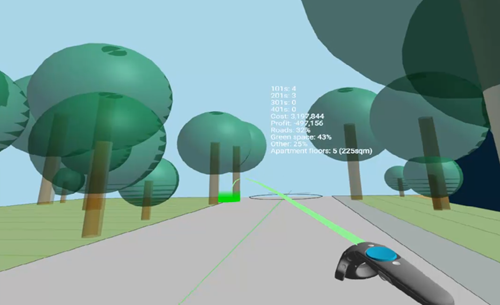
This week I decided to take the WebVR/WebXR extension work I did for Van Wijnen to the next level: mainly to integrate metric information in some way into the scene, whether as 3D text objects or via some kind of Heads-Up Display (HUD). But before embarking on this I decided to take another look at the implementation of the HTML client. When I first wrote the HTML page that consumes geometry data from the Refinery server, I decided to use raw JavaScript and WebVR/WebXR calls with three.js. I'd thought briefly about using A-Frame – an awesome framework started by Mozilla…
-
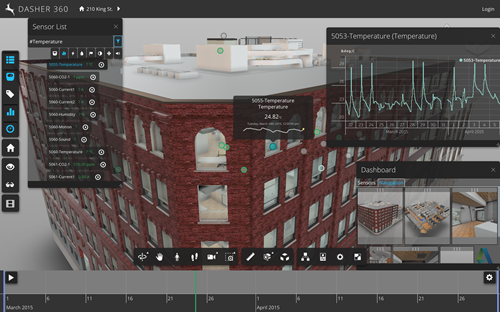
Last week I mentioned the effort to update Dasher 360 to use v4.2 of the Forge viewer (the most recent version, at the time of writing, and a fairly big jump from our previously-used version, v3.2.1). Here's how Dasher 360 is now looking after these various changes: In this post I'm going to give more details of what specifically was involved in refreshing Dasher 360 to the latest Forge viewer, in the hope it'll help people make decisions around their own use of the viewer and hopw/when they migrate their applications. Background As we've developed Dasher 360, we've done our…
-
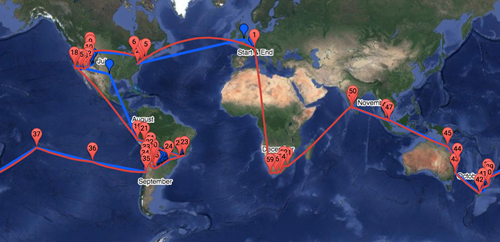
Here's a quick recap of the series, so far: Creating a basic map for our round-the-world itinerary Adding a photo for each placemark Adding labels for the approximate timing of the journey Overlaying the actual path visited from a tracking device Downloading the actual path in multiple queries A few weeks ago – while we were in Tahiti, but again in New Zealand – I noticed that the "visited" path from the Garmin site wasn't being integrated properly into the Google Map integrated into our family blog. After a little bit of analysis, I realised that the amount of tracking…
-
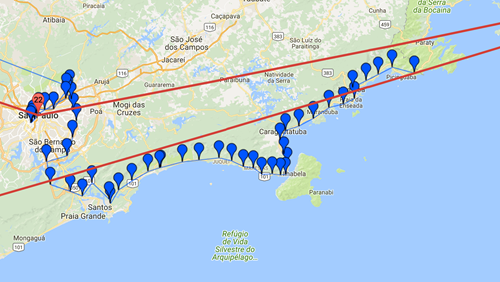
I really thought this series was finished, but there you go. In the first part we saw a basic, embedded map and then added information windows and labels. In the most recent part we added overlay data being recorded by a tracking device to show our progress in real-time. Here's the thing: a few days ago I realised the tracking information wasn't being displayed. Initially I thought it might be due to limited connectivity or bandwidth – I was in Peru, at the time – but I then realised it was probably due to the volume of points being queried…
-
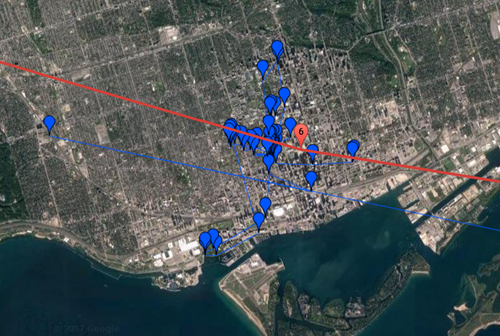
In the first parts of this series we saw a basic, embedded map and then added information windows and labels. In this post we're going to overlay data being recorded by a tracking device to show our progress in real-time. This was made pretty easy thanks to Garmin's MapShare service: our Iridium-connected inReach Explorer+ device publishes tracking information automagically to our MapShare page, which has a KML feed that can be embedded as an overlay on Google Maps. The additional code, below, is trivial. It's possible to zoom into the location of the latest data on map load, but I've…
-
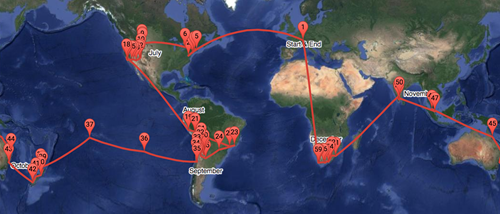
After creating a basic map for our round-the-world itinerary and then adding photos when placemarkers are clicked, today we're going to add some handy labels to the map to show rough dates for when we'll be arriving in a particular location. This actually proved trickier than expected: there's an old library called MapLabel that works well with the Google Maps API, but it doesn't load asynchronously in a straightforward way. So I had to jump through some hoops to load it only when the main Google Maps API is available, avoiding some irritating load errors. I used some code from…
-
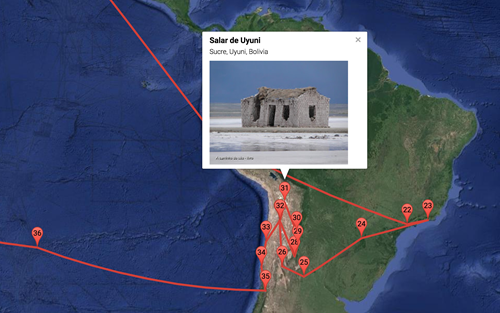
In the last post we looked at a basic implementation of a round-the-world itinerary in Google Maps. In today's post we're going to add the ability to see the first photo associated with a location when you click on it. The Google Maps API makes it fairly easy to get the photos associated with a particular place, but it helps to identify that place uniquely: while you can search for a place based on its name, it's more efficient and reliable to get its unique "place ID" and use that instead. I used this handy PlaceD Finder tool to get…
-
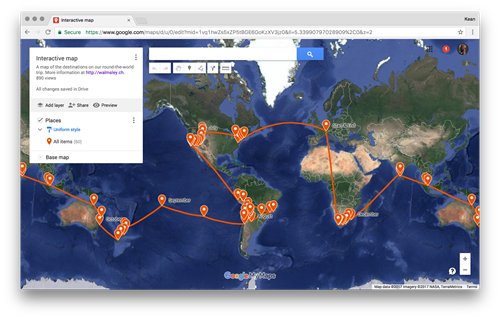
Over the next few posts I'm going to talk about the process I went through to integrate the itinerary for our imminent round-the-world trip into the awesome web-site my wife has set up. The initial approach I took was to use Google My Maps: this is a really cool tool for creating a custom map without any coding needed (yes, I know – that doesn't sound like much fun :-). For instance, you can set up your placemarks and link them with a route, and when individual places are clicked it shows a nice sliding info panel. I started out…
-
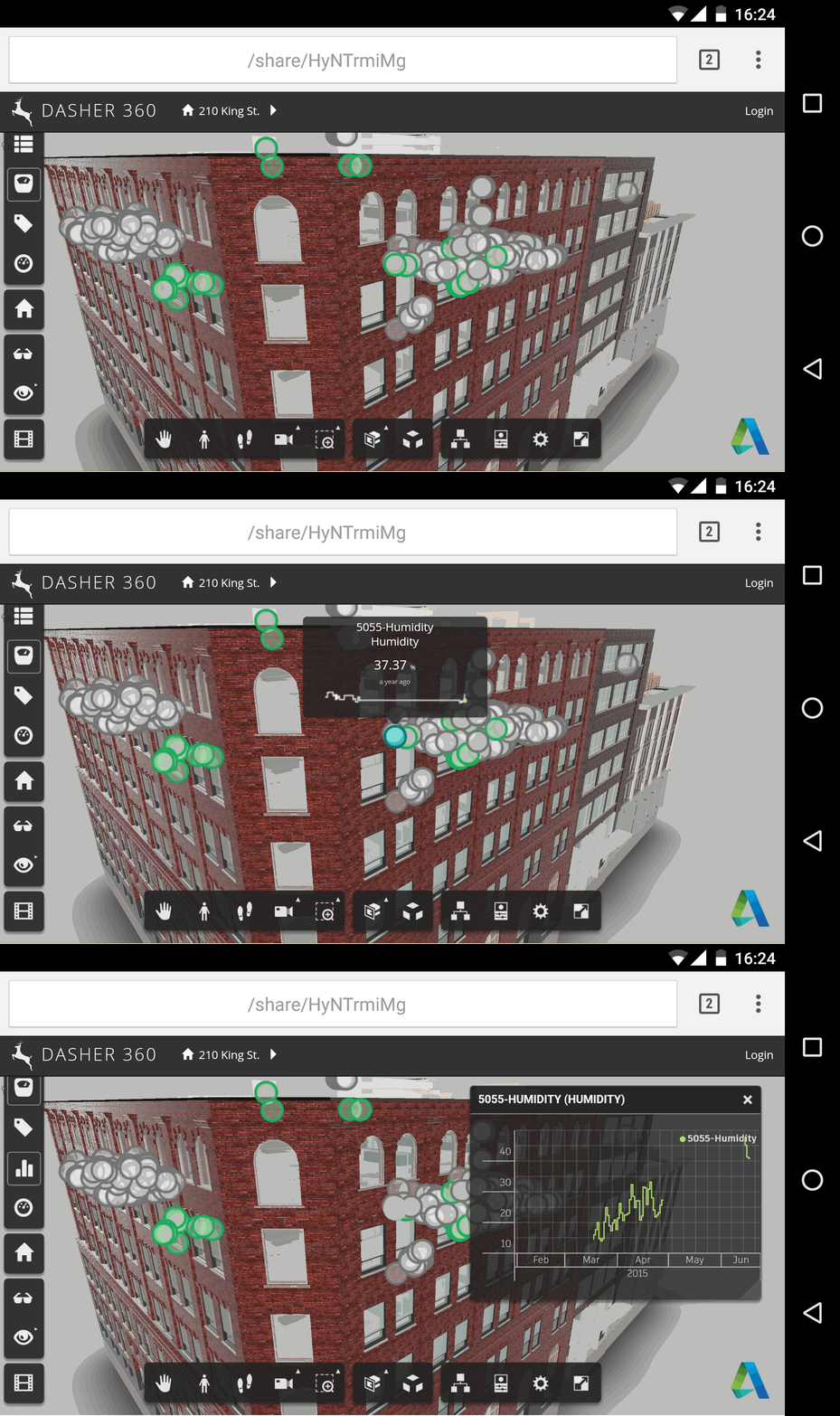
To follow up on the last post – where we talked about adding a custom tool to provide better support for pinch gestures – today we're going to talk about some other possibilities for supporting touch in the Forge viewer. Once again we're using Autodesk.Viewing.ToolController & ToolInterface. The Forge viewer uses Hammer.js internally to support touch, so that's one good place to look for clues on how things work. (Groan – I've just realised why it's called "Hammer"… "you CAN touch this!" 🙂 I was looking into how to support both "touch-capable" (i.e. they also have mouse & keyboard input)…