I received this question in a blog comment:
How to determine the NurbCurve3d center between two NurbCurve3ds?
I chose to interpret this in the following way: given two NurbCurve3d objects, create a NurbCurve3d that sits exactly between the two. NurbCurve3d are "AcGe" classes – which means they're non-graphical – so I've broadened the scope to deal with Splines as they have a close relationship with the NurbCurve3d class (in fact there are handy methods to convert between the two classes). Here's some more information on NURBS, for those with an interest.
I've also chosen to deal with one fairly specific case: one where the Splines (and the equivalent NurbCurve3ds) have exactly the same degree and period as well as the same number of control points, knots and weights. Which makes things much easier: while it should be possible – with enough effort and code – to find a way to parameterize the two curves and create points on a curve between the two – fitting a curve along those points – I've chosen not to address that more general problem. At least not in this post.
So what I've done is actually very simple: between two similarly-sized NurbCurve3d objects, we step through the three primary collections of each – control points, knots and weights – and create three new collections for the new curve that contain the "average" values of the data from the two source objects. I'm far from being a NURBS expert, but I believe this approach to be reasonable for this particular category of Spline (at least it seems to work well enough).
Bear in mind that this also won't work with Splines that are defined by fit – rather than control – points. At least I don't expect it to. 🙂
Here's the C# code I threw together:
using Autodesk.AutoCAD.ApplicationServices;
using Autodesk.AutoCAD.DatabaseServices;
using Autodesk.AutoCAD.EditorInput;
using Autodesk.AutoCAD.Geometry;
using Autodesk.AutoCAD.Runtime;
namespace NurbCurveStuff
{
public class Commands
{
[CommandMethod("SBS")]
static public void SplineBetweenSplines()
{
var doc = Application.DocumentManager.MdiActiveDocument;
var db = doc.Database;
var ed = doc.Editor;
// Select our splines
var peo = new PromptEntityOptions("\nSelect first spline");
peo.SetRejectMessage("\nMust be a spline.");
peo.AddAllowedClass(typeof(Spline), true);
var per = ed.GetEntity(peo);
if (per.Status != PromptStatus.OK)
return;
var spId1 = per.ObjectId;
peo.Message = "\nSelect second spline";
per
= ed.GetEntity(peo);
if (per.Status != PromptStatus.OK)
return;
var spId2 = per.ObjectId;
// Create a transaction
using (var tr = doc.TransactionManager.StartTransaction())
{
// Open our splines
var sp1 =
tr.GetObject(spId1, OpenMode.ForRead) as Spline;
var sp2 =
tr.GetObject(spId2, OpenMode.ForRead) as Spline;
if (sp1 != null && sp2 != null)
{
try
{
// Get Ge equivalents of the two splines
var cur1 = sp1.GetGeCurve() as NurbCurve3d;
var cur2 = sp2.GetGeCurve() as NurbCurve3d;
if (cur1 != null && cur2 != null)
{
// Find the middle curve between the two
var cur3 = MiddleCurve(cur1, cur2);
if (cur3 != null)
{
// Create a spline from this middle curve
var sp = Curve.CreateFromGeCurve(cur3);
if (sp != null)
{
// Add our new spline to the database
var btr =
(BlockTableRecord)tr.GetObject(
db.CurrentSpaceId,
OpenMode.ForWrite
);
btr.AppendEntity(sp);
tr.AddNewlyCreatedDBObject(sp, true);
}
}
}
tr.Commit();
}
catch (Autodesk.AutoCAD.Runtime.Exception ex)
{
ed.WriteMessage(
"\nException: {0}", ex.Message
);
}
}
}
}
private static NurbCurve3d MiddleCurve(
NurbCurve3d cur1, NurbCurve3d cur2
)
{
// Return a NurbCurve3d that's halfway between those passed in
// Start by getting the period of both curves
double per1, per2;
bool ip1 = cur1.IsPeriodic(out per1);
bool ip2 = cur2.IsPeriodic(out per2);
// Make the sure the curves have the same degree, period,
// number of control points, knots and weights
if (
cur1.Degree != cur2.Degree || ip1 != ip2 || per1 != per2 ||
cur1.NumberOfControlPoints != cur2.NumberOfControlPoints ||
cur1.NumberOfKnots != cur2.NumberOfKnots ||
cur1.NumWeights != cur2.NumWeights
)
return null;
var degree = cur1.Degree;
var period = ip1;
// Get the set of averaged control points
int numPoints = cur1.NumberOfControlPoints;
var pts = new Point3dCollection();
for (int i = 0; i < numPoints; i++)
{
var pt1 = cur1.ControlPointAt(i);
var pt2 = cur2.ControlPointAt(i);
pts.Add(pt1 + ((pt2 - pt1) / 2));
}
// Get the set of averaged knots
var numKnots = cur1.NumberOfKnots;
var knots = new KnotCollection();
for (int i = 0; i < numKnots; i++)
{
knots.Add((cur1.KnotAt(i) + cur2.KnotAt(i)) / 2);
}
// Get the set of averaged weights
var numWeights = cur1.NumWeights;
var weights = new DoubleCollection();
for (int i = 0; i < numWeights; i++)
{
knots.Add((cur1.GetWeightAt(i) + cur2.GetWeightAt(i)) / 2);
}
// Create our new Ge curve based on all this data
return new NurbCurve3d(degree, knots, pts, weights, period);
}
}
}
We can see that it works well enough for identical Splines with some distance between them:
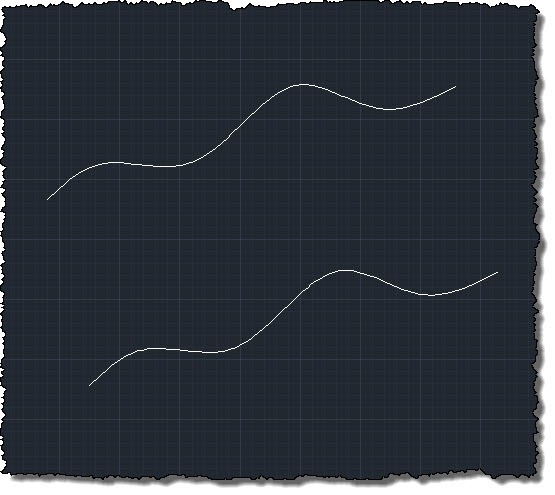
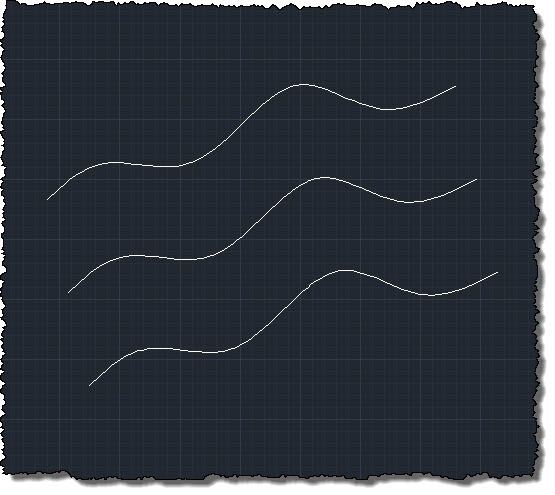
But if we modify control points on one of the Splines, we see the approach still works well:
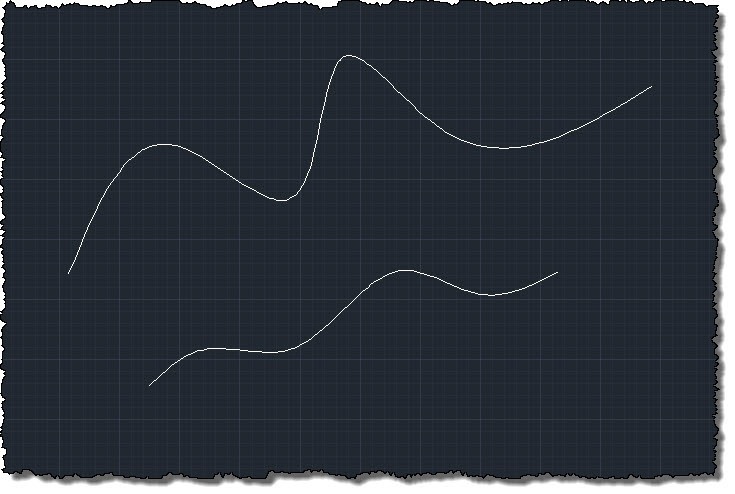
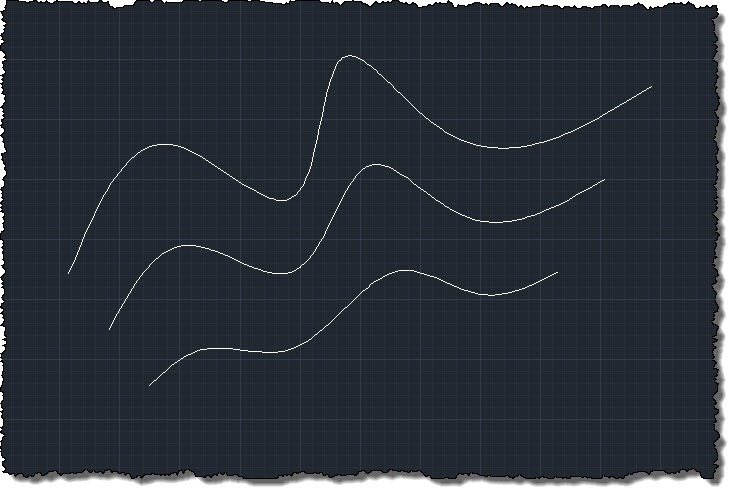
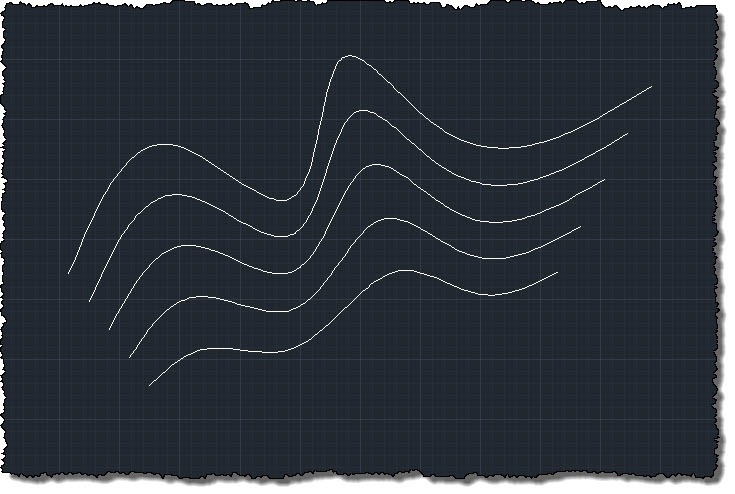
And can even be used to create what look like contours between splines:
So yes, while this kind of problem is all about the edge cases (one could argue that this approach only deals with one particular edge-case, itself), but hopefully the code contains something that will be of interest to people.


Leave a Reply to Bang Cancel reply