We've received this request a few times in recent years: .NET developers have asked to be able to add dependencies on AutoCAD's .NET reference assemblies – primarily acmgd.dll, acdbmgd.dll and accoremgd.dll – to their Visual Studio projects using the built-in package management tool, NuGet. For those of you unfamiliar with NuGet, it's well worth checking out: it's a really nice way to manage library dependencies in your .NET projects.
Well, Christmas has come a few weeks early: the AutoCAD team has posted the 2015 .NET reference assemblies to NuGet. This is interesting to .NET developers for a number of reasons.
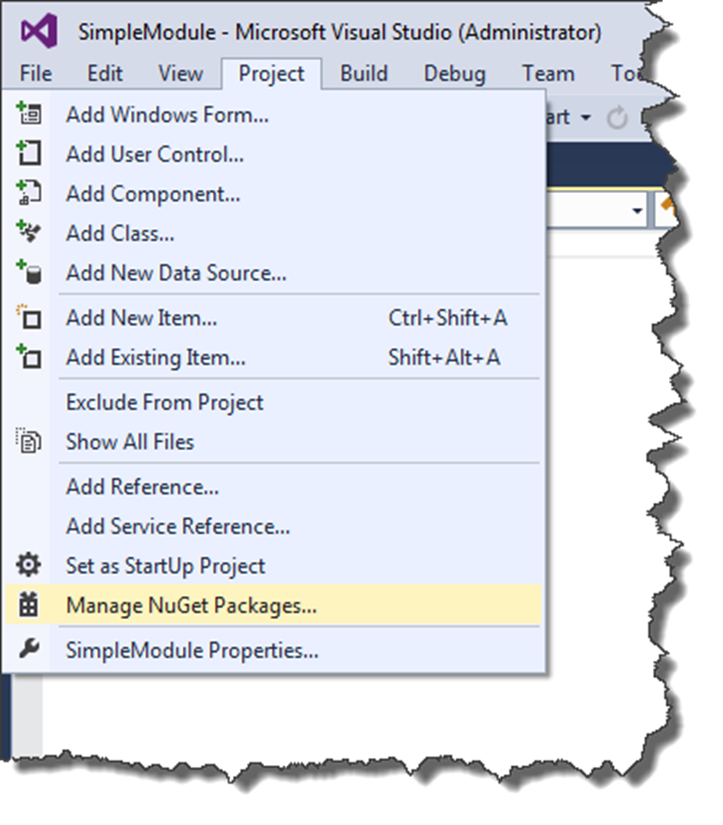
The first reason is the simplicity of adding the assemblies to AutoCAD .NET projects. You simply select Project –> Manage NuGet Packages in your Visual Studio project:
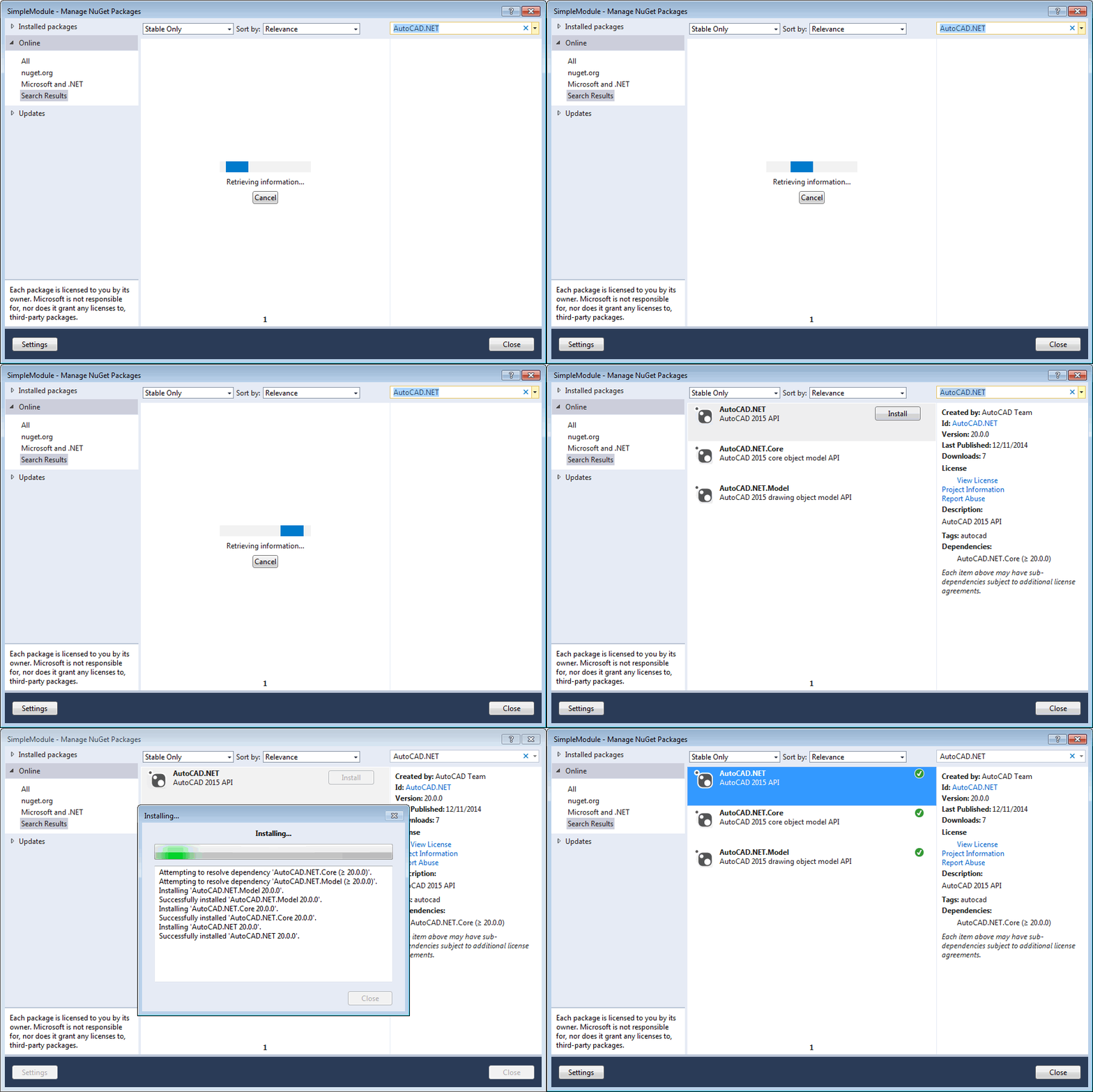
And then you can search for "AutoCAD.NET" and click install on the primary AutoCAD.NET package (the first in the list). This will install acmgd.dll and its related assemblies but also the other two dependent packages. You should install AutoCAD.NET.Core (i.e. acmgdcore.dll, etc.) if you want to create a Core Console-compatible project, of course. Either way AutoCAD.NET.Model (i.e. acdbmgd.dll, etc.) will get installed.
If you have issues with the naming conventions, then you can blame me. Other than this blog post, proposing these names was my only contribution to the publishing effort. 😉
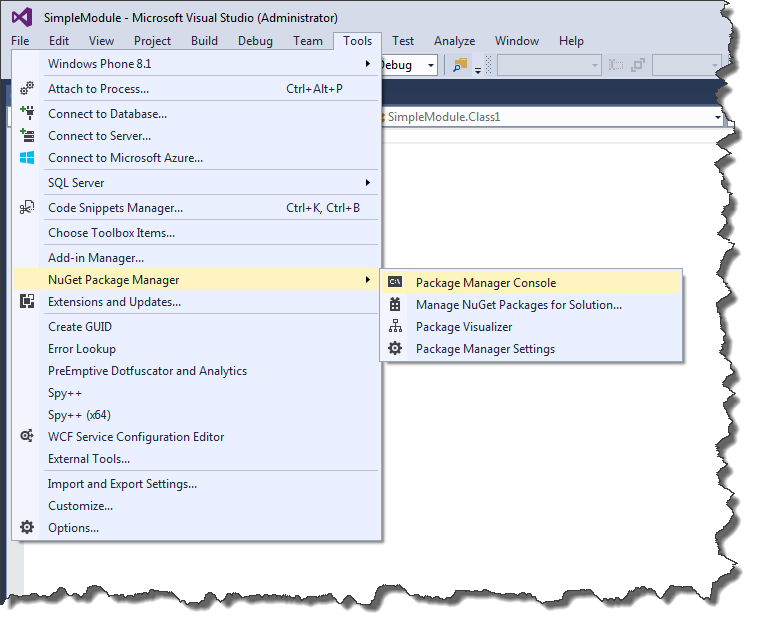
If you're an old-school command-line junkie, you might prefer to use the NuGet console to install AutoCAD .NET packages. If you don't already have the console in your UI, open it using Tools –> NuGet Package Manager –> Package Manager Console:
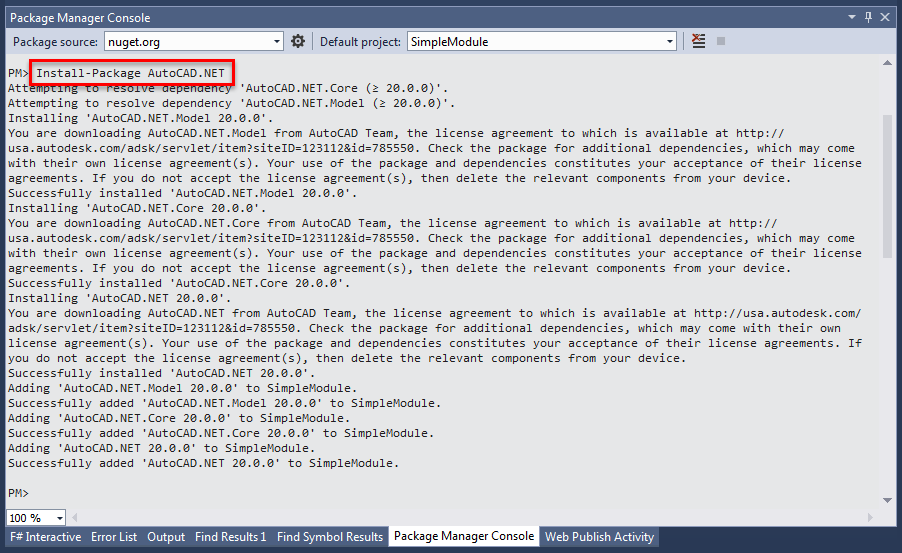
From here you can enter "Install-Package AutoCAD.NET" to bring in all three packages:
Whether you initiated the installation via the NuGet UI or console, you should now have the appropriate (super-)set of assembly references available in your project:
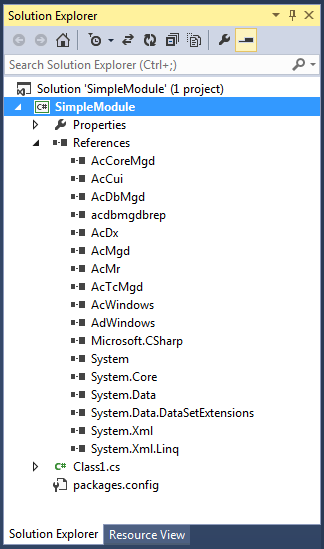
The second main reason NuGet support is interesting is that you can more easily manage dependencies from your own projects and libraries that you want to post or share (for instance via NuGet or GitHub). Previously you would have to include the reference assemblies inside your library/project when you shared it. Now you can use NuGet – which adds references into a packages.config file – when creating the project and then these dependencies are managed for you. So when installing a NuGet library that depends on AutoCAD.NET, for instance, you will get all three packages installed automatically. And if you clone a sample project from GitHub – such as this one we've posted for AutoCAD I/O (which was actually a primary driver for doing this) – the dependencies will get resolved and the assembly references added when you load it into Visual Studio.
We will continue to post .NET libraries for AutoCAD for installation NuGet, moving forwards, but I don't expect versions prior to AutoCAD 2015 to be made available, at this stage. If that's a requirement for you (bearing in mind that yesterday you couldn't even get the libraries for 2015 via NuGet :-), then please do post a comment via this blog or via ADN and we'll take the feedback into consideration.


Leave a Reply