Visual Studio
-
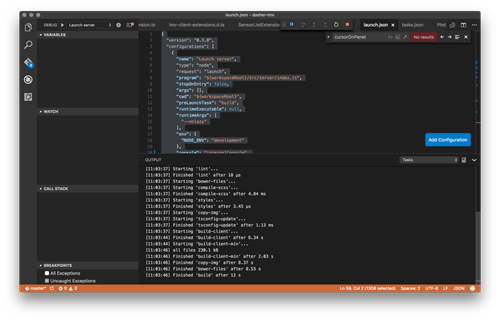
Yesterday I finally took the time to work on one of those tasks that had previously never quite bubbled up to the top of my priority list. Since I've been working on Dasher 360 I've put up with using the developer tools built into Chrome for debugging. While these are pretty good – especially with source-map support, allowing us to debug the source TypeScript code – which is the main reason I haven't taken the time to do otherwise, they do have their limitations: just for instance, you very often start to edit code in the debugger before realising you're…
-

I've been starting to work on extending the "Dancing Robot" HoloLens project to have a shared hologram: basically to have the position changes shared between devices, as well as the angles and speeds of the various parts of the robot arm. There's quite a lot to this. There needs to be a server somewhere that coordinates the messages sent between the various devices. There needs to be a shared concept of space, so that devices that are in the same room but in different locations – which is all of them, at least for the usage scenarios I'm currently considering…
-
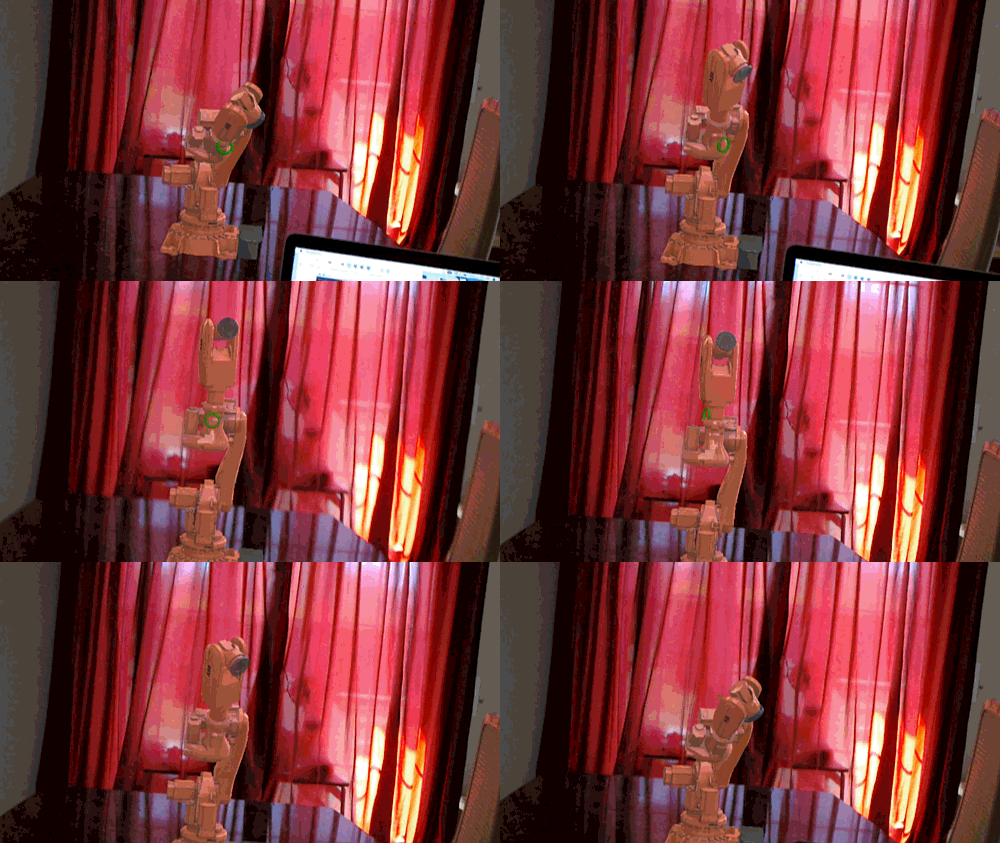
As promised, way back when we started this series of posts looking at various Windows Holographic platform capabilities to build an app that displays an animated ABB industrial robot inside HoloLens, here's the part where we make it dance. 🙂 During Autodesk Switzerland's 25th anniversary party in late October, people will be able to give the app a try and hopefully see the robot dancing along to whatever tunes the DJ plays. Let's talk a bit about how the system works… Quite early on I decided against doing the additional audio processing directly on the HoloLens device itself. So I…
-

I'm excited to announce the newest member of the Autodesk product portfolio, Autodesk SoCap. The term "SoCap" stands for "Software Capture", in much the same way as ReCap stands for "Reality Capture". SoCap is a tool that helps you capture existing software behaviour as code, just as ReCap helps you capture a 3D scene as a point cloud. For SoCap to do its thing, you point it at the piece of software whose behaviour you want to capture – whether desktop software on Windows/Linux/OS X, mobile software targeting iOS/Android* or the URL of a cloud-based app – and SoCap will…
-
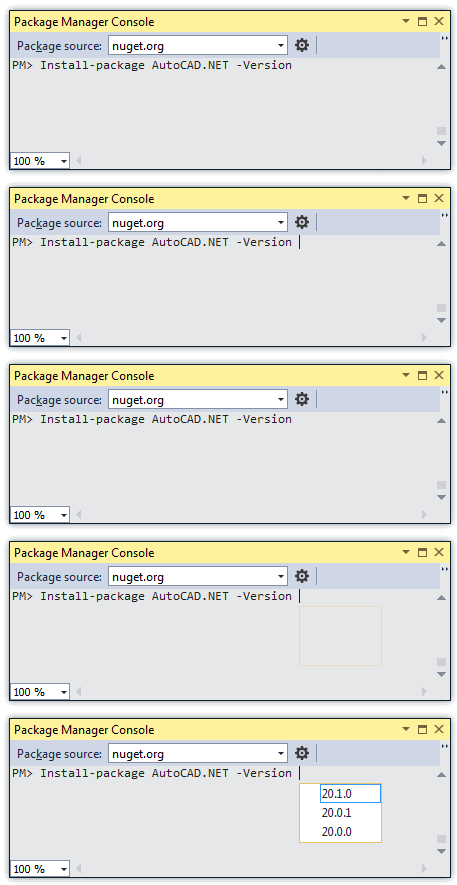
Some time ago we posted the NuGet packages for AutoCAD 2015's .NET API. The packages for AutoCAD 2016 are now live, too. Here's the report from the NuGet console (accessible in Visual Studio via Tools –> NuGet Package Manager –> Package Manager Console). PM> Get-Package -filter AutoCAD.NET -ListAvailable Id Version Description/Release Notes -- ------- ------------------------- AutoCAD.NET 20.1.0 AutoCAD 2016 API AutoCAD.NET.Core 20.1.0 AutoCAD 2016 core object model API AutoCAD.NET.Model 20.1.0 AutoCAD 2016 drawing object model API To install the 2016 versions of the assemblies into your project, you can use the following command, once again in the NuGet Console.…
-
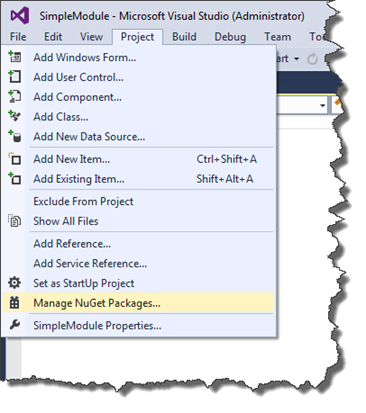
We've received this request a few times in recent years: .NET developers have asked to be able to add dependencies on AutoCAD's .NET reference assemblies – primarily acmgd.dll, acdbmgd.dll and accoremgd.dll – to their Visual Studio projects using the built-in package management tool, NuGet. For those of you unfamiliar with NuGet, it's well worth checking out: it's a really nice way to manage library dependencies in your .NET projects. Well, Christmas has come a few weeks early: the AutoCAD team has posted the 2015 .NET reference assemblies to NuGet. This is interesting to .NET developers for a number of reasons.…
-
The C++ developers among you may remember the autoexp.dat file, which tells older versions of Visual Studio how to visualize custom C++ types during a debug session. Here's an ancient post showing how we extended it for some basic ObjectARX types and another showing how to do so via a custom plug-in. In Visual Studio 2012, a newer XML-based mechanism was introduced to do something similar. In today's post we'll look at a custom .natvis file that exposes some basic ObjectARX types to the Visual Studio debugger. This file was created by Davis Augustine in response to a query from…
-
Over the last few months I've had a number of people ask me for an update to this 6-year old post on implementing a CAD standards plugin for AutoCAD (which in turn was based on code from an older DevNote created from a much older VB6 sample). Augusto Gonçalves from the ADN team very kindly made a start on this while I was out on vacation, providing a basic port that I've now just put a few finishing touches on. Very few changes were actually needed from the code in the original post, thankfully. Also, I did do my best…
-
There are lots of reasons to want to use the newly-released Visual Studio 2013 to develop and debug .NET modules for AutoCAD. One of the main ones is the long-awaited addition of Edit & Continue support for 64-bit applications. Unfortunately in this post we'll see why, despite the wait, E&C isn't going to work when debugging 64-bit .NET modules inside AutoCAD. The primary issue when running AutoCAD from the VS2013 debugger manifests itself in issues with font loading. If you launch AutoCAD from VS2013 to debug a 64-bit class library – even without actually loading the module – then AutoCAD…
-
Just to complement yesterday's post showing how to define a simple jig using JavaScript, here's the same code from a separate .js file: var doc = Acad.Application.activedocument; var center = new Acad.Point3d(0, 0, 0); var radius = 0; var trId; function pointToString(pt) { var ret = pt.x.toString() + "," + pt.y.toString() + "," + pt.z.toString(); return ret; } function createCircle(cen, rad, first) { // Build an XML string containing data to create // an AcGiTransient that represents the circle var cursor = ''; var drawable =…