A question came in, last week, via a comment on this post. Daniel wanted to unmerge the title cells of a table:
Very nice tutorial. based on this I manange to create the VB. NET code for my table style, but I face with a problem that I could not change the Title to be unmerged.
In this moment, as default, it is merged and I want it to have it not merged.
What is code for this ? I tried to find it out byts.SetCellClass(RowType.TitleRow, MergeCellStyleOption.None
but is not working. i get error on:
sd.UpgradeOpen() line
I took a quick look at the Table class and found that this C# code did the job:
using Autodesk.AutoCAD.ApplicationServices;
using Autodesk.AutoCAD.DatabaseServices;
using Autodesk.AutoCAD.EditorInput;
using Autodesk.AutoCAD.Runtime;
namespace TableStyleEditing
{
public class Commands
{
[CommandMethod("UTT")]
public void UnmergeTableTitle()
{
var doc = Application.DocumentManager.MdiActiveDocument;
if (doc == null) return;
var ed = doc.Editor;
// Select a table
var peo = new PromptEntityOptions("\nSelect table");
peo.SetRejectMessage("\nMust be a table.");
peo.AddAllowedClass(typeof(Table), false);
var per = ed.GetEntity(peo);
if (per.Status != PromptStatus.OK)
return;
using (var tr = doc.TransactionManager.StartTransaction())
{
var table = tr.GetObject(per.ObjectId, OpenMode.ForWrite) as Table;
if (table != null)
{
// Get the first row
var row = table.Rows[0];
// If it is merged, unmerge it
if (row.IsMerged.HasValue && row.IsMerged.Value)
{
table.UnmergeCells(row);
ed.WriteMessage("\nUnmerged first row.");
}
else
{
ed.WriteMessage("\nFirst row is not merged.");
}
}
tr.Commit();
}
}
}
}
Here's what happens when you run the UTT command and select a table with a merged title row:
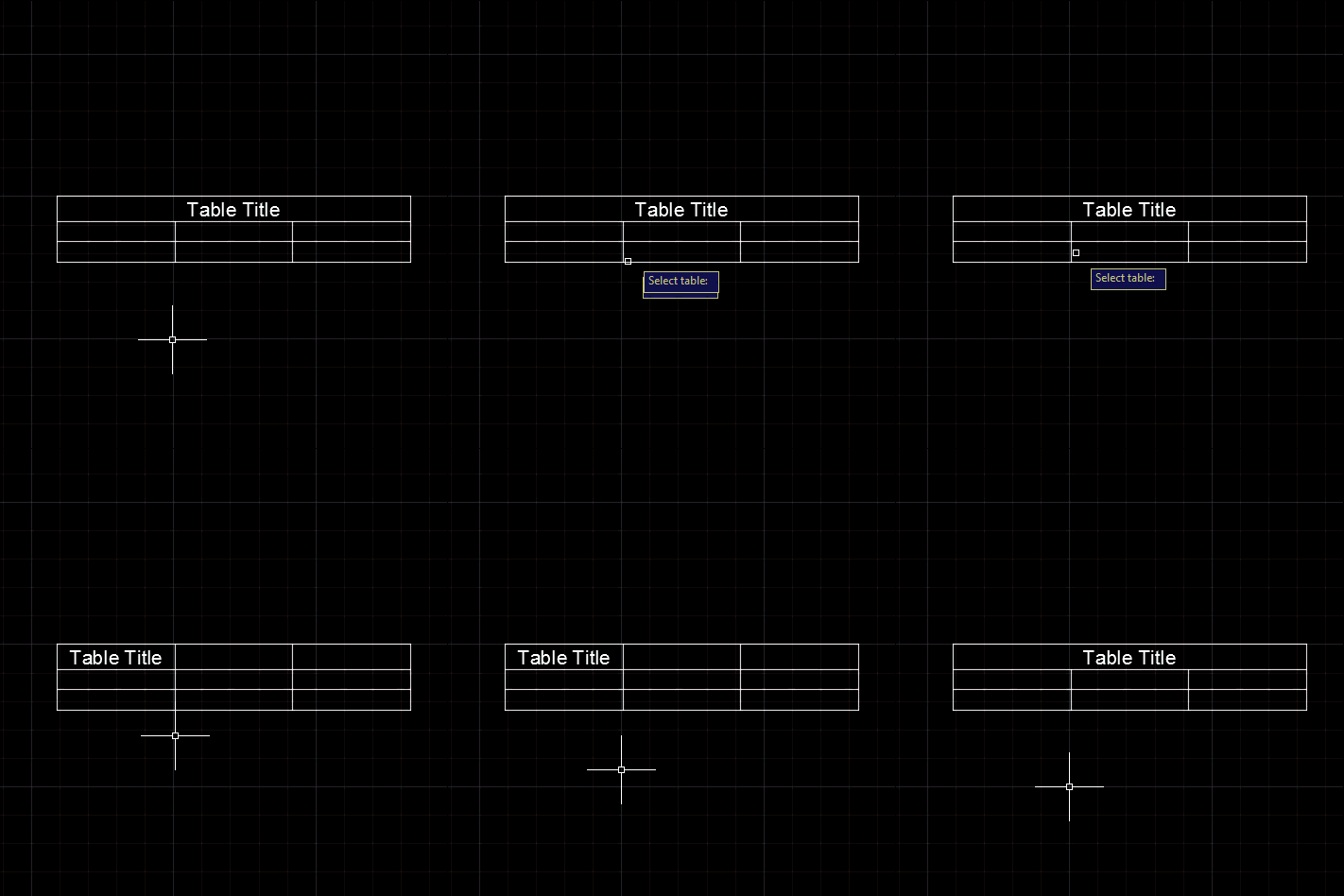
The UTT command is currently hardcoded to unmerge the first row in the selected table, but it could of course be generalised to work on any range of merged cells.


Leave a Reply to Kean Walmsley Cancel reply