On Friday I visited Munich Airport: not only to catch a flight home to Switzerland but also to take a look at some AutoCAD issues frustrating the developers working on the airport's facilities management system. During the course of the day we were able to work through a number of problems – such as using COM (SendCommand()) to run a script synchronously as well as to get the fill pattern for MPolygon objects (this is apparently broken in .NET) – but there was one I had to bring home with me: when locking and unlocking layers programmatically, their geometry doesn't fade and unfade despite LAYLOCKFADECTL being set correctly.
I found a few instances of this reported on the web, but I didn't come across a solution. After some work I found that if you set the IsOff property (or even IsFrozen, although I didn't actually try this) on the layer that's being locked/unlocked, then it's enough to trigger the layer change that can be picked up by Editor.ApplyCurDwgLayerTableChanges() (and then Editor.Regen()).
So yes, we're turning it off and on again. Sort of: we don't actually need to toggle IsOff – we can just set it to the current property value.
Here's the C# code implementing our LL (LockLayers) and UL (UnlockLayers) commands:
using Autodesk.AutoCAD.ApplicationServices;
using Autodesk.AutoCAD.DatabaseServices;
using Autodesk.AutoCAD.EditorInput;
using Autodesk.AutoCAD.Runtime;
namespace LayerManipulation
{
public static class Extensions
{
public static void LockOrUnlockAllLayers(
this Document doc, bool dolock, bool lockZero = false
)
{
var db = doc.Database;
var ed = doc.Editor;
using (var tr = db.TransactionManager.StartTransaction())
{
var lt = (LayerTable)tr.GetObject(db.LayerTableId, OpenMode.ForRead);
foreach (var ltrId in lt)
{
// Don't try to lock/unlock either the current layer or layer 0
// (depending on whether lockZero == true for the latter)
if (ltrId != db.Clayer && (lockZero || ltrId != db.LayerZero))
{
// Open the layer for write and lock/unlock it
var ltr = (LayerTableRecord)tr.GetObject(ltrId, OpenMode.ForWrite);
ltr.IsLocked = dolock;
ltr.IsOff = ltr.IsOff; // This is needed to force a graphics update
}
}
tr.Commit();
}
// These two calls will result in the layer's geometry fading/unfading
// appropriately
ed.ApplyCurDwgLayerTableChanges();
ed.Regen();
}
}
public class Commands
{
[CommandMethod("LL")]
public void LockLayers()
{
var doc = Application.DocumentManager.MdiActiveDocument;
if (doc == null) return;
doc.LockOrUnlockAllLayers(true);
}
[CommandMethod("UL")]
public void UnlockLayers()
{
var doc = Application.DocumentManager.MdiActiveDocument;
if (doc == null) return;
doc.LockOrUnlockAllLayers(false);
}
}
}
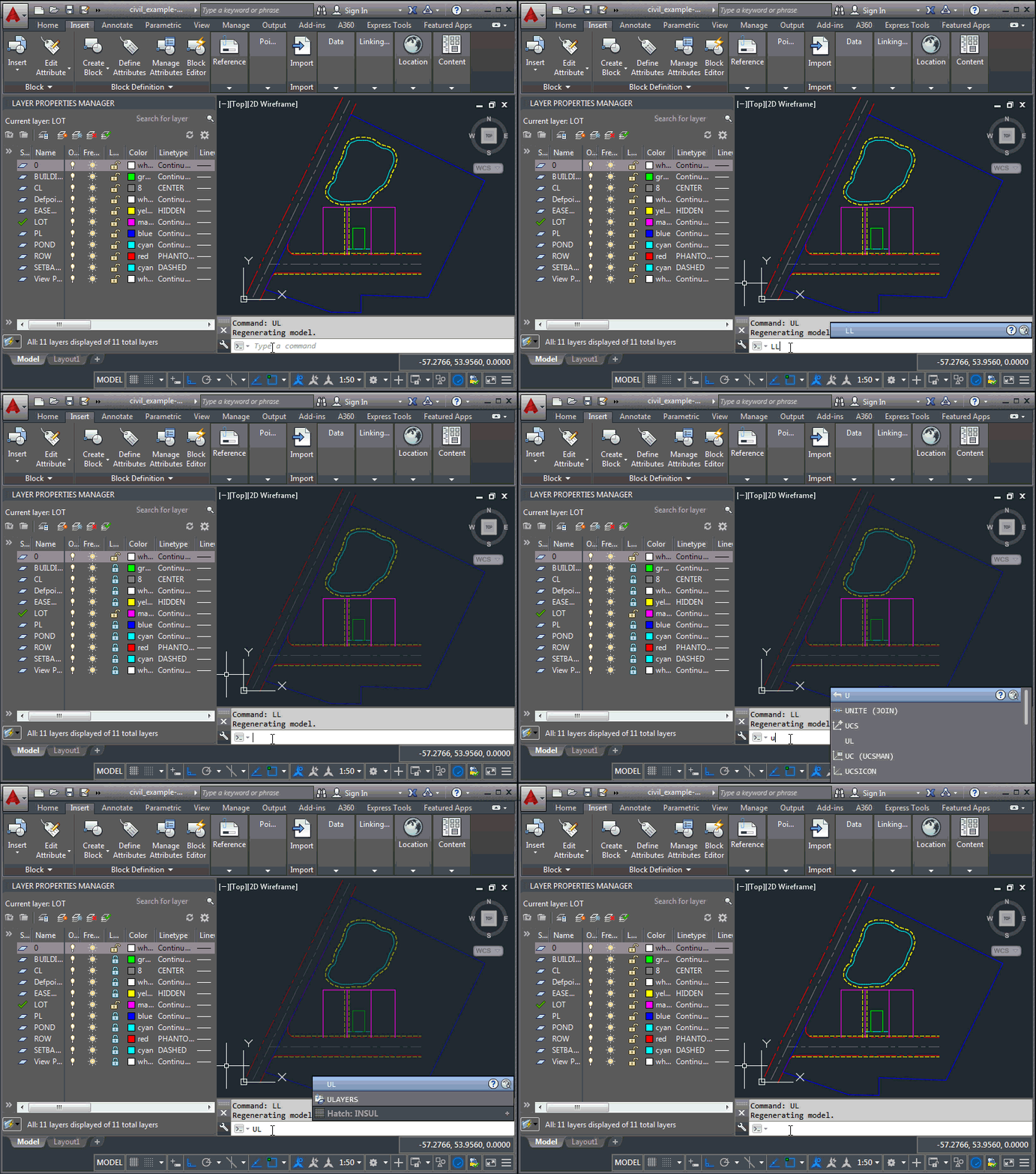
Here we see the two commands in action:


Leave a Reply to Kean Walmsley Cancel reply