This question has come up more than a few times over the last year or so: I remember a number of Revit developers hitting it when creating Viewer applications at the accelerators in Munich and Prague, for instance. The problem appears to be that RVT files – when translated and loaded into the Viewer – do not have the concept of room objects: they're just spaces. Which presents a challenge for developers who want to work at the room level.
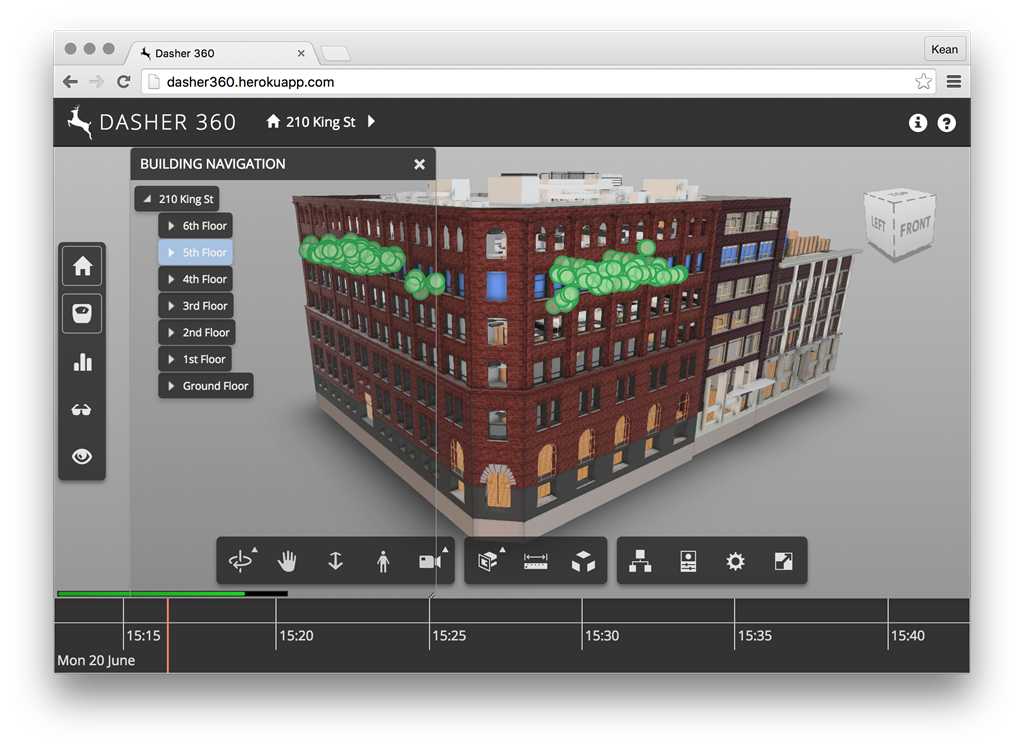
Last week I showed a demo during our "Autodesk Research and IoT" session, which showed room-centric navigation built into the Viewer. There's a reason this works, it seems: because the Revit model we used as a basis was actually comprised of multiple RVT files, we decided to aggregate it into a single NWC file – an export option from Revit – before importing that into our Viewer scene.
From talking to a few developers, this seems to be the important step: Navisworks has the concept of rooms and brings this along when imported into Forge. So aside from being a convenience – we could upload and translate a single NWC file, rather than dealing with multiple RVT files – we also get room objects and associated information in the model and its properties.
I showed this to Philippe Leefsma and Jeremy Tammik before leaving San Francisco on Friday, who suggested getting the information posted somewhere. So here it is. 🙂


Leave a Reply to Kean Walmsley Cancel reply