Here's a quick one to wrap up the week. Some time ago we decided that Dasher 360 didn't need to provide the option for users to do an unconstrained orbit: the default mode of turntable orbit would be perfectly adequate, especially as we deal mainly with building models.
So it was that I created a simple extension to hide that particular toolbar button. It worked well enough, but after a while I saw the icon creep back into the UI. It turns out that the application resize event – which is called for lots of different reasons – was re-enabling the UI. Attaching our own event handler made it possible for us to re-hide the icon once re-enabled.
Here's the TypeScript implementation:
/// <reference path='../../../../../typings/lmv-client/lmv-client.d.ts' />
export default class HideOrbitExtension extends Autodesk.Viewing.Extension {
private _toolbarName = 'toolbar-orbitTools';
constructor(viewer: Autodesk.Viewing.Private.GuiViewer3D, options: any) {
super(viewer, options);
this._toolbarName = options.toolbar || this._toolbarName;
}
load(): boolean {
this.hide();
this.viewer.addEventListener(Autodesk.Viewing.VIEWER_RESIZE_EVENT, this.hide);
return true;
}
unload(): boolean {
this.show();
this.viewer.removeEventListener(Autodesk.Viewing.VIEWER_RESIZE_EVENT, this.hide);
return true;
}
hide = () => {
setTimeout(() => $('#' + this._toolbarName).hide(), 0);
}
show = () => {
$('#' + this._toolbarName).show();
}
}
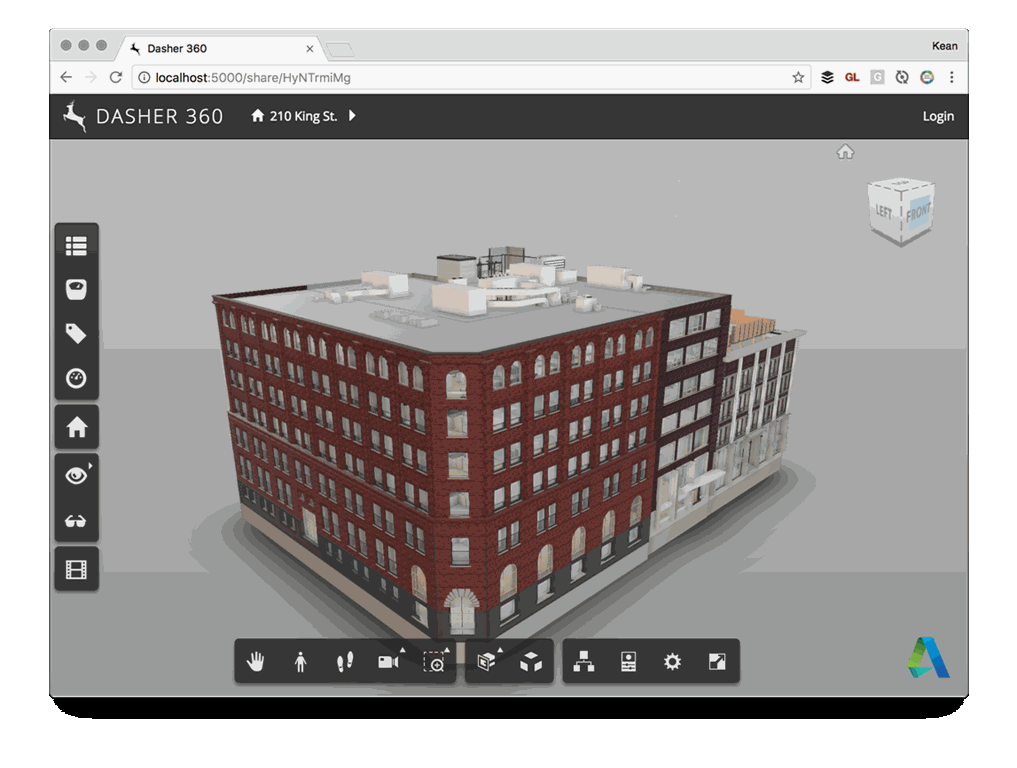
Here's a view of Dasher 360 with and without the extension loaded:
A better scenario would – of course – be for the Forge viewer UI to be more configurable. That said, there will often be times when this kind of code (icky as it may seem) is needed, for one reason or another. Do with it what you will.
Next week I'm going to talk some more about the immense fun I've been having implementing a "kiosk mode" for Dasher 360, whereby it starts doing things on its own if left inactive for a while.


Leave a Reply