The AutoCAD team recently released a preview version of a new AutoCAD web viewer. Give it a try using the latest version of Chrome.
What's interesting about this is that it's very much a taste of things to come – something I alluded to in this recent post. Here are some screenshots:
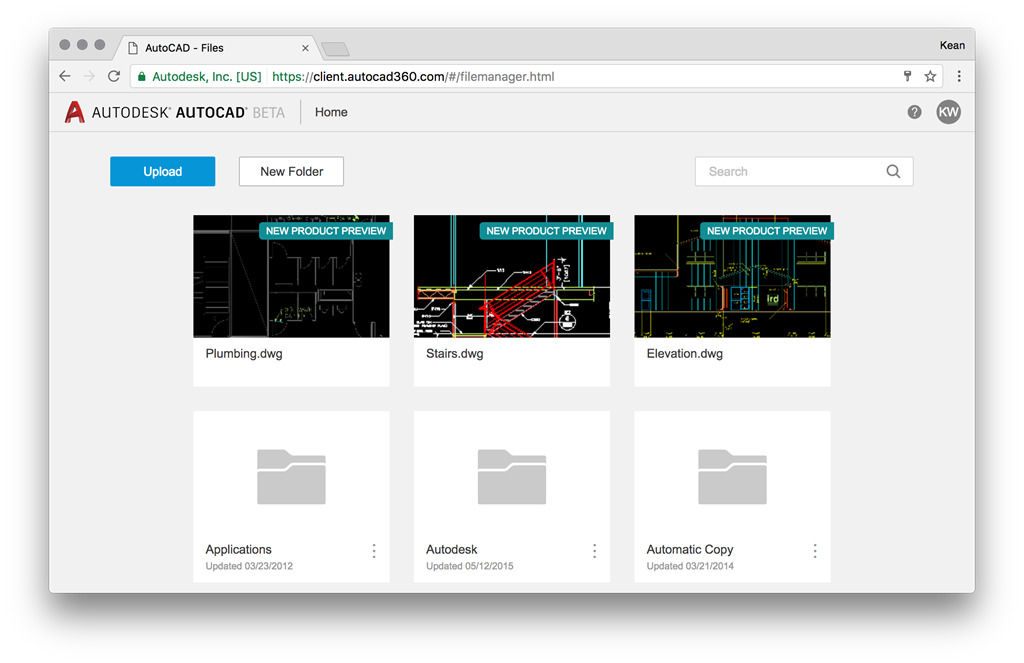
The top three thumbnails link to standard models so that you can quickly take the new viewer for a spin:
Here's the "Plumbing.dwg" drawing loaded in the browser:
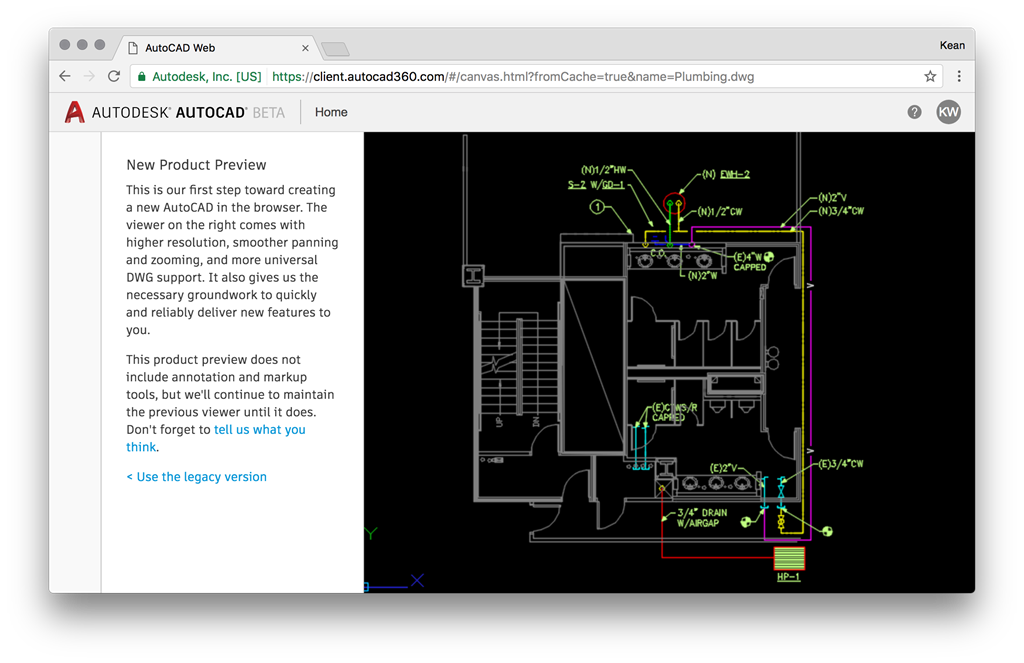
The text on the left of this page is very interesting, particularly the piece I've highlighted below in bold.
New Product Preview
This is our first step toward creating a new AutoCAD in the browser. The viewer on the right comes with higher resolution, smoother panning and zooming, and more universal DWG support. It also gives us the necessary groundwork to quickly and reliably deliver new features to you.
This product preview does not include annotation and markup tools, but we'll continue to maintain the previous viewer until it does. Don't forget to tell us what you think.
You can use it to view your own drawings – whether hosted in A360 or uploaded via the file manager. You'll see the "classic" AutoCAD 360 window come up, but can then click on the "See what's new >" link on the top-right of the page, and it'll load your drawing into the new viewer.
Right now you can see the viewer's capabilities are very limited, so from that perspective it's not especially impressive. What's more significant is that this is effectively code from AutoCAD that's making this possible: it's the fruits of a project codenamed "Fabric" (you can see this by checking the source of the web-page) which is all about extending the reach of the AutoCAD codebase, enabling its use in different scenarios and on different platforms. It's really exciting to see the project reaching the point of having deliverables people can actually try out. It's going to be an interesting ride!

Leave a Reply