One man’s trash… digitizer pucks!

After recent posts about digitizing tablet overlays and a trip down memory lane on AutoCAD rearchitectures, today's giveaway follows this retro theme. Francesco Tonioni discovered a box of digitizing tablet pucks hidden away in a cupboard. I have no idea whether there is anything useful in having these without a tablet itself (presumably the tablet itself is fairly passive, but I'm not clear on exactly how they work) but I'd be more than happy to send any or all to someone who wants them. Drop me an email if they interest you!
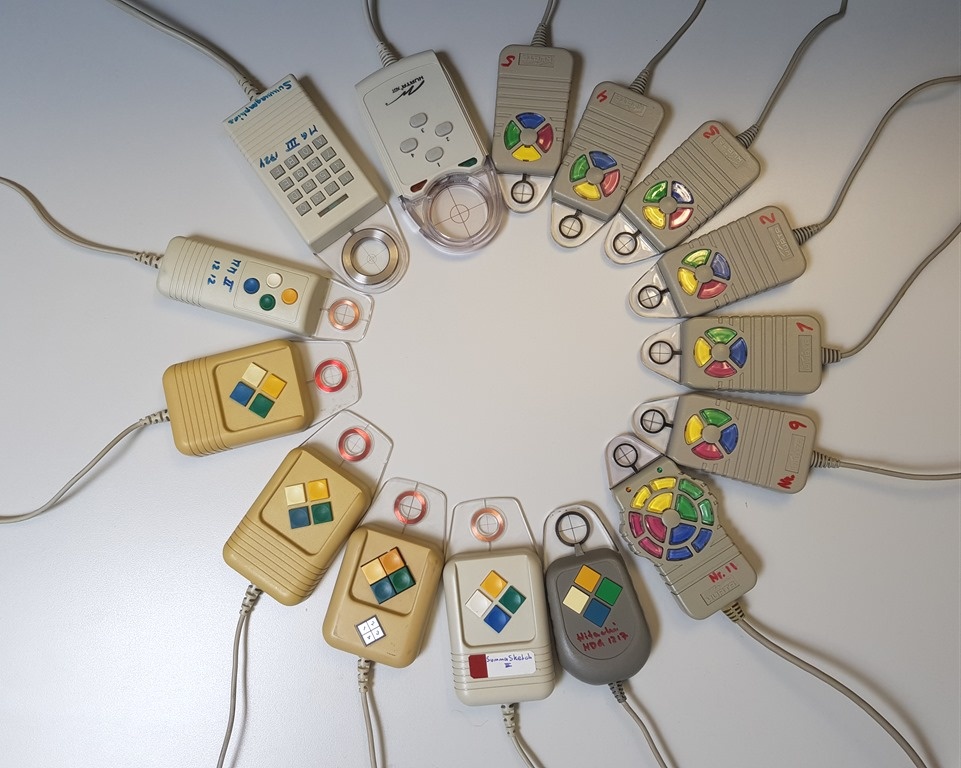
Digitizer pucks

If you're interested in knowing which connector is on what puck, for instance, do let me know: a variety of connectors have been used by the different manufacturers, over the years. As I'm not familiar with all the models, it would help if you could circle the pucks you're interested in on a copy of the above image when you email me.

Update:

Somewhat surprisingly – to me, at least – these are going like hot cakes! Four have headed off to New Zealand, where Stephen Bindon will actually use them. Here's a snap of Stephen's CAD setup, which includes a Summagraphics tablet, a Nostromo game pad and a 3dconnexion CAD Mouse. It turns out the Summagraphics pucks' buttons stick, from time to time, and having spares will save on some expensive repair bills. Very cool!
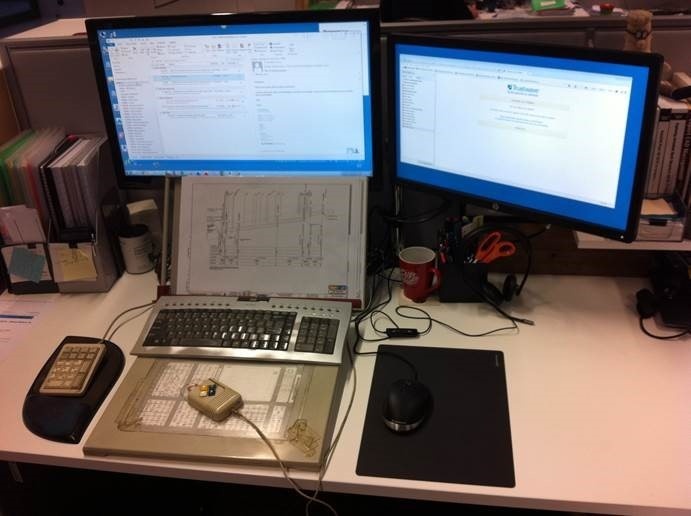
Some serious use of peripherals, old and new

One more puck has gone to Josh Crawford in Denver, Colorado. It was the puck Josh used back when he started out in the CAD industry, so that's also really cool.

And the other four have accompanied the digitizer overlays that have headed off to Texas and the Ukraine.

The below picture shows the ones that have gone (with red crosses) and those that are left:
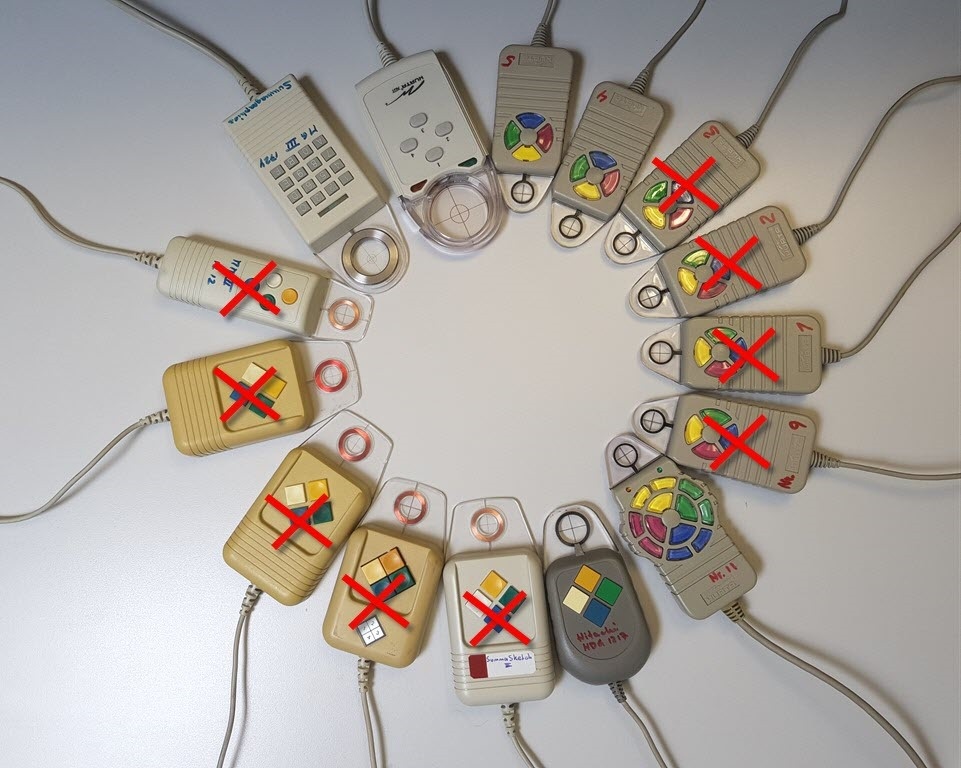
Pucks remaining

Any takers for any of the remaining six? Let me know!

3 responses to “One man’s trash… digitizer pucks!”

  1. Emmanuel Garcia Avatar
    Emmanuel Garcia

    Those pucks bring back good memories. Autodesk CAD Overlay / Raster Design made them obsolete, as well as all the other GUI enhancements. But they were cool to have. Just not necessary having access to a full size scanner. It's also nice to be able to use a digitizer tablet in absolute, not relative mode, unlike a mouse.

  2. Pierre de la Verre Avatar
    Pierre de la Verre

    I used a 4-button-puck the first (and last) time 1998/99 with AutoCAD R14. The first days (two weeks) where hard, but until now I think it was one of the fastest ways to work. The basic feature for me the "absolute position of the commands", not relative with mouse movements.
    Last week I talked with some AutoCAD newbies, and they told me about a colleague who uses a multi-button-mouse to get as much commands at the mouse as possible.

    PS: There are still new digitizers:
    bricsbau.ch/rbi...

  3. Kean Walmsley, if you still have the 16 button digitizer puck i would love to know what you want for it.
    John Bettes, johnbettes@gmail.com or,(I am going to stick my neck out here) (530) 275-6489, you may have to leave a message at that number, I am out of the office more than in, but please do leave a message and if you have that puck please hang on to it until we figure out if it is the one i can use.
    Thank you/

  4. hi there am lisa i really like your work i also recommend you to read this blog it also very help full for me
    embroidery blog

  5. Do you have a Numonic digitizling puck . They went out of business a few years ago.
    I"m still digitzling it has 4 buttons on it?

  6. looking for Numonic puck for digitizing or a puck that will work with this tablet from numonic

    1. Sorry - I don't have one of those.

      Kean

Leave a Reply to Kean Walmsley Cancel reply

Your email address will not be published. Required fields are marked *