(If you're asking yourself "what's Capturefinery?" then I suggest reading these posts first. TL;DR: Capturefinery is a tool for capturing screenshots of the various runs in a Refinery study and compiling them into animated GIFs for sharing via social media or including in customer presentations.)
Firstly, a huge thank you to my partner in crime – and the first (so far only?) user of Capturefinery – Simon Breslav. He's been kicking the tyres and giving very helpful feedback that has steered the development of this package. He very kindly tells me he likes it a lot – I hope you all will, too.
Anyway, firstly a quick rundown on the changes since last time. One of the big changes was the introduction of a progress bar, so you can tell how many runs have been captured, and how many are left to complete. This wouldn't have been possible when capturing the graphics via the screen – as the images would contain the progress bar – but when we shifted to accessing Dynamo's graphics directly this suddenly got put back on the table. Which also meant we could add a "cancel" button, rather than the inelegant approach of looking for the Escape key to be pressed.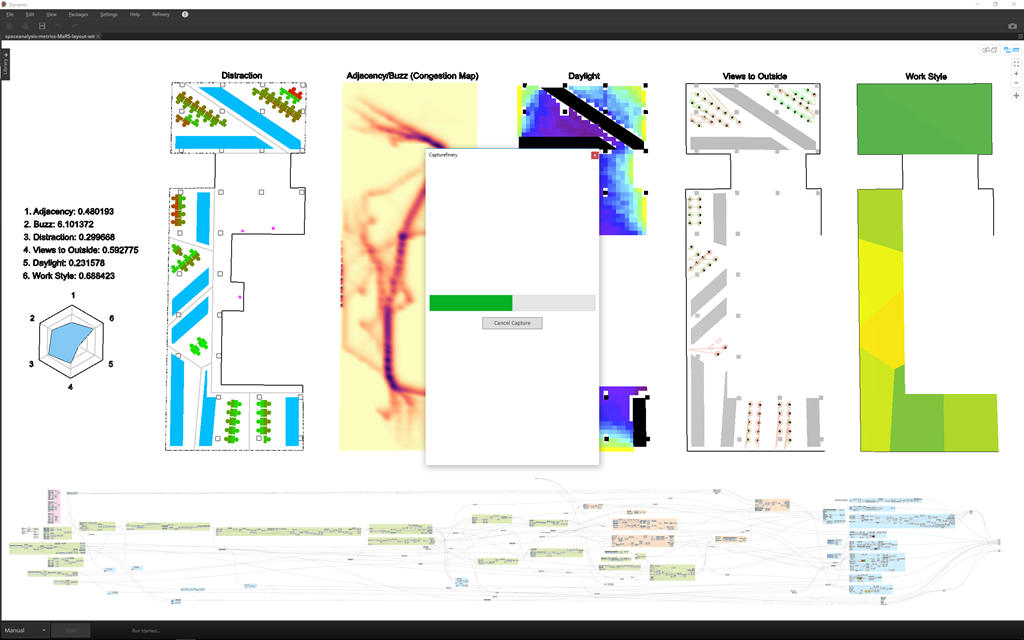
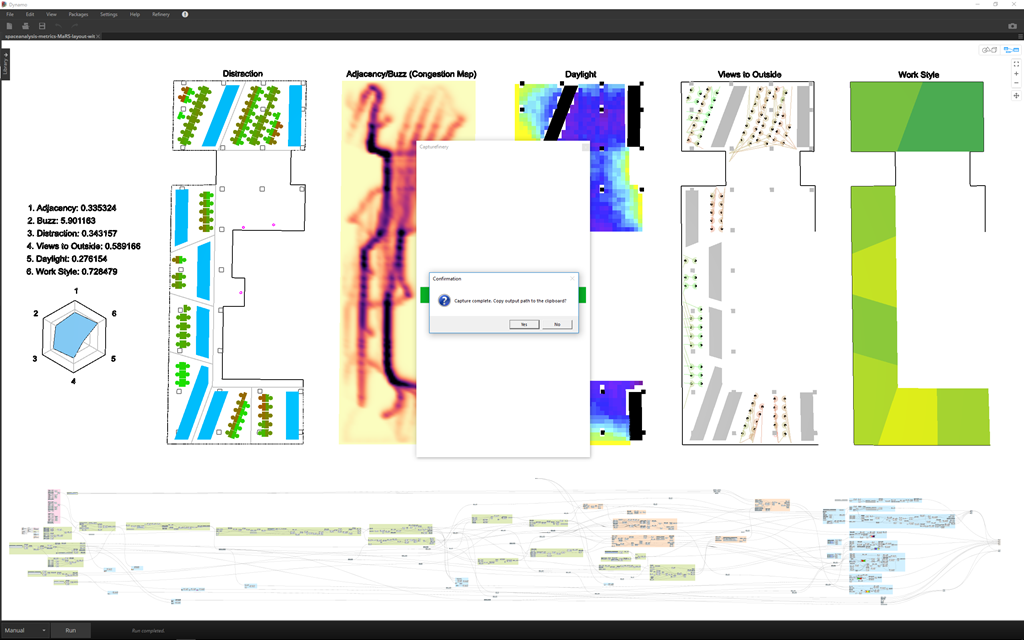
Once a capture is completed, the user now has the option to copy the path to the results folder to the clipboard, which should save a fair amount of needless hard-drive searching.
The next big change – and this was very much inspired by Simon's feedback – was the addition of image sorting based on the various parameters (whether inputs or outputs). Which means you can sort based on a particular goal or perhaps on a number of different input parameters. Initially we had two levels of sorting, then four, then ten… now you can sort on as many parameters as exist in the graph. (This took me quite a bit of work to do… I had to get my head around ItemsControls and DataTemplates in WPF to stop having a hardcoded set of labels and comboboxes. I will say the code is much more straightforward now, though: check it out, if you're interested.)
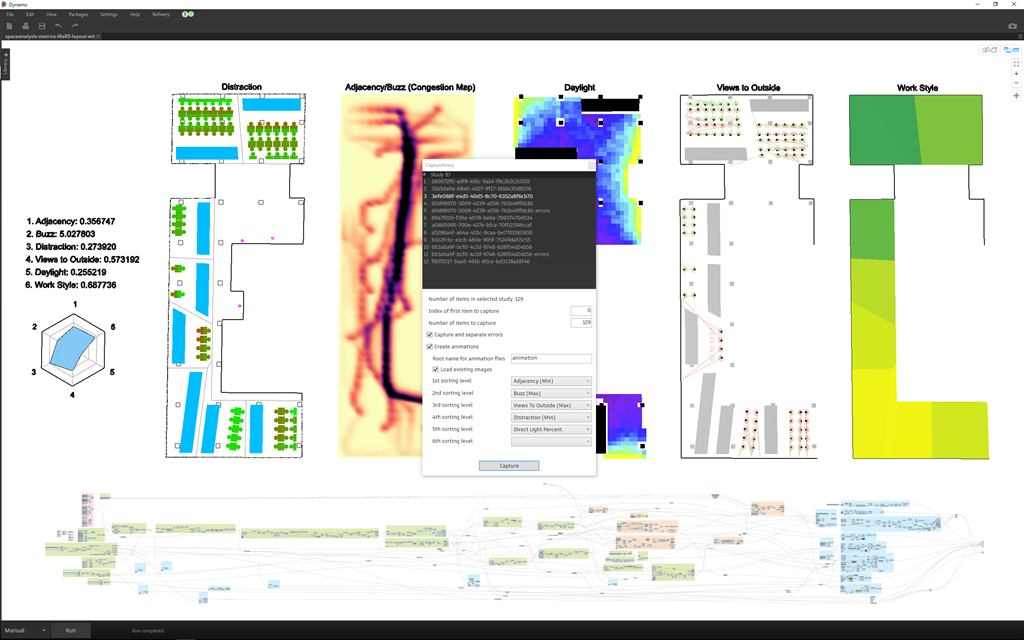
One might ask, is it really useful to sort based on so many parameters? If using output parameters that are continuous, then probably not: the chances are the images will only be sorted based on the first one. Where this feature comes into its own (and it's also why Simon told me "10 isn't enough") is when you want to sort based on input parameters. Especially now that with Refinery 0.9.3 or higher the step size for input parameters is respected, so you start to see inputs mapped more onto a grid, rather than being all over the place. This is a super-important feature, and I'm really glad the Refinery team prioritised it.
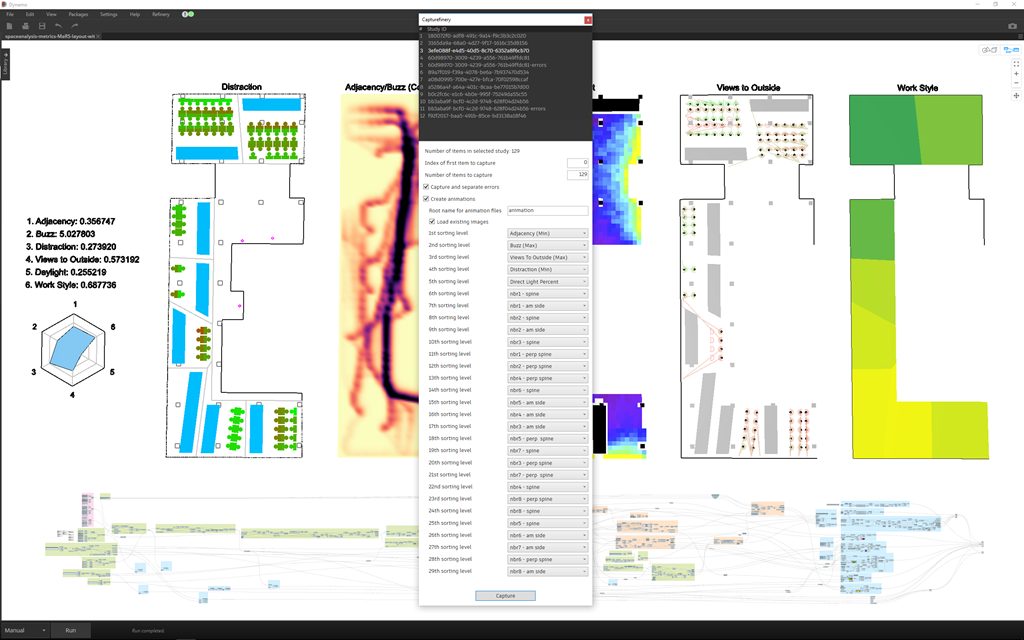
It also means that you're going to see more clustering of runs with common input parameters, so multi-level sorting becomes very relevant, especially if you want to create interesting animations based on different sort orders.
Which brings up a very important point: you don't have to capture any new images to create a new animation, you can just load the existing set of captured images. You do this by checking "Load existing images" and by setting the "Number of items to capture" to 0. (The start index is irrelevant, at this point.) This will quickly allow you to explore sorting by different parameters. To facilitate this, I also added a textbox allowing you to customize a root name for the various animated GIFs that are created. This way you can specify the goal in this root name, so that you don't overwrite existing animations as you play.
Here's a sample animation (which needs slowing down manually using GIMP, as we have no control over the speed inside .NET) that sorts based on the Daylight metric:
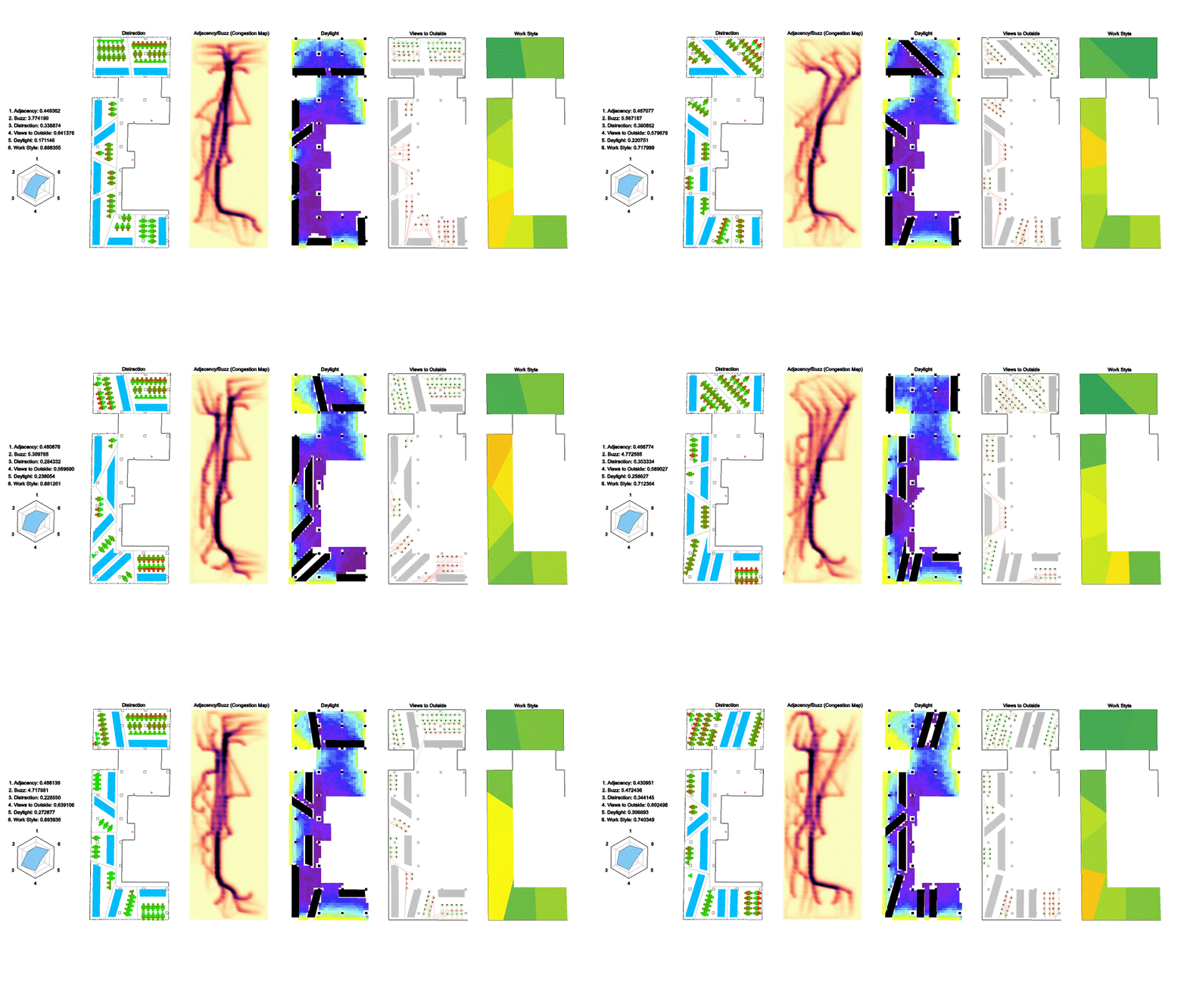
As you can hopefully see, this tool has evolved fairly quickly with quite a bit of complexity, both from a user- and a developer-perspective. If you have questions, please do post a comment, but also be sure to let me know of any quirks: there are for sure issues that I haven't yet spotted, and I do keep stumbling across quirky behaviour. I've flagged this as a "pre-release" package, for now, so do let me know how you get on!


Leave a Reply to Sylar Wesker Cancel reply