Despite the unfolding horror of the situation with Covid-19 – and stuff is really starting to hit the fan, here in Switzerland, with schools and non-essential commerces being closed and rumours of an enforced sequestration being considered – I'm at least getting some quality time to work on Dasher.
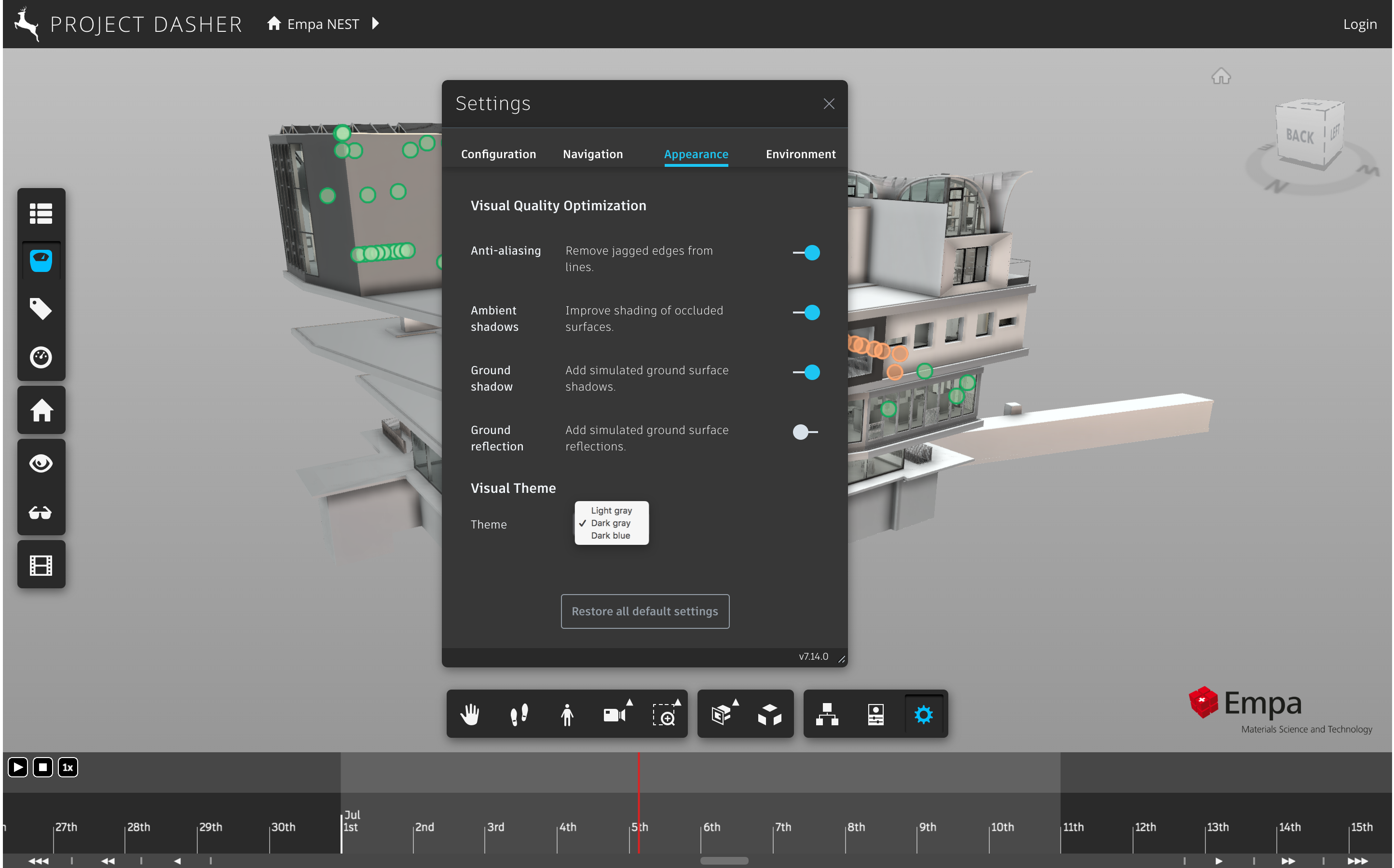
Last week we saw how it was possible to support both dark and light themes from the Autodesk HIG in a Forge viewer application. I mentioned both times my desire to allow Dasher's theme to be selected by the user at runtime. After searching fruitlessly on the internet for some time, I ended up asking an internal Slack channel focused on HIG-related development. Within a day Yong Wu from the Revit team came back with some code they had created to get this working on their side.
Yong and team had basically used the approach shown in this excellent article. Sass is a pre-processor for CSS – it's a build-time component, so isn't available at runtime – which means that you need to find a way to pre-bake the styles of your various themes in a way that can be leveraged at runtime. The article shows how to structure your SCSS files (which are compiled by Sass) in an elegant way, using mixins to access the variables you need.
For Dasher, I chose to include three of the HIG themes. (I won't show the "themify" mixin used by the below code – that you can get from the Medium article.)
The theme files all look very similar: they import the underlying HIG theme from the node_modules folder (for some reason I seem to have to use relative paths on my system, rather than referencing the @hig folder directly) and then define the same set of variables relative to the HIG variables.
There's probably a way to make the variable definition piece common across the three theme files, but it's really a detail: keeping the list consistent across the three isn't a huge effort.
Using the style from the main SCSS stylesheet is fairly simple – you just need to include the themify mixin and then use the themed macro to access the appropriate variable. It took some time to work through the Dasher styles, but hey.
The integration into the Dasher application itself was reasonably smooth: I modified the settings dialog to add a dropdown on the Appearance tab. Changing the dropdown's selection then sets the theme, which – among other things – adds a class (whether 'hig-dark-gray-high-density', 'hig-dark-blue-high-density' or 'hig-light-gray-high-density') to the main page's body element. The relevant theming is then picked up automagically. The timeline theming took a little more work, but I'm pleased with the results: you can even change the theme while significant operations are in progress.
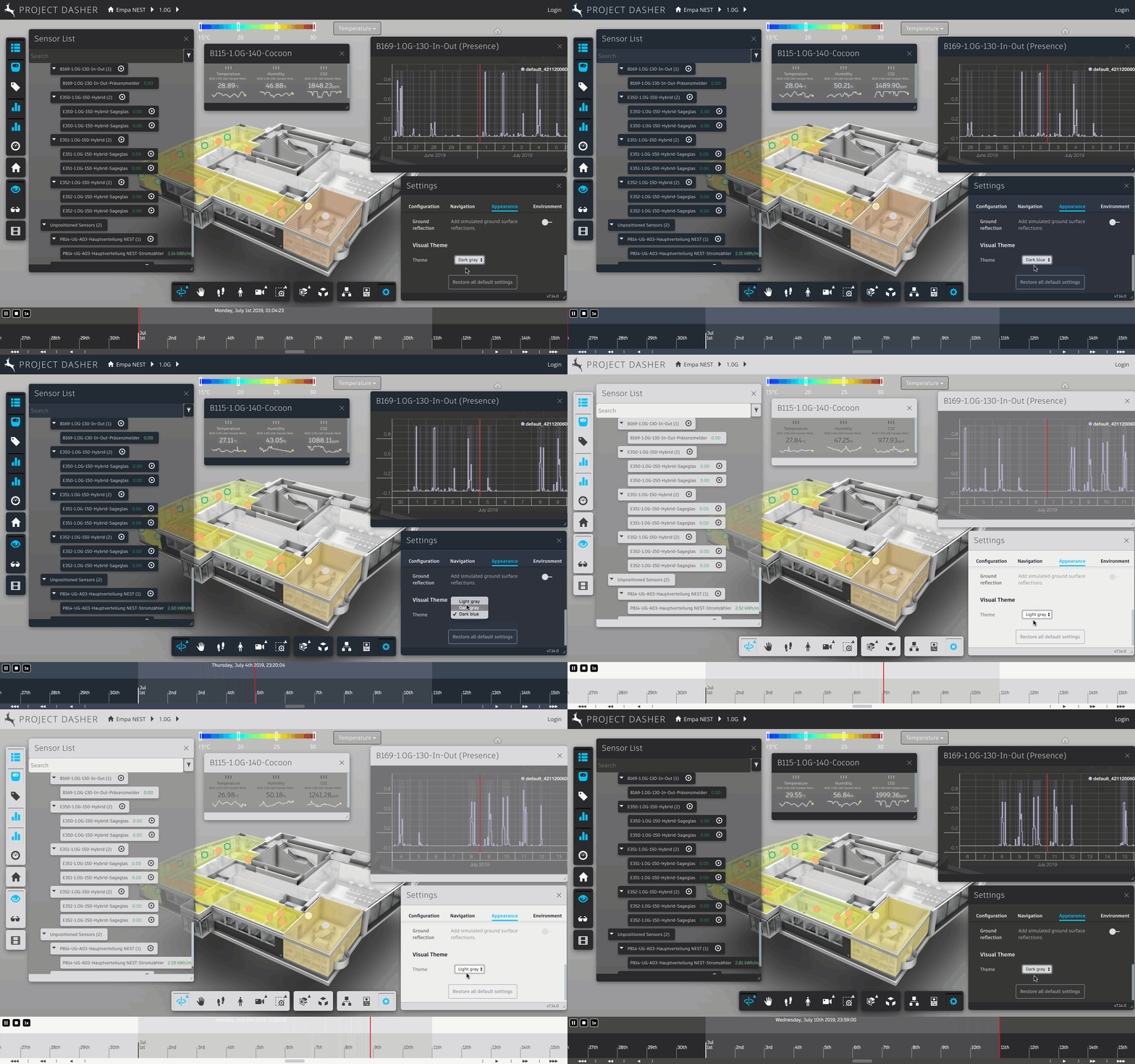
This will soon be available to try on Dasher360.com: we'll be pushing it live once the new timeline has been fully tested.
Many thanks to Yong Wu for his guidance on getting this working!
Leave a Reply