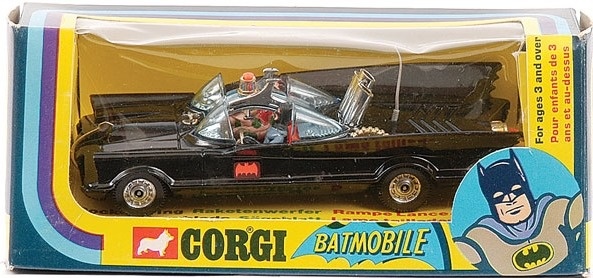
When I was a boy, I used to love going to play with toys at my grandmother's house. My absolute favourite was a die-cast Batmobile made by Corgi in the UK. What I particularly liked about this toy was its hidden features: the cars apparently came with secret instructions, although these were nowhere to be seen by the time I started playing with it. The Batmobile had plastic flames that came out of the exhaust when the rear wheels turned and spring-loadable, vertical rocket launchers. The biggest surprise was when I discovered the cutting blade that popped out of the car's nose when you pressed a button on the bonnet. Happy days!
Sometimes AutoCAD reminds me of that Batmobile: you work with it for years and only then find out about some "hidden in plain sight" feature that really surprises you. Although the sense of joy I remember as a child is typically replaced by mild annoyance at having to update old blog posts. 😉
Back in the day I posted a solution translated from ObjectARX that shows how to stop blocks from being exploded. It works by making AutoCAD think it has already performed the explode operation by hooking into Database.BeginDeepClone and BeginDeepCloneTranslation. The approach works well, but it turns out that even at the time of writing there was a simpler way to achieve this.
Blocks have an "allow exploding" property that can be unset during their definition:

This feature was added to the DWG format – and presumably to the block dialog – during the AutoCAD 2007 timeframe, although it was apparently originally implemented using XData for the version of AutoCAD R12 used for AutoSurf (a big thanks to Joel Petersen for pointing out both the property and its history).
Here's some C# code that shows how the equivalent BlockTableRecord.Explodable property can be set on certain blocks (we're going from selected block references, but we could also access the block table directly, of course):
using Autodesk.AutoCAD.ApplicationServices;
using Autodesk.AutoCAD.DatabaseServices;
using Autodesk.AutoCAD.EditorInput;
using Autodesk.AutoCAD.Runtime;
namespace BlockExplosion
{
public class Commands
{
[CommandMethod("ALEX")]
public void AllowExploding()
{
var doc = Application.DocumentManager.MdiActiveDocument;
var ed = doc.Editor;
// Ask the user to select block references to [un]lock
var sf =
new SelectionFilter(
new TypedValue[1] {
new TypedValue((int)DxfCode.Start, "INSERT")
}
);
var psr = ed.GetSelection(sf);
if (psr.Status != PromptStatus.OK)
return;
// Do we make the referenced blocks explodable or not?
var pko =
new PromptKeywordOptions("Allow exploding [Yes/No]", "Yes No");
pko.Keywords.Default = "Yes";
var pr = ed.GetKeywords(pko);
if (pr.Status != PromptStatus.OK)
return;
bool explodable = pr.StringResult == "Yes";
int changed = 0, unchanged = 0;
// Start our transaction
using (var tr = doc.TransactionManager.StartTransaction())
{
// Iterate through our various, selected block references
foreach (var id in psr.Value.GetObjectIds())
{
var br = tr.GetObject(id, OpenMode.ForRead) as BlockReference;
if (br != null)
{
// Get the referenced block definition
var btr =
(BlockTableRecord)tr.GetObject(
br.BlockTableRecord, OpenMode.ForRead
);
// Set its Explodable property, if required
if (btr.Explodable != explodable)
{
btr.UpgradeOpen();
btr.Explodable = explodable;
changed++;
}
else
{
unchanged++;
}
}
}
// Commit the transaction
tr.Commit();
}
ed.WriteMessage(
"\nMade {0} blocks {1}explodable ({2} left unchanged).",
changed, (explodable ? "" : "un"), unchanged
);
}
}
}
When we run the ALEX command (for ALlow EXploding) and select some blocks, we can see that the EXPLODE command no longer works on them:
Command: ALEX
Select objects: 1 found
Select objects: 1 found, 2 total
Select objects:
Allow exploding [Yes/No] <Yes>: No
Made 2 blocks unexplodable (0 left unchanged).
Command: EXPLODE
1 found
1 could not be exploded.
The ALEX command can also be used to make blocks explodable again, although there's a clearly documented approach for users to do this, in case they need to (aside from using the BLOCK command to redefine the block while retaining its contents and its various other properties). If your application needs to stop blocks from being exploded in a less user-controllable manner, you may want to take a look into the approach we mentioned earlier that uses BeginDeepClone[Translation].
photo credit: "Corgi 1960's Batmobile" by DPdH - Own work. Licensed under CC BY-SA 3.0 via Wikimedia Commons


Leave a Reply