I've been looking at (and talking about) point clouds a lot, of late, especially those generated from sets of 2D photos. Today's announcement by Scott Sheppard refers to a new technology on Autodesk Labs that makes it even easier to work with and model using point clouds, Shape Extraction for AutoCAD 2011. I spent some time evaluating this technology, to see how it works with point clouds extracted from Photosynth, to make sure it proved useful. I used Photosynth because of the wealth of community content browsable online: Photofly content is not shared in the same way, but I would tend towards using this technology if wanting to generate point clouds from my own sets of photos.
A quick side note… this utility is currently only available to Autodesk Labs users in the following countries: Australia, Canada, Ireland, New Zealand, Singapore, United Kingdom, and United States. If you live elsewhere (like me, although I have special privileges in this situation) then please be patient. We hope to make it available more widely soon.
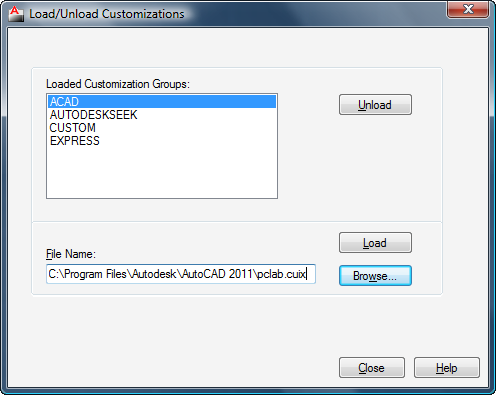
I started by installing the tool. To bring up the UI inside AutoCAD I had to load the partial CUIx file installed into AutoCAD's main program folder (pclab.cuix) using CUILOAD:
At which point we should have the utility's ribbon UI available:
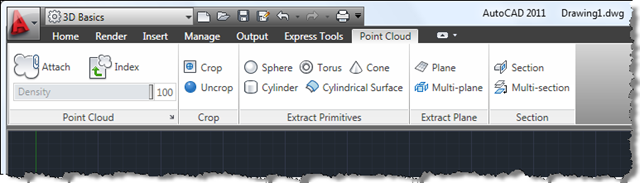 Even without the extraction and sectioning tools, just the cropping capability makes this tool worth the effort of installing: point clouds generated from images are often quite noisy and typically don't go through the same pre-processing via vendor-supplied tools as 3D-scanned point clouds.
But there is clearly some potential when it comes to extracting shapes, too…
Here's what I found when running the tools against some point clouds brought down from Photosynth:
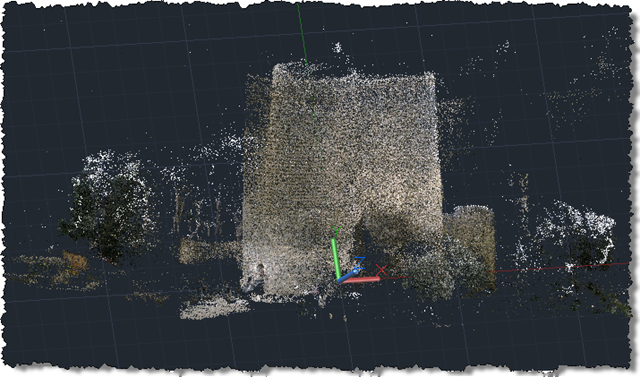
1. A castle in Azerbaijan called Девичья башня.
The Synth:
The raw point cloud in AutoCAD 2011:
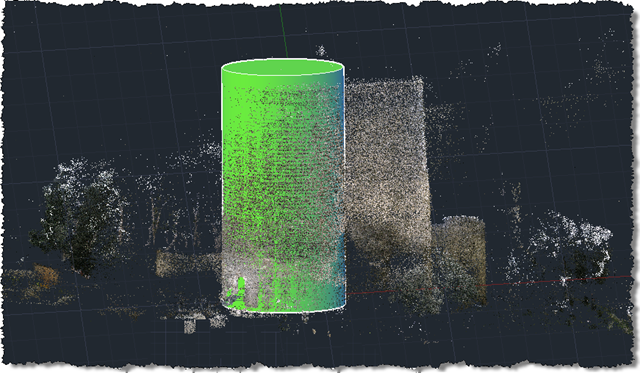
A cylindrical tower extracted from the point cloud:
2. A flood column
The Synth:
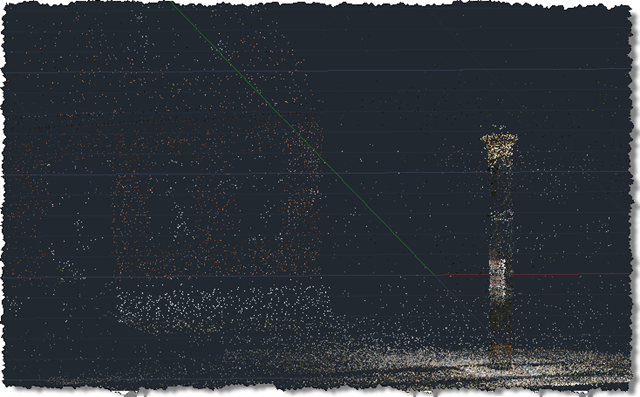
The raw point cloud in AutoCAD 2011:
A cylindrical column extracted from the point cloud:
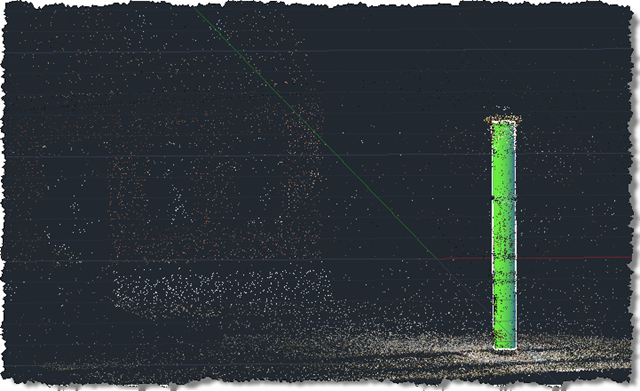
It remains to be seen how useful this capability proves to be in practice, but I was pleased that the examples I tried at least appeared to work well. For those of you who are interested in this utility and are located in a geographical region covered by the trial, please do give the utility a try, and be sure to send us feedback.


Leave a Reply