Tables
-
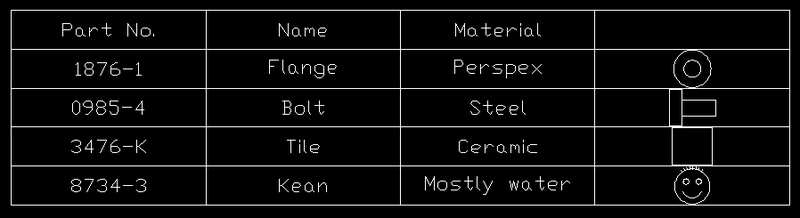
Further to the previous post showing the creation of a simple table, this shows how to add a column that contains a preview image of a particular block definition. I had to modify the code somewhat to open the block table sooner than we did before (I tend not to leave it open for longer than I have to, but in this case we want to check it for appropriate block definitions earlier on, while we're creating the table). Then I added a simple check, to see whether a block definition corresponding to our "name" field exists for a particular…
-
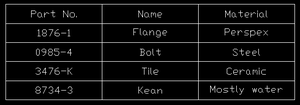
This suggestion came in a few weeks ago from Kélcyo Pereira, and I've borrowed some code from Sreekar Devatha, from DevTech India, to help implement the suggestion. The following C# code creates a very simple table and inserts it at the position selected by the user. The table is really very simply - a 5 (row) x 3 (column) table created from string values, no other data-types. It picks up the current style and aligns each cell as "middle, center". That's really all there is to it. using Autodesk.AutoCAD.ApplicationServices; using Autodesk.AutoCAD.DatabaseServices; using Autodesk.AutoCAD.EditorInput; using Autodesk.AutoCAD.Geometry; using Autodesk.AutoCAD.Runtime; namespace TableCreation {…