In this earlier post we saw some C# code that creates 2D, 3D or "live" section geometry in AutoCAD 2007 or higher. I mentioned at the end of the post that I was curious to see how equivalent F# code compared with this C# source, especially in the area of array concatenation. Well, it turns out that there's still a little pain, just different pain (more like a sharp pain that's over quickly, rather than a dull, nagging ache :-).
Here's the F# code:
#light
module SolidSection
// Import managed assemblies
#I @"C:\Program Files\Autodesk\AutoCAD 2009"
#r "acdbmgd.dll"
#r "acmgd.dll"
open Autodesk.AutoCAD.Runtime
open Autodesk.AutoCAD.ApplicationServices
open Autodesk.AutoCAD.EditorInput
open Autodesk.AutoCAD.DatabaseServices
open Autodesk.AutoCAD.Geometry
open System
let selectInfo() =
let doc =
Application.DocumentManager.MdiActiveDocument
let ed = doc.Editor
let pts = new Point3dCollection()
// Ask the user to select an entity to section
let peo =
new PromptEntityOptions
("\nSelect entity to section: ")
peo.SetRejectMessage
("\nEntity must be a 3D solid, " +
"surface, body or region.")
peo.AddAllowedClass
(typeof<Solid3d>, false)
peo.AddAllowedClass
(typeof<Autodesk.AutoCAD.DatabaseServices.Surface>,
false)
peo.AddAllowedClass(typeof<Body>, false)
peo.AddAllowedClass(typeof<Region>, false)
let per = ed.GetEntity(peo)
if per.Status <> PromptStatus.OK then
[]
else
let ppr =
ed.GetPoint
("\nPick first point for section: ")
if ppr.Status <> PromptStatus.OK then
[]
else
pts.Add(ppr.Value) |> ignore
let ppo =
new PromptPointOptions
("\nPick end point for section: ")
ppo.BasePoint <- ppr.Value
ppo.UseBasePoint <- true
let ppr2 = ed.GetPoint(ppo)
if ppr2.Status <> PromptStatus.OK then
[]
else
pts.Add(ppr2.Value) |> ignore
// Ask what type of section to create
let pko =
new PromptKeywordOptions
("Enter section type ")
pko.AllowNone <- true
pko.Keywords.Add("2D")
pko.Keywords.Add("3D")
pko.Keywords.Add("Live")
pko.Keywords.Default <- "3D"
let pkr = ed.GetKeywords(pko)
if pkr.Status <> PromptStatus.OK then
[]
else
let st =
match pkr.StringResult with
| "2D" -> SectionType.Section2d
| "Live" -> SectionType.LiveSection
| _ -> SectionType.Section3d
[per.ObjectId, pts, st]
[<CommandMethod("SS")>]
let sectionSolid () =
match selectInfo() with
| [entId, pts, st] ->
let doc =
Application.DocumentManager.MdiActiveDocument
let ed = doc.Editor
let db = doc.Database
// "use" has the same effect as "using" in C#
use tr =
db.TransactionManager.StartTransaction()
// Get appropriately-typed BlockTable and BTRs
let bt =
tr.GetObject
(db.BlockTableId,OpenMode.ForRead)
:?> BlockTable
let ms =
tr.GetObject
(bt.[BlockTableRecord.ModelSpace],
OpenMode.ForWrite)
:?> BlockTableRecord
// Now let's create our section
let sec =
new Section(pts, Vector3d.ZAxis)
sec.State <- SectionState.Plane
// The section must be added to the drawing
let secId = ms.AppendEntity(sec)
tr.AddNewlyCreatedDBObject(sec, true)
// Set up some of its direct properties
sec.SetHeight
(SectionHeight.HeightAboveSectionLine,
3.0)
sec.SetHeight
(SectionHeight.HeightBelowSectionLine,
1.0)
// ... and then its settings
let ss =
tr.GetObject
(sec.Settings,
OpenMode.ForWrite)
:?> SectionSettings
// Set our section type
ss.CurrentSectionType <- st
// We only set one additional option if "Live"
if st = SectionType.LiveSection then
sec.EnableLiveSection(true)
else
// Non-live (i.e. 2D or 3D) settings
let oic =
new ObjectIdCollection()
oic.Add(entId) |> ignore
ss.SetSourceObjects(st, oic)
if st = SectionType.Section2d then
// 2D-specific settings
ss.SetVisibility
(st,
SectionGeometry.BackgroundGeometry,
true)
ss.SetHiddenLine
(st,
SectionGeometry.BackgroundGeometry,
false)
else if st = SectionType.Section3d then
// 3D-specific settings
ss.SetVisibility
(st,
SectionGeometry.ForegroundGeometry,
true)
// Finish up the common 2D/3D settings
ss.SetGenerationOptions
(st,
SectionGeneration.SourceSelectedObjects |||
SectionGeneration.DestinationFile)
// Open up the main entity
let ent =
tr.GetObject
(entId,
OpenMode.ForRead)
:?> Entity
// Declare (and bind) the arrays to be filled
let (flEnts : Array ref) = ref null
let (bgEnts : Array ref) = ref null
let (fgEnts : Array ref) = ref null
let (ftEnts : Array ref) = ref null
let (ctEnts : Array ref) = ref null
// Generate the section geometry
sec.GenerateSectionGeometry
(ent,flEnts,bgEnts,fgEnts,ftEnts,ctEnts)
// Combine the arrays
let ents =
Array.concat
[(!flEnts :?> Entity array);
(!bgEnts :?> Entity array);
(!fgEnts :?> Entity array);
(!ftEnts :?> Entity array);
(!ctEnts :?> Entity array)]
// Add each of the entities to the modelspace
for ent in ents do
ms.AppendEntity(ent) |> ignore
tr.AddNewlyCreatedDBObject(ent, true)
tr.Commit()
// For the case our input function returned
// anything but a list of three items
| _ -> ()
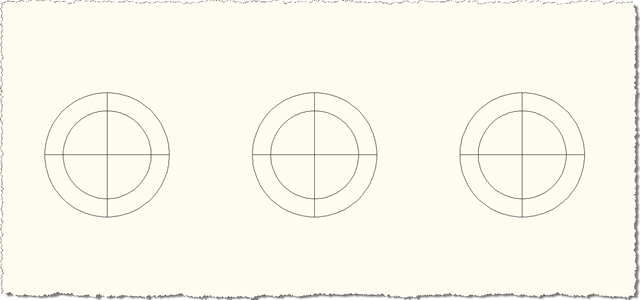
When it runs we see the same thing as the previous post... before the SS command:
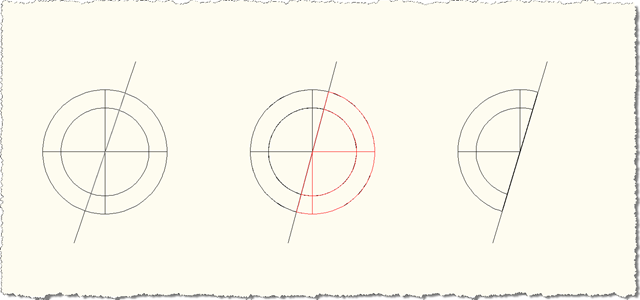
After it:
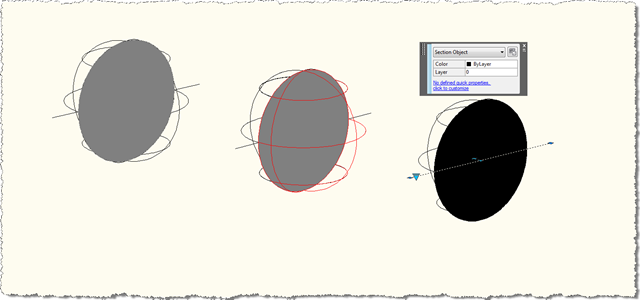
And now in glorious 3D:
You can see that the code to combine the arrays is indeed cleaner than in C#, but it did take some effort (probably due to lack of knowledge) to get it working. The main hurdles were related to finding out how best to create the Array reference parameters to pass into the GenerateSectionGeometry() function, as well as working out how best to handle the resultant Arrays (whether/how to cast the arrays themselves or their contents, and depending on that decision how best to combine the contents into a single array or list). So it proved harder than is reflected by the end product (just like most things, I suppose).
Update
In AutoCAD 2010, Section.EnableLiveSection(bool) has become a Boolean property. For the above code to work in AutoCAD 2010, change the line containing the call to sec.EnableLiveSection(true) to:
sec.IsLiveSectionEnabled <- true


Leave a Reply to Kean Walmsley Cancel reply