Updated versions of the AutoCAD .NET Wizard & Labs

As mentioned a few months ago, we've been working on a project wizard for AutoCAD .NET development. The official version of this tool is now available via the AutoCAD Developer Center (a direct link to the download can be found here).
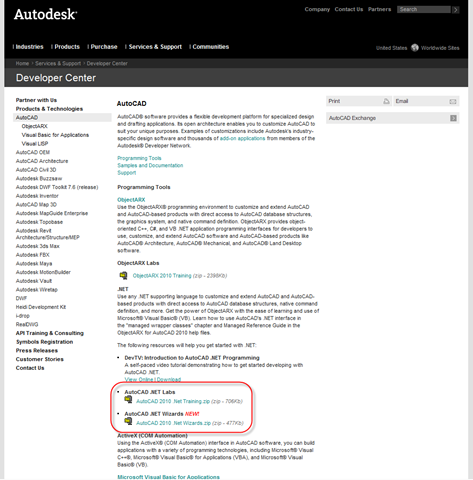
AutoCAD Developer Center with new Labs and WizardsWe incorporated a number of enhancement requests received from people working with the previous, draft version, but I don't have an exhaustive list of the updates, unfortunately. If you provided feedback, thank you for taking the time to do so, and hopefully the issue you faced has been addressed in this updated version (and please do let us know, if not).

On a related note, an updated version of the AutoCAD .NET Labs is also available from the same location (the direct link is here). This is a great resource for someone getting started with AutoCAD .NET development, and is the material we use when delivering AutoCAD .NET training. You'll find included a PowerPoint presentation along with step-by-step samples in both C# and VB.NET.

A big thanks to those involved in providing these tools, especially our resident Wizard wizard, Cyrille Fauvel.

  1. When trying to install the Wizard on Visual Studio 2008, Windows 7 operating system, I'm getting the error message of "The operation could not be completed. The requested operation required elevation" from Visual Studio. Is this a known issue? Since I'm using Windows 7 am I out of luck on using the wizard? Thanks.

  2. Here's the response I had from one of the Wizard developers:

    "I haven't tried Windows 7 myself, but I guess it is like Vista. In the readme we tell people to temporarily disable the UAC and antivirus in case the antivirus blocks VBScripts. That's all I think would be a problem."

    Kean

  3. Thanks. Setting the UAC to "Never notify" allowed the program to install. As a side note Microsoft appears to have removed the terminology for turning off or disabling the UAC from Windows 7.

  4. Hi Kean,
    I would like to program in C# for AutoCAD 2008 using Visual Studio 2008.
    Now, for AutoCAD 2008 I need to use the .NET-Framework 2.0, or am I misinformed here? Because using this last version of the AutoCAD .NET Wizard I can only select the .NET Framework 3.0 or 3.5. If I select 2.0 then I cannot selcet the Wizard anymore.
    Is there a Wizard by Autodesk currently available that would support both VS2008 and ACAD 2008?
    Thanks.

  5. Hi Stephan

    this is correct that it does not appear in the Wizards selection dialog if you select the ,NET framwork 2.0. That is clearly a mistake in the Wizards descriptor file 'MyTemplate.vstemplate' at (C:\Program Files (x86)\Microsoft Visual Studio 9.0\Common7\IDE\ProjectTemplates\CSharp\Autodesk\AutoCAD 2011 plug-in.zip) where RequiredFrameworkVersion says 3.0

    There is no risk to create a project with that configuration and later go into the project settings to tell to use version 2.0 instead.

    I apologize for the inconvenience,

    Cyrille

Leave a Reply to Kean Walmsley Cancel reply

Your email address will not be published. Required fields are marked *