ADN DevCast Episode 4 – using Photofly and Photosynth with AutoCAD 2011

During my recent stay in the Bay Area, Stephen suggested I join the San Rafael-based DevTech team to record another ADN DevCast. Our hope was to cut down the length somewhat by focusing on a single topic, but those plans pretty much went out the window as soon as I started talking. :-S 🙂

Thanks to Stephen, Gopi and Fenton for their warm welcome in San Rafael, and for keeping the session interesting with all their questions!

[We experienced a few technical glitches due to my system getting very close to its end-of-life (it only has a 90 GB hard-drive, so I'm forever uninstalling/reinstalling software and often run with just a few GB of free space available, which didn't prove enough for Camtasia to record all we wanted it to). Stephen has done a great job of editing the issues out, but you may see the odd continuity quirk.]
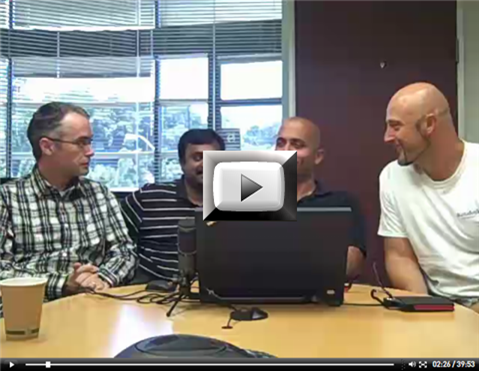
ADN DevCast Episode 4 You can also download the recording to view locally (37.4 MB), should you so choose.

These sessions are (very clearly) unscripted and I can see there may be a few areas that prove confusing to people. If that's the case, please post a comment and I'll do my best to clarify my intended meaning.

Addendum

Brian Mathews, our VP of Autodesk Labs, kindly watched the video and clarified a few points regarding Photo Scene Editor that I felt were worth sharing. (In case it wasn't obvious to viewers of the DevCast, I'm far from being an expert in the use of the tool, so I would recommend that people especially interested in the use of Photo Scene Editor check out the videos linked from its Labs page.)

Brian raised two main points:

  1. Use of the push-pin tool to create reference points does something more complex than snapping to existing points. In effect it densifies the point cloud at the location you have selected by performing further analysis on the images in the scene. Just the act of manually adding points creates a more dense and accurate point cloud at the selected locations.
  2. When adding points to my glasses, during this demo, it may have given the impression that the pin didn't quite get the right spot in 3D. In fact the positions were accurate, but the "splats" that were draped onto the model gave the impression they were not. Shrinking the size of the spats would have made this more clear, as the centre of each splat would have been accurately positioned, just not the edges.

7 responses to “ADN DevCast Episode 4 – using Photofly and Photosynth with AutoCAD 2011”

  1. Fernando Malard Avatar
    Fernando Malard

    Very good job Kean!

    It is amazing how fast this technology is evolving.

    I can see another usage of the color brought in. If you think about mapping surfaces from the point cloud the color will be a very useful filter to figure out which points belong to the same surface.

    The point cloud itself cannot give you too many tips about the surfaces involved once if you take a cube point cloud, for example, it may be difficult to match the expected surfaces by just guessing 3-point planes. With the color info you may group the points as a first step and then start guessing the surfaces with a much smaller point set.

    Well, just speculations though! 🙂

    Keep going...I'm loving this technology!

  2. It's taken me long enough to get around to watching this episode. Good on ya', Kean, for taking the Cypher joking in stride. I have the same opinion as you on the original Matrix vs. the sequels, but your stance is actually amusingly apropos in the context of the joke, considering that Cypher was in the original, but not the sequels. Once 'you' were out of the picture, it wasn't nearly as good, eh? ツ

    I had some thoughts that came to my mind while I was listening to this a couple of nights ago, now. I know that Kean is aware of some or all of these, but I thought I'd bring them up, just for the sake of discussion and others' awareness.

    A couple of other structure-from-motion programs besides Photosynth and Photofly are:

    :: Bundler :: the structure-from-motion | bundle adjuster from Noah Snavely, whose graduate work at the University of Washington, Photo Tourism, was the basis of Photosynth.

    Bundler Homepage Includes binary for use with Linux and for use in Cygwin on Windows (with the exception of version 0.4, of which only the source is available at the time of this writing).
    Pierre Moulon's Windows port of Bundler
    (Both open source)

    :: insight3d :: aspires to have the same automatic + manual hybrid workflow as Photofly.
    insight3d Homepage
    (Open source)

    On accuracy, I would point readers to the work of Michael Goesele in Multi-View Stereo for Community Photo Collections as he's done some comparison of the output of Bundler to a laser scan of the same object. Kean has previously linked to this work as well. Below are two videos that show some of this comparison.

    Google Tech Talk
    Virtual Earth Summit 2008 session

    A recent (2010 August) paper from Noah Snavely, Ian Simon, Michael Goesele, Rick Szeliski, and Steve Seitz also touches on this comparison in the context of providing an overview of the last several years of their work in this field.
    Scene Reconstruction and Visualization From Community Photo Collections

    On Photosynth's accuracy, the quote that comes quickly to my mind is Scott Fynn's comment here. The geo-aligning feature in Photosynth can give you a crude sense of how accurate a synth is, provided that that area of Bing Maps has high resolution imagery that is truly ortho, rather than slightly oblique. It should also be noted that the accuracy depends largely on the photographer's ability to shoot good even coverage of different subjects in a scene.

    As to translating Photosynth's point cloud coordinate system to real world coordinates, Nathan Craig has a good piece on his blog. This way, measurements can be made on the model to see if they correspond to reality. I'm interested to know if there is any way to access the data from geo-aligned synths to jump start this process.

    On creating dense point clouds, oriented patches, and meshes based on the output of the sparse reconstruction that Bundler and Photosynth generate, I would point you to the work of Yasutaka Furukawa on Patch-based Multi-view Stereo.

    PMVS2 Homepage
    Pierre Moulon's Windows port of PMVS2
    (Both open source)

    This has severe memory limitations which led him to develop Clustering Views for Multi-view Stereo.

    CMVS Homepage
    Pierre Moulon's Windows port of CMVS
    (Both open source)

    More recently he demonstrated the larger sets of oriented patches in Towards Internet-scale Multi-view Stereo.

    :: Perhaps I should have listed this above, but PhotoCity :: is a server-side implementation of Bundler, CMVS, and PMVS2 run by Kathleen Tuite and company at the computer science departments of the University of Washington and Cornell University where Noah now teaches.

    Currently, only the point clouds are viewable via their Flash viewer on their website, but they have uploaded videos of oriented patches from PMVS2 to their YouTube account.

    An example scene from PhotoCity
    and its point cloud file, easily accessible.

    For me, the most interesting part of PhotoCity is its ability to allow photos to be added to a reconstruction, once the initial pass has been completed - not only for the author to add more photos, but for any PhotoCity user to collaborate with and contribute to, once a 'seed' is approved for further processing. Sadly, it doesn't have the same checksum upload preemption as Photosynth and Photofly, but it's still very interesting, especially for not requiring the installation of any software.

    In August of 2010 Henri Astre published the first version of his Photosynth Toolkit (open source) which allows Photosynth users to use Photosynth's camera parameters and sparse point cloud in Yasu's PMVS2.

    Many synths prove too large for the current 32 bit Windows port of PMVS2 to handle, but for now you can use the config file for PMVS2 to alter what resolution it examines the input photos at. Other solutions to this problem would be a 64 bit version of PMVS2 or segmenting the cameras into smaller groups, as CMVS does, before handing the photos to PMVS2.

    Unfortunately, Photosynth output cannot be used directly with CMVS as CMVS was designed to work with Bundler output and Photosynth output is not as verbose as Bundler's.

    Henri is also involved in other interesting projects such as replacing parts of Bundler's code so that the feature detection and matching runs SURF on the GPU which yields significant speed increases over using SIFT on the CPU.

    As to the reason that the point clouds are divided into separate files of 5,000 points apiece, I can't say for certain, but I heavily suspect that this has to do with the fact that the Seadragon guys were working on this and Photosynths were specifically designed to be viewed on the web. Their philosophy of "The user never waits.", manifested in statements of Blaise's such as, "... the interesting thing to notice, of course, is that, is that the responsiveness of the software is the same, whether we're looking at an ordinary digital camera image or at a very large image like this. And the reason for that is very simple. It's not because of anything magic that the software is doing, but rather because of a real mistake that I think is being made in the way images are normally dealt with on the computer. The way images [were being written] from the very beginning is a kind of raster-based system in which you store all of the pixels in the image, starting at the upper left and going in reading order until you get to the bottom right. And, uh, that's a ridiculous way of storing an image because it means that you don't know what the bottom right of the picture looks like until almost the end of the entire image stream. And if the image is very large then that could be a very long image stream and you might have to wait for a very long time, especially if the source of that imagery is over a narrow bandwidth connection." leads me to believe that that same strong opinion about how things ought to be transported over the web was applied to the point clouds, in much the same way that images are stored at multiple resolutions, each of which are tiled, so that only the absolutely necessary tiles for your current view are ever sent or received when you are viewing the synth. Perhaps this is not the reason, as PhotoCity stores it all in one file and is able to simply stream it into the Flash viewer's memory as it is received, but this was my best guess. I don't know what the benefits might be to splitting up the point cloud for viewing on mobile devices, where there is less RAM to read the entire point cloud in.

    To be clear, this differs when applied to point clouds vs. photos in that the entire point cloud will be downloaded, whereas any entire image will not (unless you zoom all the way in and pan around to all of it or have a very high resolution screen). Also, once the entire point cloud has been downloaded, the intent is certainly to display all of it all the time. The Silverlight viewer doesn't succeed so well at this, having no built-in hardware acceleration or dedicated software rendering engine for particles in Silverlight, whereas the older Direct3D viewer did much better in this regard.

    This also leads me to point to the very interesting way in which a large Photosynth point cloud actually does load - what I mean is the sequence in which the points are stored. In every Photosynth point cloud that I have ever seen, the first points that are read into the viewer's memory seem to lie along the extremities of objects' edges across the entire scene and progressively fill in across the entire scene as the point cloud binaries are recieved in order. If you contrast this with the order that PhotoCity's point clouds are written in, the difference is fairly stark, as their point clouds are read in in very obviously localized clusters in the order that their parent photos were added. I suppose that if you rendered the point cloud from above, zoomed way out to where it only occupies a single pixel and then zoom in to the center of the point cloud and keep track of which points are drawn to screen and in what order, this could account for Photosynth's storage order, but this is just my own guess.

    On the editing side of things, Meshlab (open source) does at least allow novices to select and delete points from a point cloud, although AutoCAD 2011's editing abilities look very appealing.

    There was also some work down at Microsoft Research some years back that dealt with manually generating models from a synth, but it has either been discontinued or further work being kept quiet for now, so it's good that Photofly and insight3d are stepping up to the challenge of manual intervention and|or interaction.

    I am also very much interested in the better reconstructions that have been demonstrated in some of Blaise's talks last year and this such as the dense point cloud of Kelvingrove Art Gallery or the oriented patches|textured mesh of the Empire State Building, but with all the tools that are becoming available to end users, the community may, in fact, beat Photosynth to public release of simple to use dense reconstruction for end users.

    Even before we had any way of connecting Photosynth to any of the multi-view stereo tools, Mark Willis has done a surprisingly good job of converting his Tres Yonis point cloud to a textured mesh (leastwise, if what he was viewing in Meshlab in the video was still a point cloud, it had certainly been modified from its default state). He published an overview of his workflow to the Photosynth forums and VRmesh Studio seems to be the key differentiator there.

    Wrapping up, I'd be interested in seeing a comparison of the density of the point clouds produced from Photofly vs. a workflow of Bundler → CMVS → PMVS2.

  3. It's taken me long enough to get around to watching this episode. Good on ya', Kean, for taking the Cypher joking in stride. I have the same opinion as you on the original Matrix vs. the sequels, but your stance is actually amusingly apropos in the context of the joke, considering that Cypher was in the original, but not the sequels. Once 'you' were out of the picture, it wasn't nearly as good, eh? ツ

    I had some thoughts that came to my mind while I was listening to this a couple of nights ago, now. I know that Kean is aware of some or all of these, but I thought I'd bring them up, just for the sake of discussion and others' awareness.

    A couple of other structure-from-motion programs besides Photosynth and Photofly are:

    :: Bundler :: the structure-from-motion | bundle adjuster from Noah Snavely, whose graduate work at the University of Washington, Photo Tourism, was the basis of Photosynth.

    Bundler Homepage Includes binary for use with Linux and for use in Cygwin on Windows (with the exception of version 0.4, of which only the source is available at the time of this writing).
    Pierre Moulon's Windows port of Bundler
    (Both open source)

    :: insight3d :: aspires to have the same automatic + manual hybrid workflow as Photofly.
    insight3d Homepage
    (Open source)

    On accuracy, I would point readers to the work of Michael Goesele in Multi-View Stereo for Community Photo Collections as he's done some comparison of the output of Bundler to a laser scan of the same object. Kean has previously linked to this work as well. Below are two videos that show some of this comparison.

    Google Tech Talk
    Virtual Earth Summit 2008 session

    A recent (2010 August) paper from Noah Snavely, Ian Simon, Michael Goesele, Rick Szeliski, and Steve Seitz also touches on this comparison in the context of providing an overview of the last several years of their work in this field.
    Scene Reconstruction and Visualization From Community Photo Collections

    On Photosynth's accuracy, the quote that comes quickly to my mind is Scott Fynn's comment here. The geo-aligning feature in Photosynth can give you a crude sense of how accurate a synth is, provided that that area of Bing Maps has high resolution imagery that is truly ortho, rather than slightly oblique. It should also be noted that the accuracy depends largely on the photographer's ability to shoot good even coverage of different subjects in a scene.

    As to translating Photosynth's point cloud coordinate system to real world coordinates, Nathan Craig has a good piece on his blog. This way, measurements can be made on the model to see if they correspond to reality. I'm interested to know if there is any way to access the data from geo-aligned synths to jump start this process.

    On creating dense point clouds, oriented patches, and meshes based on the output of the sparse reconstruction that Bundler and Photosynth generate, I would point you to the work of Yasutaka Furukawa on Patch-based Multi-view Stereo.

    PMVS2 Homepage
    Pierre Moulon's Windows port of PMVS2
    (Both open source)

    This has severe memory limitations which led him to develop Clustering Views for Multi-view Stereo.

    CMVS Homepage
    Pierre Moulon's Windows port of CMVS
    (Both open source)

    More recently he demonstrated the larger sets of oriented patches in Towards Internet-scale Multi-view Stereo.

    :: Perhaps I should have listed this above, but PhotoCity :: is a server-side implementation of Bundler, CMVS, and PMVS2 run by Kathleen Tuite and company at the computer science departments of the University of Washington and Cornell University where Noah now teaches.

    Currently, only the point clouds are viewable via their Flash viewer on their website, but they have uploaded videos of oriented patches from PMVS2 to their YouTube account.

    An example scene from PhotoCity
    and its point cloud file, easily accessible.

    For me, the most interesting part of PhotoCity is its ability to allow photos to be added to a reconstruction, once the initial pass has been completed - not only for the author to add more photos, but for any PhotoCity user to collaborate with and contribute to, once a 'seed' is approved for further processing. Sadly, it doesn't have the same checksum upload preemption as Photosynth and Photofly, but it's still very interesting, especially for not requiring the installation of any software.

    In August of 2010 Henri Astre published the first version of his Photosynth Toolkit (open source) which allows Photosynth users to use Photosynth's camera parameters and sparse point cloud in Yasu's PMVS2.

    Many synths prove too large for the current 32 bit Windows port of PMVS2 to handle, but for now you can use the config file for PMVS2 to alter what resolution it examines the input photos at. Other solutions to this problem would be a 64 bit version of PMVS2 or segmenting the cameras into smaller groups, as CMVS does, before handing the photos to PMVS2.

    Unfortunately, Photosynth output cannot be used directly with CMVS as CMVS was designed to work with Bundler output and Photosynth output is not as verbose as Bundler's.

    Henri is also involved in other interesting projects such as replacing parts of Bundler's code so that the feature detection and matching runs SURF on the GPU which yields significant speed increases over using SIFT on the CPU.

    As to the reason that the point clouds are divided into separate files of 5,000 points apiece, I can't say for certain, but I heavily suspect that this has to do with the fact that the Seadragon guys were working on this and Photosynths were specifically designed to be viewed on the web. Their philosophy of "The user never waits.", manifested in statements of Blaise's such as, "... the interesting thing to notice, of course, is that, is that the responsiveness of the software is the same, whether we're looking at an ordinary digital camera image or at a very large image like this. And the reason for that is very simple. It's not because of anything magic that the software is doing, but rather because of a real mistake that I think is being made in the way images are normally dealt with on the computer. The way images [were being written] from the very beginning is a kind of raster-based system in which you store all of the pixels in the image, starting at the upper left and going in reading order until you get to the bottom right. And, uh, that's a ridiculous way of storing an image because it means that you don't know what the bottom right of the picture looks like until almost the end of the entire image stream. And if the image is very large then that could be a very long image stream and you might have to wait for a very long time, especially if the source of that imagery is over a narrow bandwidth connection." leads me to believe that that same strong opinion about how things ought to be transported over the web was applied to the point clouds, in much the same way that images are stored at multiple resolutions, each of which are tiled, so that only the absolutely necessary tiles for your current view are ever sent or received when you are viewing the synth. Perhaps this is not the reason, as PhotoCity stores it all in one file and is able to simply stream it into the Flash viewer's memory as it is received, but this was my best guess. I don't know what the benefits might be to splitting up the point cloud for viewing on mobile devices, where there is less RAM to read the entire point cloud in.

    To be clear, this differs when applied to point clouds vs. photos in that the entire point cloud will be downloaded, whereas any entire image will not (unless you zoom all the way in and pan around to all of it or have a very high resolution screen). Also, once the entire point cloud has been downloaded, the intent is certainly to display all of it all the time. The Silverlight viewer doesn't succeed so well at this, having no built-in hardware acceleration or dedicated software rendering engine for particles in Silverlight, whereas the older Direct3D viewer did much better in this regard.

    This also leads me to point to the very interesting way in which a large Photosynth point cloud actually does load - what I mean is the sequence in which the points are stored. In every Photosynth point cloud that I have ever seen, the first points that are read into the viewer's memory seem to lie along the extremities of objects' edges across the entire scene and progressively fill in across the entire scene as the point cloud binaries are recieved in order. If you contrast this with the order that PhotoCity's point clouds are written in, the difference is fairly stark, as their point clouds are read in in very obviously localized clusters in the order that their parent photos were added. I suppose that if you rendered the point cloud from above, zoomed way out to where it only occupies a single pixel and then zoom in to the center of the point cloud and keep track of which points are drawn to screen and in what order, this could account for Photosynth's storage order, but this is just my own guess.

    On the editing side of things, Meshlab (open source) does at least allow novices to select and delete points from a point cloud, although AutoCAD 2011's editing abilities look very appealing.

    There was also some work down at Microsoft Research some years back that dealt with manually generating models from a synth, but it has either been discontinued or further work being kept quiet for now, so it's good that Photofly and insight3d are stepping up to the challenge of manual intervention and|or interaction.

    I am also very much interested in the better reconstructions that have been demonstrated in some of Blaise's talks last year and this such as the dense point cloud of Kelvingrove Art Gallery or the oriented patches|textured mesh of the Empire State Building, but with all the tools that are becoming available to end users, the community may, in fact, beat Photosynth to public release of simple to use dense reconstruction for end users.

    Even before we had any way of connecting Photosynth to any of the multi-view stereo tools, Mark Willis has done a surprisingly good job of converting his Tres Yonis point cloud to a textured mesh (leastwise, if what he was viewing in Meshlab in the video was still a point cloud, it had certainly been modified from its default state). He published an overview of his workflow to the Photosynth forums and VRmesh Studio seems to be the key differentiator there.

    Wrapping up, I'd be interested in seeing a comparison of the density of the point clouds produced from Photofly vs. a workflow of Bundler → CMVS → PMVS2.

  4. It's taken me long enough to get around to watching this episode. Good on ya', Kean, for taking the Cypher joking in stride. I have the same opinion as you on the original Matrix vs. the sequels, but your stance is actually amusingly apropos in the context of the joke, considering that Cypher was in the original, but not the sequels. Once 'you' were out of the picture, it wasn't nearly as good, eh? ツ

    I had some thoughts that came to my mind while I was listening to this a couple of nights ago, now. I know that Kean is aware of some or all of these, but I thought I'd bring them up, just for the sake of discussion and others' awareness.

    A couple of other structure-from-motion programs besides Photosynth and Photofly are:

    :: Bundler :: the structure-from-motion | bundle adjuster from Noah Snavely, whose graduate work at the University of Washington, Photo Tourism, was the basis of Photosynth.

    Bundler Homepage Includes binary for use with Linux and for use in Cygwin on Windows (with the exception of version 0.4, of which only the source is available at the time of this writing).
    Pierre Moulon's Windows port of Bundler
    (Both open source)

    :: insight3d :: aspires to have the same automatic + manual hybrid workflow as Photofly.
    insight3d Homepage
    (Open source)

    On accuracy, I would point readers to the work of Michael Goesele in Multi-View Stereo for Community Photo Collections as he's done some comparison of the output of Bundler to a laser scan of the same object. Kean has previously linked to this work as well. Below are two videos that show some of this comparison.

    Google Tech Talk
    Virtual Earth Summit 2008 session

    A recent (2010 August) paper from Noah Snavely, Ian Simon, Michael Goesele, Rick Szeliski, and Steve Seitz also touches on this comparison in the context of providing an overview of the last several years of their work in this field.
    Scene Reconstruction and Visualization From Community Photo Collections

    On Photosynth's accuracy, the quote that comes quickly to my mind is Scott Fynn's comment here. The geo-aligning feature in Photosynth can give you a crude sense of how accurate a synth is, provided that that area of Bing Maps has high resolution imagery that is truly ortho, rather than slightly oblique. It should also be noted that the accuracy depends largely on the photographer's ability to shoot good even coverage of different subjects in a scene.

    As to translating Photosynth's point cloud coordinate system to real world coordinates, Nathan Craig has a good piece on his blog. This way, measurements can be made on the model to see if they correspond to reality. I'm interested to know if there is any way to access the data from geo-aligned synths to jump start this process.

    On creating dense point clouds, oriented patches, and meshes based on the output of the sparse reconstruction that Bundler and Photosynth generate, I would point you to the work of Yasutaka Furukawa on Patch-based Multi-view Stereo.

    PMVS2 Homepage
    Pierre Moulon's Windows port of PMVS2
    (Both open source)

    This has severe memory limitations which led him to develop Clustering Views for Multi-view Stereo.

    CMVS Homepage
    Pierre Moulon's Windows port of CMVS
    (Both open source)

    More recently he demonstrated the larger sets of oriented patches in Towards Internet-scale Multi-view Stereo.

    :: Perhaps I should have listed this above, but PhotoCity :: is a server-side implementation of Bundler, CMVS, and PMVS2 run by Kathleen Tuite and company at the computer science departments of the University of Washington and Cornell University where Noah now teaches.

    Currently, only the point clouds are viewable via their Flash viewer on their website, but they have uploaded videos of oriented patches from PMVS2 to their YouTube account.

    An example scene from PhotoCity
    and its point cloud file, easily accessible.

    For me, the most interesting part of PhotoCity is its ability to allow photos to be added to a reconstruction, once the initial pass has been completed - not only for the author to add more photos, but for any PhotoCity user to collaborate with and contribute to, once a 'seed' is approved for further processing. Sadly, it doesn't have the same checksum upload preemption as Photosynth and Photofly, but it's still very interesting, especially for not requiring the installation of any software.

    In August of 2010 Henri Astre published the first version of his Photosynth Toolkit (open source) which allows Photosynth users to use Photosynth's camera parameters and sparse point cloud in Yasu's PMVS2.

    Many synths prove too large for the current 32 bit Windows port of PMVS2 to handle, but for now you can use the config file for PMVS2 to alter what resolution it examines the input photos at. Other solutions to this problem would be a 64 bit version of PMVS2 or segmenting the cameras into smaller groups, as CMVS does, before handing the photos to PMVS2.

    Unfortunately, Photosynth output cannot be used directly with CMVS as CMVS was designed to work with Bundler output and Photosynth output is not as verbose as Bundler's.

    Henri is also involved in other interesting projects such as replacing parts of Bundler's code so that the feature detection and matching runs SURF on the GPU which yields significant speed increases over using SIFT on the CPU.

    As to the reason that the point clouds are divided into separate files of 5,000 points apiece, I can't say for certain, but I heavily suspect that this has to do with the fact that the Seadragon guys were working on this and Photosynths were specifically designed to be viewed on the web. Their philosophy of "The user never waits.", manifested in statements of Blaise's such as, "... the interesting thing to notice, of course, is that, is that the responsiveness of the software is the same, whether we're looking at an ordinary digital camera image or at a very large image like this. And the reason for that is very simple. It's not because of anything magic that the software is doing, but rather because of a real mistake that I think is being made in the way images are normally dealt with on the computer. The way images [were being written] from the very beginning is a kind of raster-based system in which you store all of the pixels in the image, starting at the upper left and going in reading order until you get to the bottom right. And, uh, that's a ridiculous way of storing an image because it means that you don't know what the bottom right of the picture looks like until almost the end of the entire image stream. And if the image is very large then that could be a very long image stream and you might have to wait for a very long time, especially if the source of that imagery is over a narrow bandwidth connection." leads me to believe that that same strong opinion about how things ought to be transported over the web was applied to the point clouds, in much the same way that images are stored at multiple resolutions, each of which are tiled, so that only the absolutely necessary tiles for your current view are ever sent or received when you are viewing the synth. Perhaps this is not the reason, as PhotoCity stores it all in one file and is able to simply stream it into the Flash viewer's memory as it is received, but this was my best guess. I don't know what the benefits might be to splitting up the point cloud for viewing on mobile devices, where there is less RAM to read the entire point cloud in.

    To be clear, this differs when applied to point clouds vs. photos in that the entire point cloud will be downloaded, whereas any entire image will not (unless you zoom all the way in and pan around to all of it or have a very high resolution screen). Also, once the entire point cloud has been downloaded, the intent is certainly to display all of it all the time. The Silverlight viewer doesn't succeed so well at this, having no built-in hardware acceleration or dedicated software rendering engine for particles in Silverlight, whereas the older Direct3D viewer did much better in this regard.

    This also leads me to point to the very interesting way in which a large Photosynth point cloud actually does load - what I mean is the sequence in which the points are stored. In every Photosynth point cloud that I have ever seen, the first points that are read into the viewer's memory seem to lie along the extremities of objects' edges across the entire scene and progressively fill in across the entire scene as the point cloud binaries are recieved in order. If you contrast this with the order that PhotoCity's point clouds are written in, the difference is fairly stark, as their point clouds are read in in very obviously localized clusters in the order that their parent photos were added. I suppose that if you rendered the point cloud from above, zoomed way out to where it only occupies a single pixel and then zoom in to the center of the point cloud and keep track of which points are drawn to screen and in what order, this could account for Photosynth's storage order, but this is just my own guess.

    On the editing side of things, Meshlab (open source) does at least allow novices to select and delete points from a point cloud, although AutoCAD 2011's editing abilities look very appealing.

    There was also some work down at Microsoft Research some years back that dealt with manually generating models from a synth, but it has either been discontinued or further work being kept quiet for now, so it's good that Photofly and insight3d are stepping up to the challenge of manual intervention and|or interaction.

    I am also very much interested in the better reconstructions that have been demonstrated in some of Blaise's talks last year and this such as the dense point cloud of Kelvingrove Art Gallery or the oriented patches|textured mesh of the Empire State Building, but with all the tools that are becoming available to end users, the community may, in fact, beat Photosynth to public release of simple to use dense reconstruction for end users.

    Even before we had any way of connecting Photosynth to any of the multi-view stereo tools, Mark Willis has done a surprisingly good job of converting his Tres Yonis point cloud to a textured mesh (leastwise, if what he was viewing in Meshlab in the video was still a point cloud, it had certainly been modified from its default state). He published an overview of his workflow to the Photosynth forums and VRmesh Studio seems to be the key differentiator there.

    Wrapping up, I'd be interested in seeing a comparison of the density of the point clouds produced from Photofly vs. a workflow of Bundler → CMVS → PMVS2.

  5. Thanks for the detailed comment, Nate! There are some great resources and information, here.

    And you give me too much credit: I hadn't made the connection with my alter-ego being absent from the Matrix sequels (that would have been far too clever of me :-).

    Kean

  6. After thinking a little more about the point cloud order and segmentation and pondering the inequalities to the process of how the Seadragon image pyramid tiles load (the 5000 point chunks of point cloud equate to essentially different resolutions of the scene - the first 5,000 being the lowest resolution, the first and second groups of points combined equate to the second lowest resolution, etc. etc.) I begin to see more of the sense as I consider linked synths.

    For example, consider a street in which every yard has been synthed separately. In a future where I can view multiple neighboring synths simultaneously, it could easily be overkill to load all points for all visible synths. However, assuming that I can see an entire city block of yards, what if only the first 5,000 points from each yard are read into the viewer's memory? What if, as I zoom into one yard in particular, more of its pieces of point cloud are read into memory as it fills more of my viewport while I move through 3D space? Suddenly this looks very much like Seadragon.

    There is still a sense in which the tiling is missing from the analogy - there is no overarching predetermined grid structure which determines the density per scale at which point clouds will be divided - this is currently left as a function of the size of an area which people choose to wrap into single synths, which could overwhelm the system if many high resolution point clouds are all located within a very small area. If the viewport is pointed at this area and the first 5,000 points are simultaneously loaded from all of the synths within this area, then there is still a fair chance of bringing the CPU to its knees.

    I suppose that time will tell whether this organic tiling (emerging simply from what people pay attention to) will succeed or whether all the point clouds for a given area after being globally aligned, will be globally reordered and redivided specifically for group viewing.

    I likewise do not know, given a future where textured models, rather than point clouds are what is downloaded alongside the photos, how that plays out with the polygonal models. Presumably one can apply cubic 'bricks' of geometry (as companies such as C3 Technologies have demonstrated) in the same way that Seadragon applies square 'tiles' of images and use multiscale images for the texture maps. There is also the possibility that point cloud rendering will simply be the way of the future with polygonal meshes being forsaken for something more compelling.

    This goes beyond the interest of those who are only interested with local manipulation of data, but my wheels were spinning this afternoon and I wanted to follow up here.

  7. Thanks for another interesting comment, Nate.

    I definitely see the point in segmenting point clouds for across-the-wire delivery in the way Photosynth does: maintaining a pyramid of detail just makes sense for that purpose.

    My own interest - which you've accurately summarised in your last sentence - is more in getting complete data into an environment which doesn't have such access concerns (AutoCAD handles up to 2 billion points with ease, right now), performing appropriate analysis/reference modelling locally.

    As we get more into the realm of integrating splats or image fragments into the visualization process (as we see with C3 Technologies and our own Photo Scene Editor), things do change somewhat (but not radically, I don't think - there's just more data to deal with).

    And scaling up the model must have an impact - whether by linking synths or creating 3D cityscapes - but my concerns are mostly rather provincial in nature, worrying about the applications with respect to local design tasks.

    As to whether point cloud rendering is the way of the future: I can see how it might make some sense for "captured reality" environments - and perhaps certain "designed reality" environments such as video games - but it's not clear that approach makes sense when already working with high accuracy geometry definitions. And all that depends on whether the technology actually delivers on the marketing promise. 😉

    Keep the comments coming, Nate - it's always interesting to hear what you have to say.

    Kean

Leave a Reply to Fernando Malard Cancel reply

Your email address will not be published. Required fields are marked *