In the last post we looked at some amazing visualizations of prime numbers created by Carlos Paris. I also mentioned I'd try my hand at replicating the basic visualization using DesignScript: it's a good fit for solving this kind of problem (we want to create lots of repeated geometry based on the results of mathematical expressions).
Incidentally, some readers of this blog have expressed an interest in learning more about DesignScript. I've roped in Robert Aish and Luke Church to share some of their insights into the design of – and uses for – the language, and so they'll be sharing guest posts via this blog at some point over the coming weeks. Rather than go into details myself in this post, I'll focus purely on the language features I've used to generate and explore the primes visualization.
I should also mention that the code in this post just creates circles: I haven't gone as far as identifying primes based on the number of circles that intersect at a particular point (we'll look at that next time). The code uses the "brute force" approach to creating circles: it creates them for every index rather than just focusing on multiples of primes (as Carlos observed this is a valid optimization for this technique, although it would seem to defeat the object in our case: we'd ideally like to use geometry to determine which numbers are primes, rather than using our knowledge of prime numbers to create the geometry :-).
The DesignScript code itself is really simple:
import("ProtoGeometry.dll");
def create_circles(d, x)
{
k = 0..x/d;
cen = Point.ByCoordinates((0.5 + k) * d, 0, 0);
return = Circle.ByCenterPointRadius(cen, d/2);
}
cirs = create_circles(1..500, 1500);
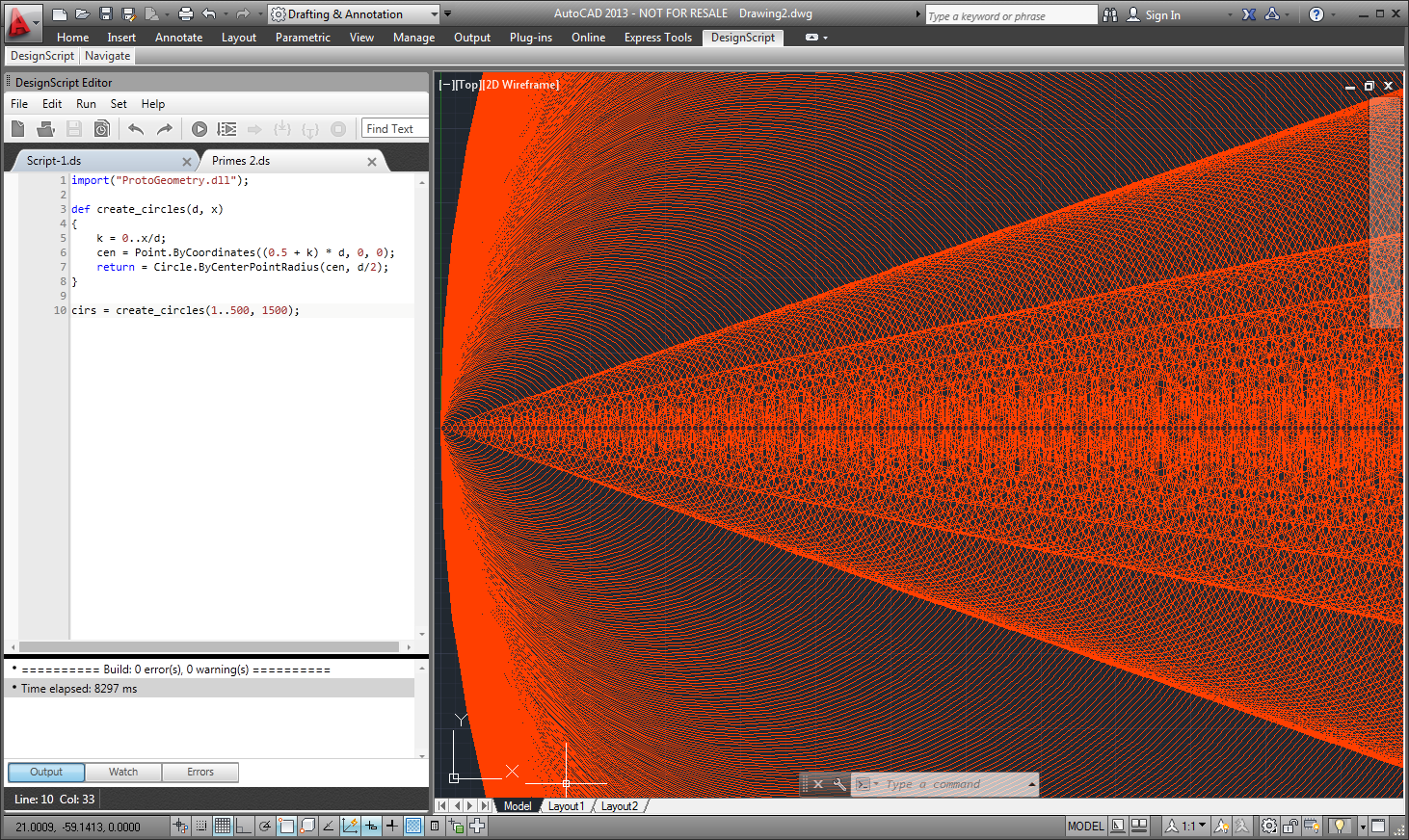
The code makes use of a couple of range expressions: one to generate a row of k circles of a particular diameter (d) that add up to a total width of x (I chose to do it that way rather than have rows with larger radii extending beyond the others, although be warned that the last major circle is going to be incomplete, as not all circles extend to the full extent of x) and the other is simply to generate a row of circles for radii from 1 to 500. Fairly neat and succinct.
Here are the results (with layer 0 changed to a pretty colour):
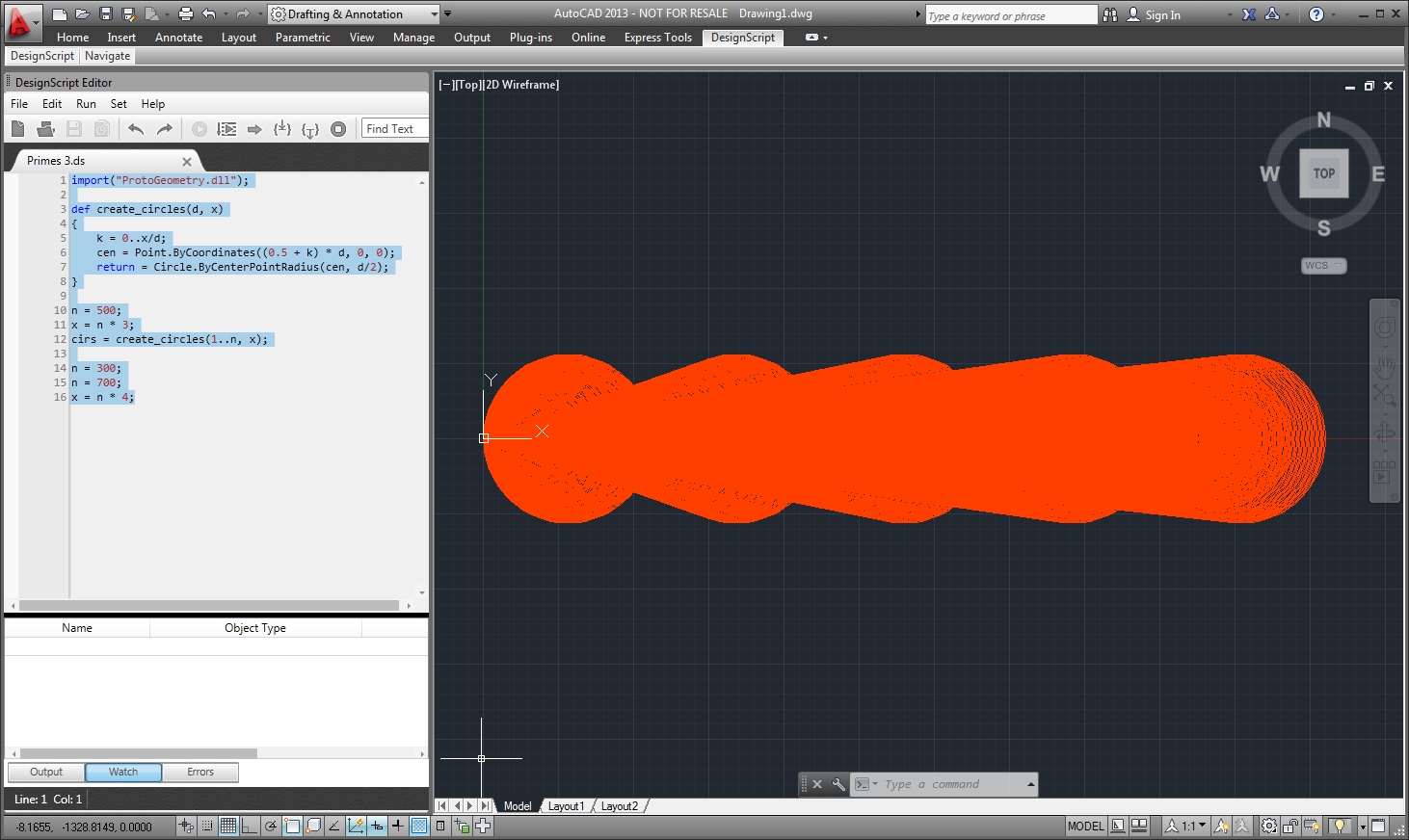
If you want to use DesignScript's associativity to explore the results of varying the radius and overall length, you can try stepping through this version of the code:
import("ProtoGeometry.dll");
def create_circles(d, x)
{
k = 0..x/d;
cen = Point.ByCoordinates((0.5 + k) * d, 0, 0);
return = Circle.ByCenterPointRadius(cen, d/2);
}
n = 500;
x = n * 3;
cirs = create_circles(1..n, x);
n = 300;
n = 700;
x = n * 4;
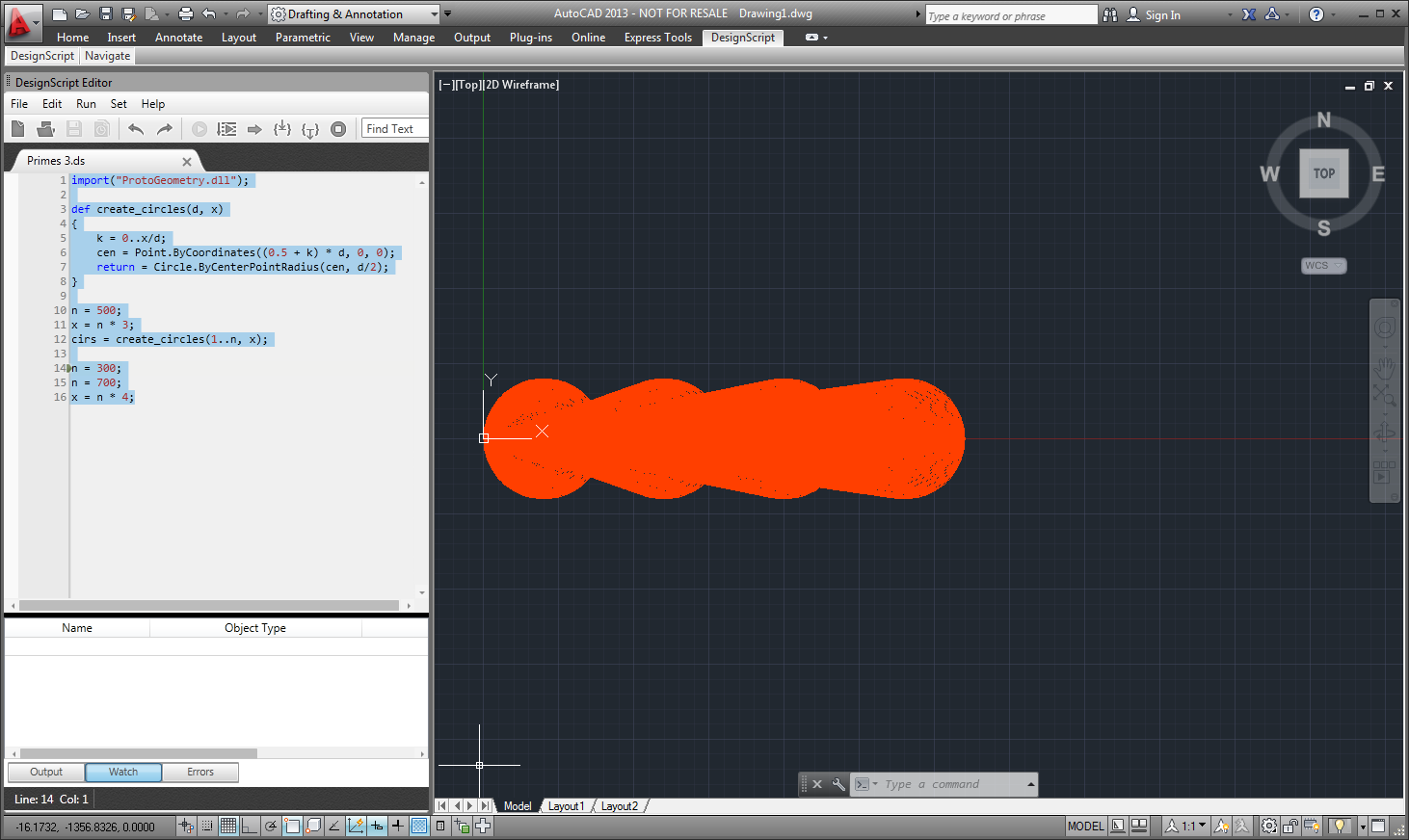
Using the DesignScript editor's "Run Debug" feature, we can step through to the assignment of cirs, and see the same results as the previous image (although here we'll zoom out):
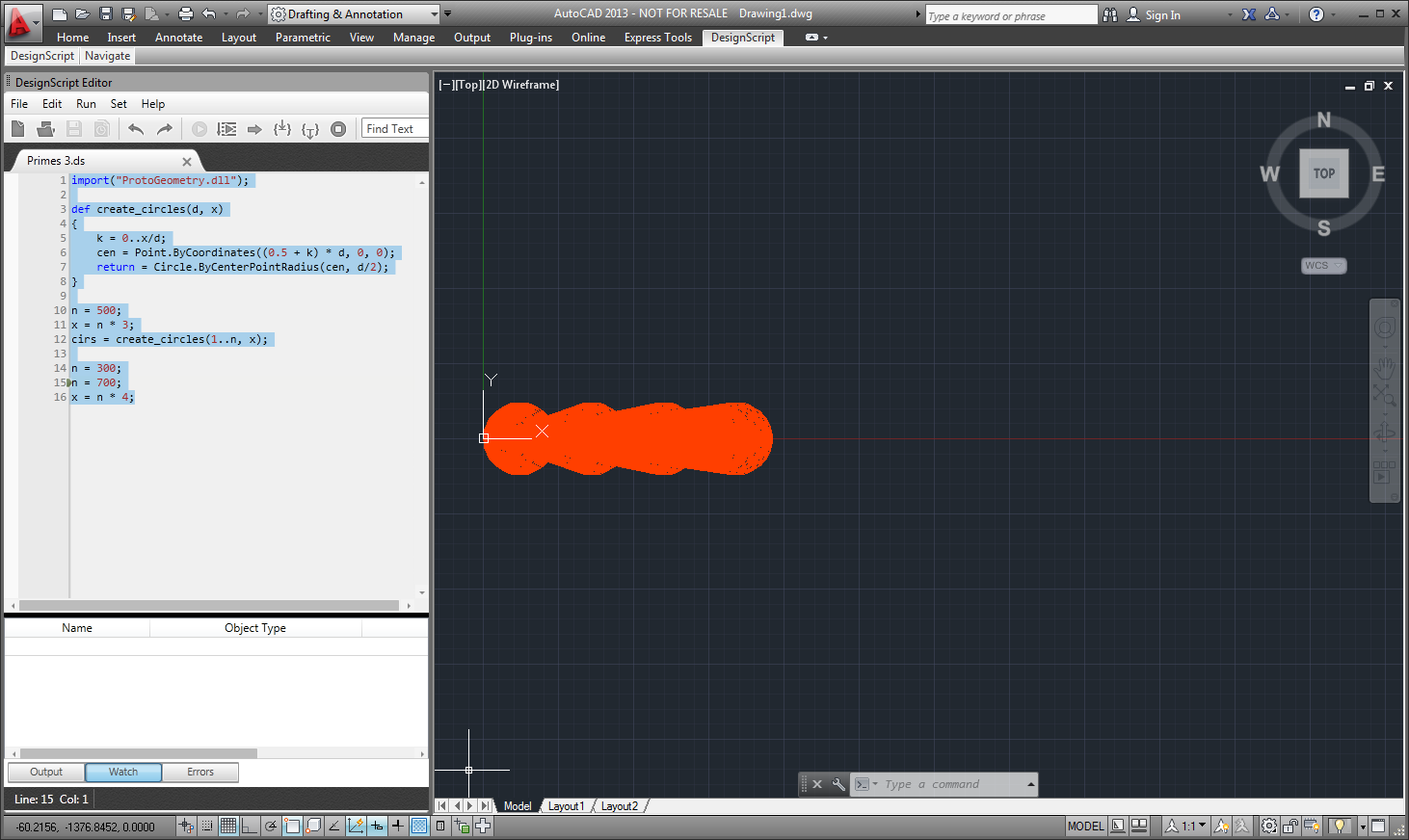
Stepping through the next line that sets n to 300 results in both x and cirs being re-evaluated (you'll also step through those lines as the changes ripple through the evaluation graph).
And the same for setting n to 700:
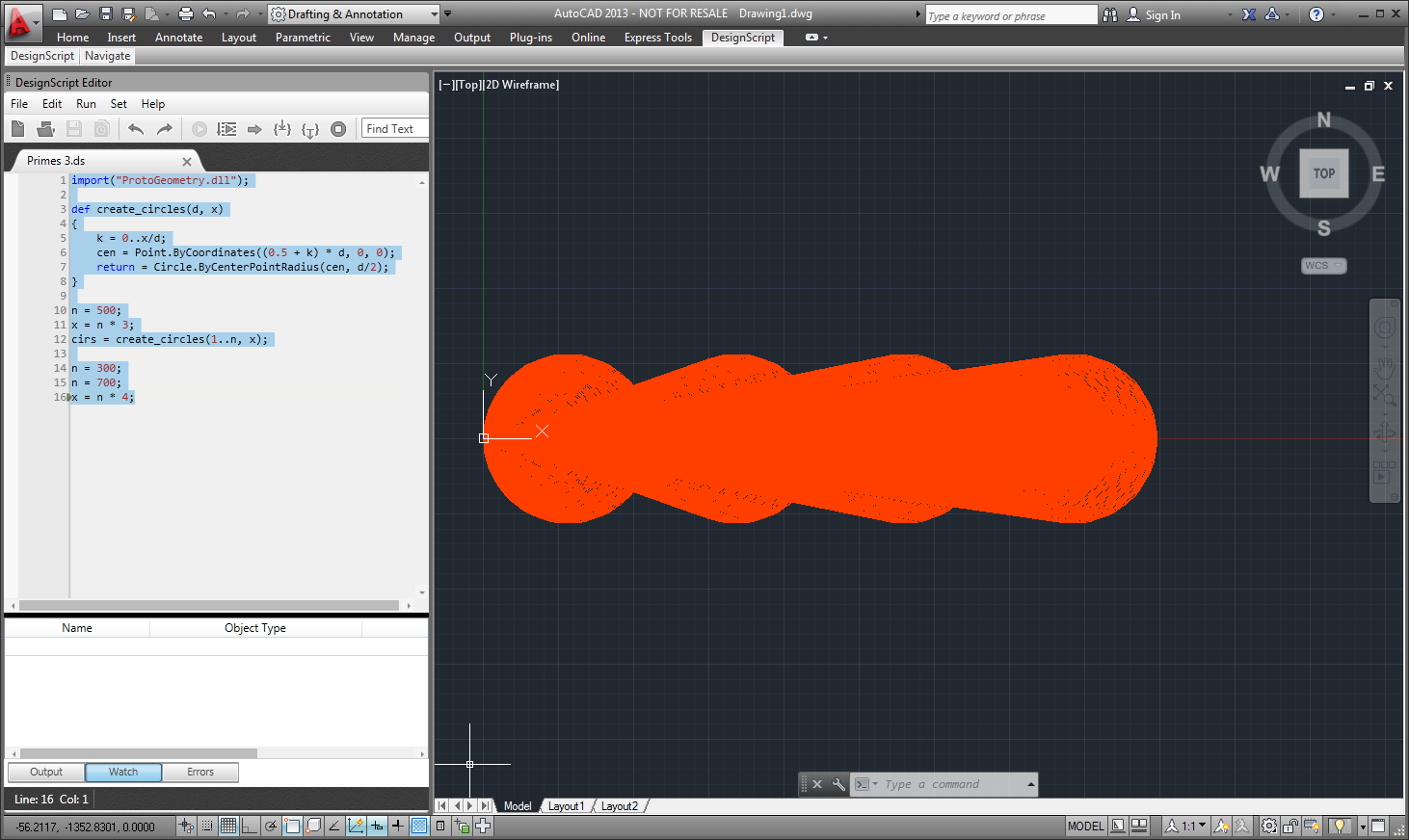
Setting x to 4n results in just cirs being re-evaluated:
In the next post, we'll take a look at automating the process of identifying primes based on this geometry: we're switching to .NET for that code, as it provides better access to AutoCAD's selection mechanism (something that will be necessary if determining primes based on numbers of intersecting circles).


Leave a Reply to Kean Walmsley Cancel reply