A little while ago you may remember an HTML progress meter I created while looking at "future API features". The API feature in question was of course for AutoCAD 2016, and related to the extraction of floorplans programmatically using .NET, a topic we're covering in today's post.
We're going to see some fairly basic code that asks AutoCAD to analyse a point cloud – that we're going to attach from an RCS or RCP file – and generate polyline boundaries for its floorplan.
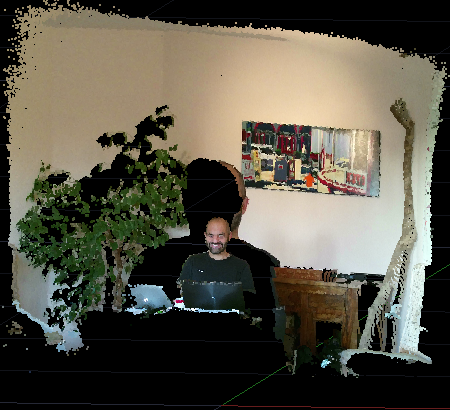
Now I didn't actually have a great point cloud to test this, so I ended up using one I'd captured when testing the Kinect v2 sensor:
[On a related note, I've been working with a FARO Freestyle3D scanner for the last few weeks: once I publish more on using that I'll hopefully revisit this code to see how it performs on a more real-world dataset.]
The .NET API has a more rudimentary set of extraction features than the C++ API, during this release: in ObjectARX you have the AcPointCloudExtractedCylinder class, for instance, which presumably means you can use the extraction feature also to extract cylinders rather than just polylines.
Here's some C# code implementing the EFP command (for ExtractFloorPlan) that makes use of the code in this previous post as well as the HTML progress meter file you can find here:
using Autodesk.AutoCAD.ApplicationServices;
using Autodesk.AutoCAD.Colors;
using Autodesk.AutoCAD.DatabaseServices;
using Autodesk.AutoCAD.Geometry;
using Autodesk.AutoCAD.Runtime;
using System;
namespace PointCloudAnalysis
{
public class Commands
{
[CommandMethod("EFP")]
public void ExtractFloorPlan()
{
var doc = Application.DocumentManager.MdiActiveDocument;
var db = doc.Database;
var ed = doc.Editor;
using (var tr = db.TransactionManager.StartTransaction())
{
var msId = SymbolUtilityServices.GetBlockModelSpaceId(db);
// First let's attach the point cloud from the RCS (or RCP)
var pcId =
PointCloudEx.AttachPointCloud(
"c:\\temp\\pc.rcs",
new Point3d (0,0,1),
1,
0,
db
);
// And get it as a PointCloudEx object
var pc =
tr.GetObject(pcId, OpenMode.ForRead) as PointCloudEx;
// Might also want to adjust MiniumSegmentLength and FillGap
var eo = new ExtractOption();
eo.ExtractType = ExtractionType.AllLine;
// Attempt an extraction
try
{
var res =
PointCloudExtractor.Extract(
pc,
Vector3d.ZAxis,
Vector3d.XAxis,
Point3d.Origin,
eo,
new DisplayPointCloudExtractionProgress()
);
// If we have results...
if (res != null)
{
// Add the various polyline profiles to the modelspace
// (and make them red)
var col = Color.FromColorIndex(ColorMethod.ByAci, 1);
var ids =
PointCloudExtractor.AppendPolylineProfile(
res, msId, "0", col, 0.0
);
}
}
catch
{
pc.UpgradeOpen();
pc.Erase();
}
tr.Commit();
}
}
}
public class DisplayPointCloudExtractionProgress
: IPointCloudExtractionProgressCallback
{
private ProgressMeterHtml _pm;
private int _ticks;
private bool _started;
public DisplayPointCloudExtractionProgress()
{
_pm = new ProgressMeterHtml();
_pm.SetLimit(100);
_ticks = 0;
_started = false;
}
public void End()
{
_pm.Stop();
}
public void Cancel()
{
_pm.Cancel();
}
public bool Cancelled()
{
if (_pm.Cancelled)
{
_pm.AdditionalInfo(" ");
_pm.Stop();
return true;
}
return false;
}
public void UpdateRemainTime(double t)
{
if (t > 0)
{
_pm.AdditionalInfo(
Math.Round(t, 2).ToString() + " seconds remaining."
);
}
}
public void UpdateCaption(string s)
{
if (_started)
{
_pm.Caption(s);
}
else
{
_pm.Start(s);
_started = true;
}
}
public void UpdateProgress(int i)
{
while (_ticks < i)
{
_pm.MeterProgress();
System.Windows.Forms.Application.DoEvents();
_ticks++;
}
System.Windows.Forms.Application.DoEvents();
if (i == 100)
{
End();
}
}
}
}
Here's how the EFP command works when run against the above-mentioned point cloud.
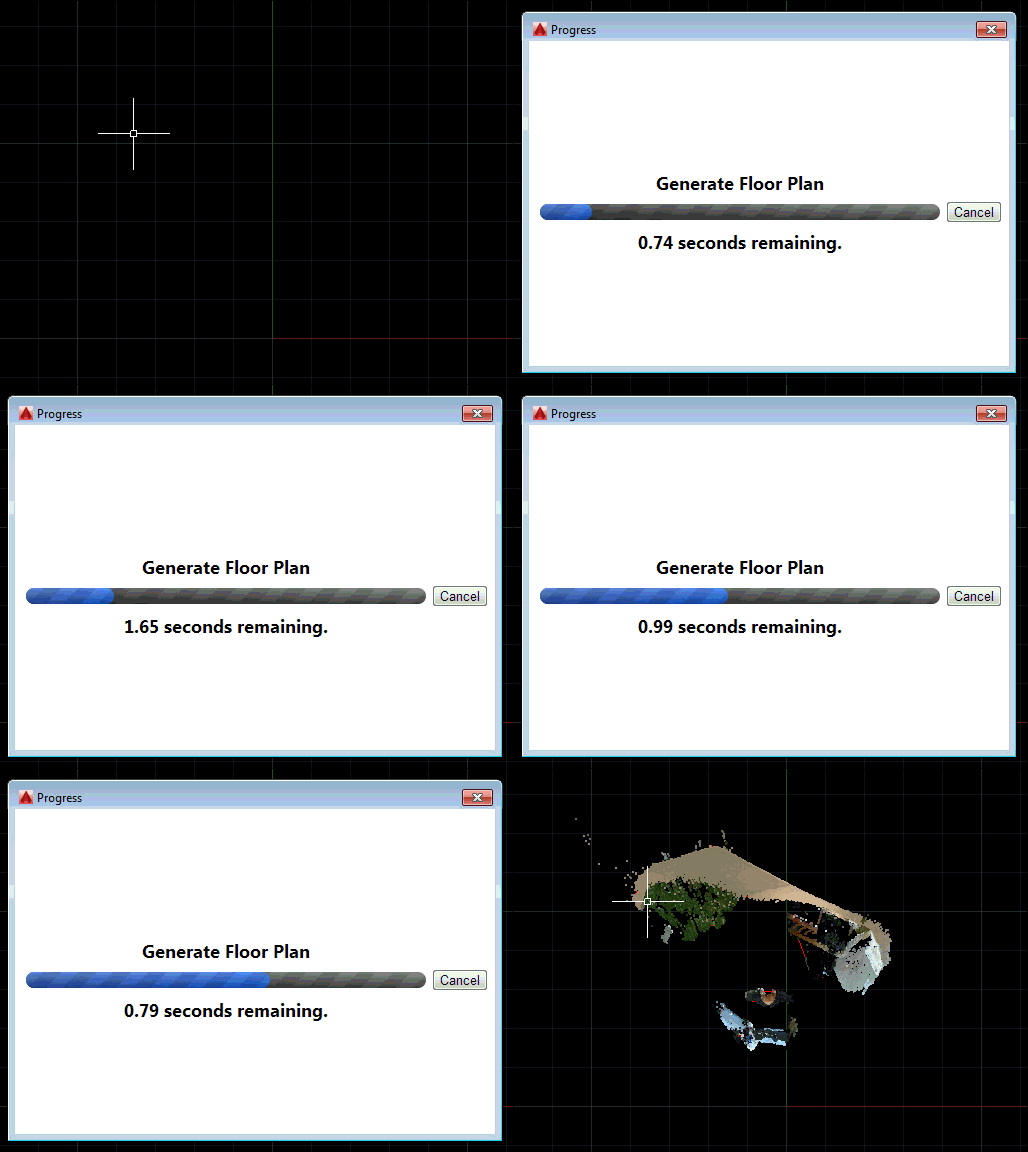
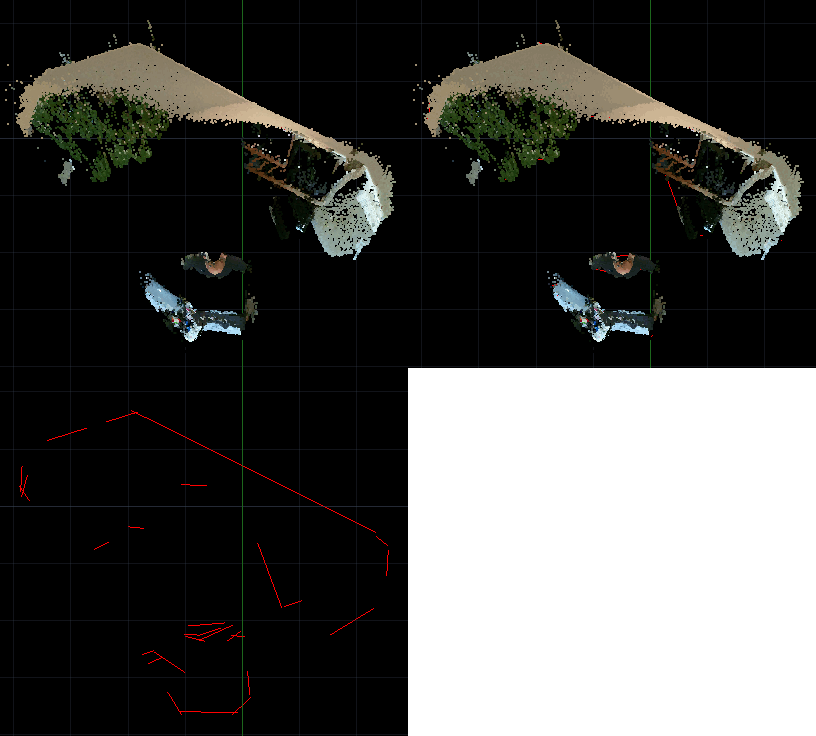
Now let's take a closer look at the results. You can at least see we have some manner of boundary extracted: if we tweak the extraction options we can presumably increase the accuracy (something we'll try to look at when we have a properly-captured point cloud of an office space to work with).


Leave a Reply to Kean Walmsley Cancel reply