I've been working on a prototype implementation of a research project that makes use of the View & Data API for its visualization. It's interesting to get back into using this API, especially as it's a fundamental piece of the Forge platform.
As we expect this particular application to grow, over time, we're using extensions to house logically separate parts of the UI implementation. Extensions are a great mechanism for encapsulating functionality: they're basically JavaScript objects that have load() and unload() methods that are called when the viewer loads/unloads them.
A number of samples in the Autodesk samples repository make use of extensions, particularly the View & Data Gallery (source on GitHub) and the Viewer Extensions site (source on GitHub).
Here's the implementation of a basic extension that you'll find when you open the extension editor on the View & Data Gallery:
///////////////////////////////////////////////////////////////////////
// Basic viewer extension
//
///////////////////////////////////////////////////////////////////////
AutodeskNamespace("Autodesk.ADN.Viewing.Extension");
Autodesk.ADN.Viewing.Extension.Basic = function (viewer, options) {
Autodesk.Viewing.Extension.call(this, viewer, options);
var _this = this;
_this.load = function () {
alert("Autodesk.ADN.Viewing.Extension.Basic loaded");
viewer.setBackgroundColor(255, 0, 0, 255, 255, 255);
return true;
};
_this.unload = function () {
viewer.setBackgroundColor(160, 176, 184, 190, 207, 216);
alert("Autodesk.ADN.Viewing.Extension.Basic unloaded");
Autodesk.Viewing.theExtensionManager.unregisterExtension(
"Autodesk.ADN.Viewing.Extension.Basic");
return true;
};
};
Autodesk.ADN.Viewing.Extension.Basic.prototype =
Object.create(Autodesk.Viewing.Extension.prototype);
Autodesk.ADN.Viewing.Extension.Basic.prototype.constructor =
Autodesk.ADN.Viewing.Extension.Basic;
Autodesk.Viewing.theExtensionManager.registerExtension(
"Autodesk.ADN.Viewing.Extension.Basic",
Autodesk.ADN.Viewing.Extension.Basic);
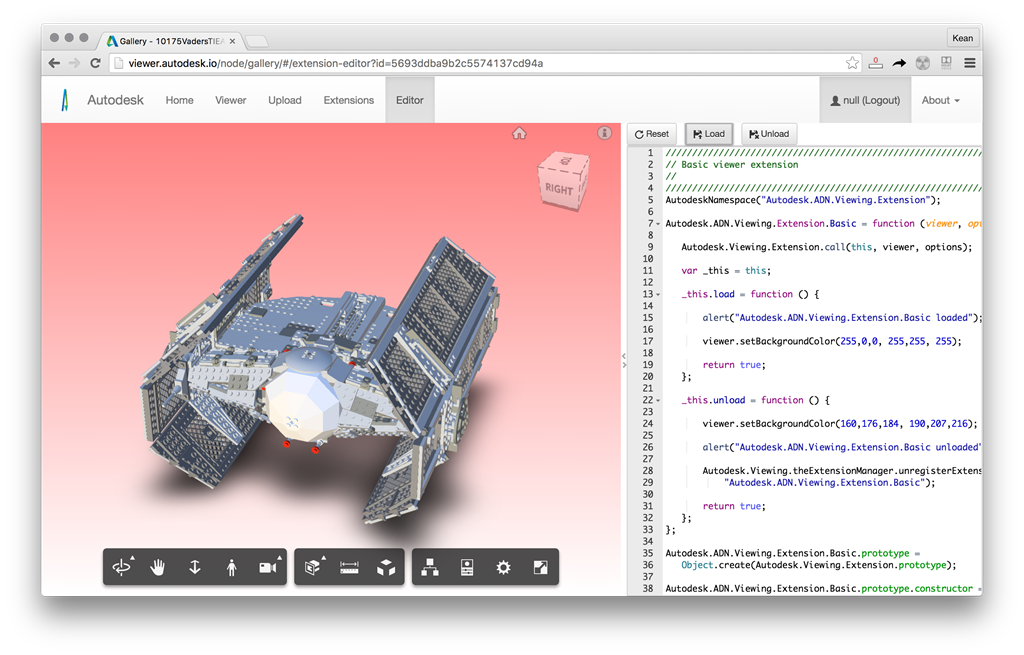
The extension is about as simple as it gets: all it does is set the viewer's background colour to a nice pink gradient. Here's the view of a model before loading the extension:
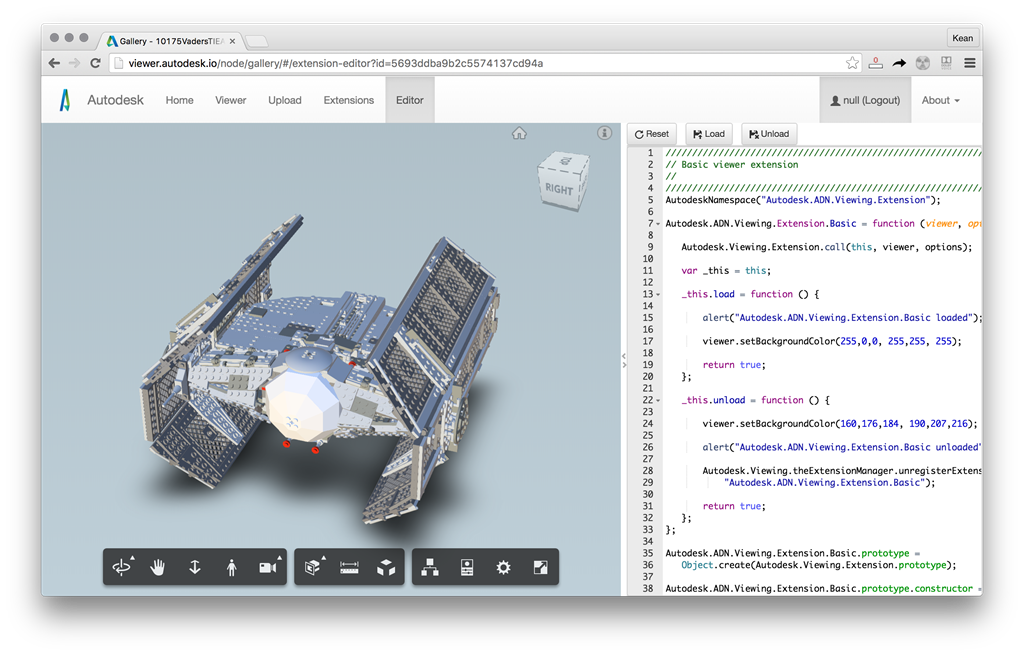
And here's how it looks with it loaded:
Over the next couple of posts we'll look at some sample extensions I've created for my current project. We'll start with one that defines a toolbar that centers on the left of the screen, and look at how we can have extensions for features that get loaded by that toolbar. We'll also compare and contrast the style used to implement extensions, which is likely to depend on whether you need a customized interface to the extension that can be called from "outside".


Leave a Reply