I've been spending quite a bit of time working on our "Dasher 360" prototype, recently. Which is, of course, based on the Forge Viewer.
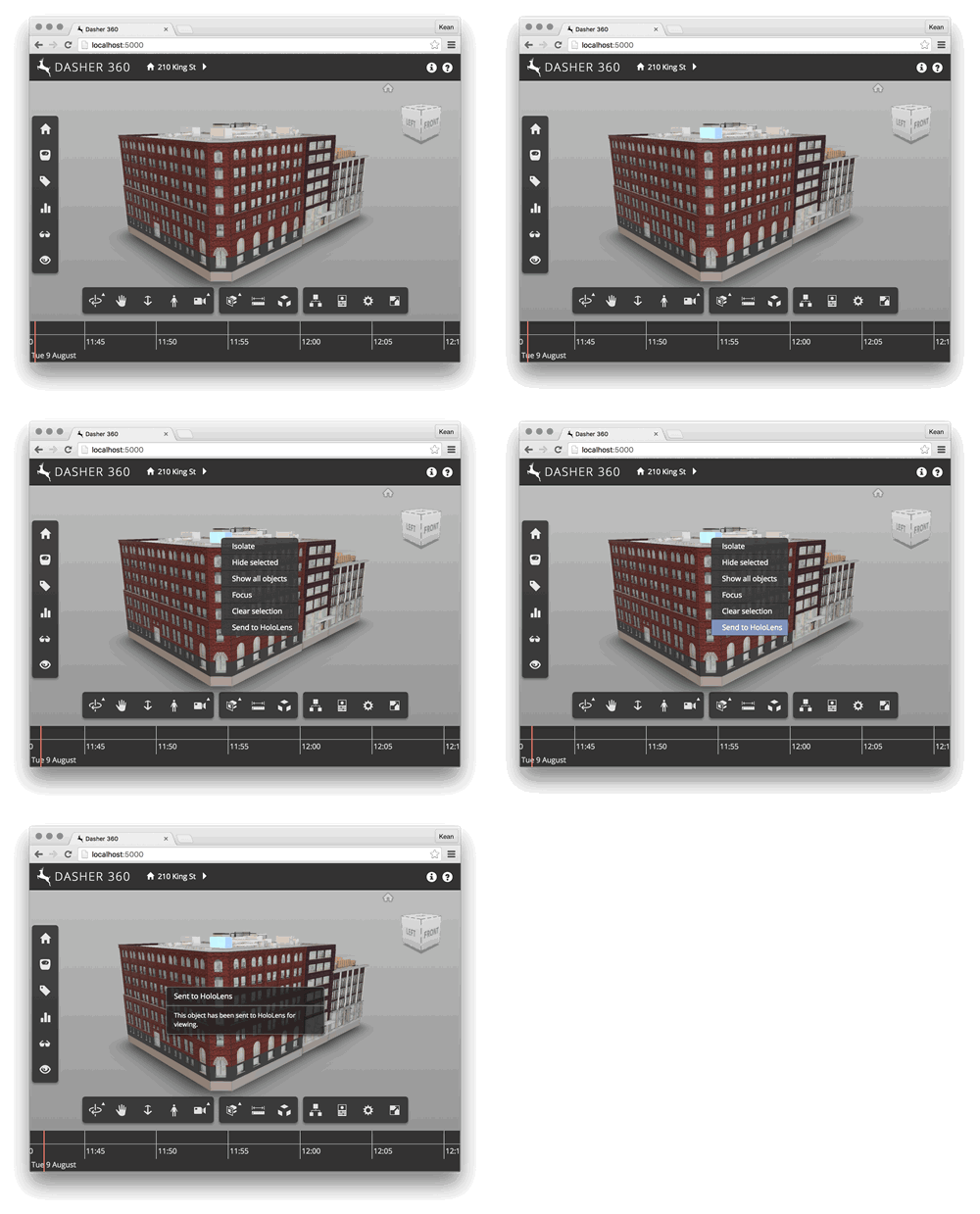
A simple – but handy – feature I added today is to add a context menu item to be displayed when objects are selected – and right-clicked – inside the Viewer. In my case I wanted to prototype a possible workflow for a "Send to HoloLens" capability: the feature itself isn't ready (that's what you might call an extreme understatement), but I thought I'd add the menu item in preparation for something being implemented.
Here's a simple extension written in TypeScript that shows how you can add a context menu using the registerContextMenuCallback() method. The same approach will work just as well in JavaScript, of course.
/// <reference path='../../../../../typings/lmv-client/lmv-client.d.ts' />
export default class ContextMenuExtension extends Autodesk.Viewing.Extension {
constructor(viewer: Autodesk.Viewing.Private.GuiViewer3D, options: any) {
super(viewer, options);
}
load(): boolean {
console.log('ContextMenuExtension loaded');
var self = this;
this.viewer.registerContextMenuCallback(
'Autodesk.Dasher.ContextMenuExtension',
function (menu, status) {
if (status.hasSelected) {
menu.push({
title: 'Send to HoloLens',
target: function () {
var messageSpecs = {
'msgTitleKey': 'Sent to HoloLens',
'messageKey': 'Sent to HoloLens',
'messageDefaultValue': 'This object has been sent to HoloLens for viewing.'
};
Autodesk.Viewing.Private.HudMessage.displayMessage(
self.viewer.container, messageSpecs
);
setTimeout(
function() {
Autodesk.Viewing.Private.HudMessage.dismiss();
}, 10000
);
}
});
}
}
);
return true;
}
unload(): boolean {
console.log('ContextMenuExtension unloaded');
this.viewer.unregisterContextMenuCallback('Autodesk.Dasher.ContextMenuExtension');
return true;
}
}
Here's the context menu in action. Although it doesn't actually send anything anywhere – let alone to HoloLens – just yet.

Leave a Reply