During last week's Forge Accelerator, a developer wanted to strip the standard items from the context menu in his Forge Viewer application. We both searched for a while, until we found the answer: he'd been using this approach to add his own menu items – of course – but it turns out the exact same approach can be used to strip out unwanted items, too. The "context menu callback" receives a menu object that contains its various items: you can inspect them and remove the ones you don't want, or even adopt a more brute-force approach as we've done below and remove everything.
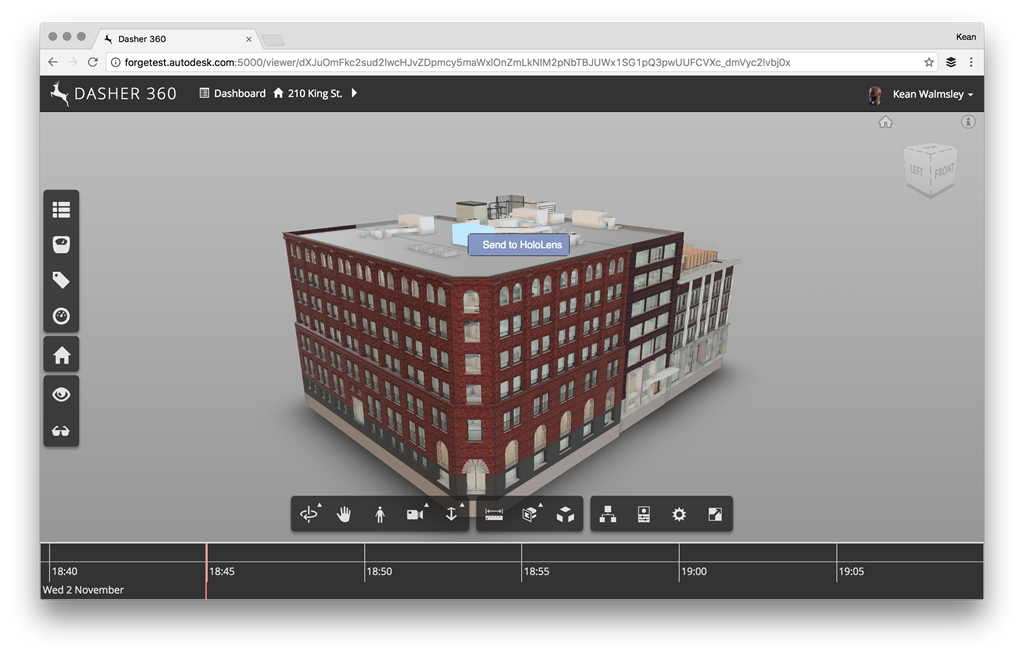
Here's the updated TypeScript extension from the original post with a few additional lines of code to clean the menu before we add our custom (still hugely theoretical, by the way) "Send to HoloLens" command.
/// <reference path='../../../../../typings/lmv-client/lmv-client.d.ts' />
export default class ContextMenuExtension extends Autodesk.Viewing.Extension {
constructor(viewer: Autodesk.Viewing.Private.GuiViewer3D, options: any) {
super(viewer, options);
}
load(): boolean {
console.log('ContextMenuExtension loaded');
let self = this;
this.viewer.registerContextMenuCallback(
'Autodesk.Dasher.ContextMenuExtension',
(menu, status) => {
// Remove all existing menu items
while (menu.length > 0) {
menu.pop();
}
// Add our new item if an object is selected
if (status.hasSelected) {
menu.push({
title: 'Send to HoloLens',
target: function(): void {
let messageSpecs = {
'msgTitleKey': 'Sent to HoloLens',
'messageKey': 'Sent to HoloLens',
'messageDefaultValue': 'This object has been sent to HoloLens for viewing.',
};
Autodesk.Viewing.Private.HudMessage.displayMessage(
self.viewer.container, messageSpecs
);
setTimeout(
() => {
Autodesk.Viewing.Private.HudMessage.dismiss();
}, 10000
);
},
});
}
}
);
return true;
}
unload(): boolean {
console.log('ContextMenuExtension unloaded');
this.viewer.unregisterContextMenuCallback('Autodesk.Dasher.ContextMenuExtension');
return true;
}
}
Here's what the new context menu looks like when you right-click on an object in the Forge Viewer, now:
Leave a Reply