Displaying your Unity model in 3D using HoloLens

This post shows something really simple, but I decided to share it here as it took me some time to track down.

On Saturday I received the 3D model of an ABB industrial robot – the IRB 6620 I mentioned last week – from Tom Eriksson. He's used a number of tools – including Fusion 360 – to create a gorgeous rendition of this particular robot in Unity. Tom very kindly agreed to share the model, and has spent quite a bit of time helping get it ready for HoloLens.

The first version Tom sent unfortunately didn't work for my purposes, as it contained something Mac-specific, due to his use of Cheetah 3D. Tom then exported to FBX and sent an updated version of the project. As this was a standard Unity project I had to do some work to get it showing correctly in HoloLens.

My initial attempts led to a planar view onto the model:
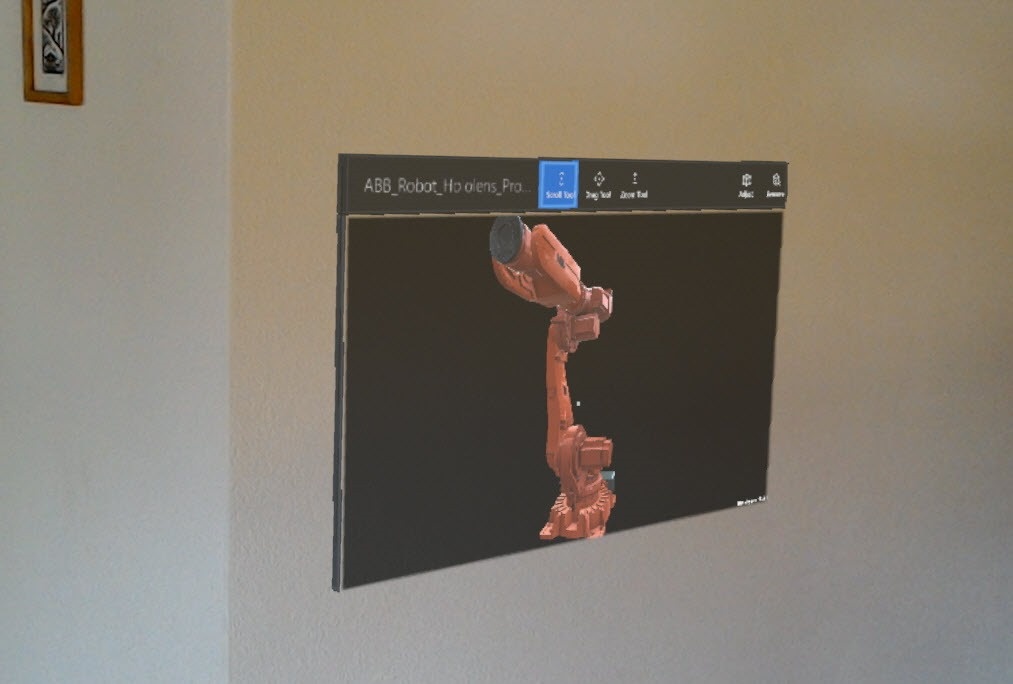
Our robot model in 2D

It was clear I was missing a setting, somewhere, and I eventually managed to find out what it was. Beyond the standard settings shown in the majority of tutorial blog posts, there's a "player setting" for the Windows Store app target that you need to check: "Virtual Reality Supported".
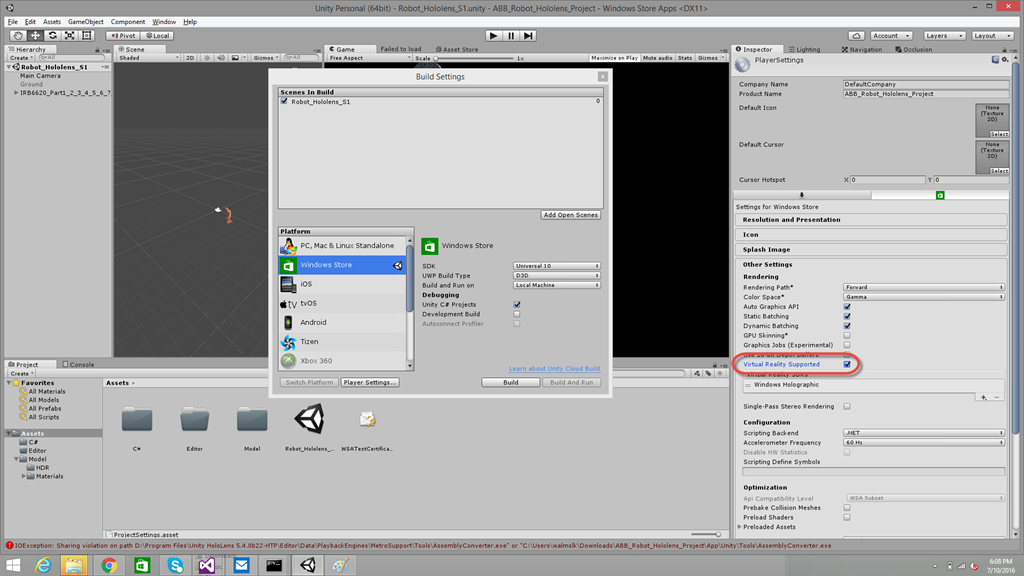
Unity screenshot

You can then build in Unity and build/deploy in Visual Studio, and the model should display magically in HoloLens in glorious 3D:
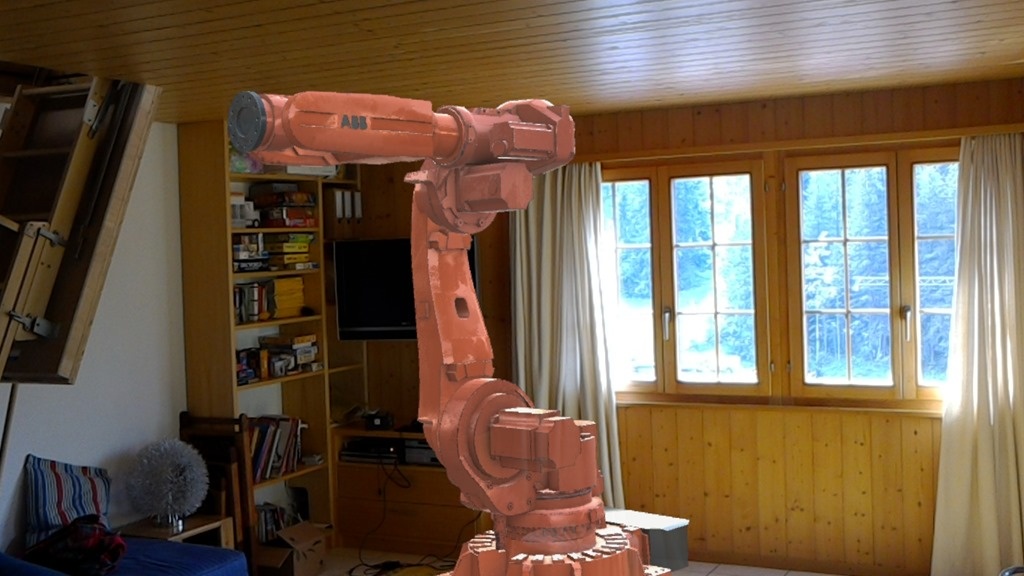
And now in 3D

The model Tom prepared looks really amazing in HoloLens. Its quality is way beyond that of the majority of models I've seen so far. Here's a video that shows how it looks from various angles. Simply beautiful!


My next step will be to animate the various components of the robot. My eventual goal is to do a couple of things: to have some user interactions that affect how the robot moves, of course, but also to have the robot "dance" to the music being played at the event. I haven't yet decided whether I do this via the onboard sound processing, compensating for lag (but then what happens with multiple HoloLens devices?) or whether I create a simple Raspberry Pi- or Arduino-based server that does beat detection and controls the shared model in some way. We'll see what makes most sense.

Tom is also thinking about looking at at least one other robot model – with any luck we'll soon have a few to choose from!

10 responses to “Displaying your Unity model in 3D using HoloLens”

  1. James Maeding Avatar

    Kean, I've done project visualizations in unity, but that involves making a ground surface and placing objects relative to it. Can you explain what Unity is doing with your items? Can you somehow tell unity to use the surface the halolens is scanning? I have a feeling I missed something obvious. thanks

    1. Kean Walmsley Avatar

      I haven't got that far, myself. 🙂

      You set the main camera at the origin and your geometry relative to that (and therefore relative to the device). There may be some ability to adjust geometry to stand on a surface, but we'll see once I've gotten further into it.

      Kean

      1. James Maeding Avatar

        I see, so a blank canvas for the ground. You should try pulling in an infraworks model as fbx into unity.

  2. Mr. Kean,

    Thanks for sharing what you've got so far! I've been going through the MS tutorials and for me the missing piece is the modeling. I don't have that skill set at all and have no desire to learn it. In your post you'd mentioned that Tom Eriksson did the modeling for you. I've got a few questions about what needs to be done on the modeling side so I know the type of person/skill set I need to look for when I start on my app. If I could get his contact information or if he could connect with me on LinkedIn I'd greatly appreciate it.

    Thanks a ton and keep up the good work!!

    linkedin.com/in...

    1. Hi Steve,

      I've forwarded your comment to Tom: I'll leave it up to him whether he reaches out to you.

      Regards,

      Kean

      1. I couldn't ask for anything more! Greatly appreciated.
        Thanks again for posting this.
        --Steve

      2. Subir Kumar Dutta Avatar
        Subir Kumar Dutta

        Hi Kean, I wish to show and simulate Comau Robots. I have original SoliWorks files of the Robot Models. I need to prepare the model to work with HoloLens. Is there any step by step guide for preparing the model ?

        1. Sorry - I don't have one...

          Kean

  3. Hello Kean - I was wondering if the FBX file you refer to is available anywhere? I am struggling to find high quality files to use in demonstration of the HoloLens capabilities.

    Thanks!

    1. Hi Tim,

      The complete project is available here:

      github.com/KeanW/dan...

      Best,

      Kean

Leave a Reply

Your email address will not be published. Required fields are marked *