Creating reactive, transient AutoCAD geometry using .NET

This is a really interesting topic. At least I think it is – hopefully at least some of you will agree. 🙂

The requirement was to create selectable – or at least manipulatable – transient graphics inside AutoCAD's drawing canvas. As many of you are probably aware, transient graphics are not hooked into AutoCAD's selection mechanism. This is mostly fine, but if you want to implement a ViewCube-like gizmo that manipulates the view or drawing settings in some way, it's hard to do so without the ability to react to the current cursor position is and what's happening with the mouse.

When my esteemed colleague, Christer Janson, first pointed me at the internal C++ protocol extension that allows you to receive Windows messages and point input inside your application, I assumed there was no chance I'd be able to get this working in .NET (as it's not exposed through the public ObjectARX API). But after some digging and head-scratching, I managed to find how it had been exposed via the .NET API and create a sample that makes use of it.

Here's the C# code, showing how to use this very interesting mechanism:

using Autodesk.AutoCAD.ApplicationServices;

using Autodesk.AutoCAD.DatabaseServices;

using Autodesk.AutoCAD.EditorInput;

using Autodesk.AutoCAD.Runtime;

using Autodesk.AutoCAD.Geometry;

using Autodesk.AutoCAD.GraphicsInterface;


namespace TransientSelection

{

  public class SelectableTransient : Transient

  {

    // Windows messages we care about


    const int WM_LBUTTONDOWN = 513;

    const int WM_LBUTTONUP = 514;


    // Internal state


    Entity _ent = null;

    bool _picked = false, _clicked = false;


    public SelectableTransient(Entity ent)

    {

      _ent = ent;

    }


    protected override int SubSetAttributes(DrawableTraits traits)

    {

      // If the cursor is over the entity, make it colored

      // (whether it's red or yellow will depend on whether

      // there's a mouse-button click, too)


      traits.Color = (short)(_picked ? (_clicked ? 1 : 2) : 0);


      return (int)DrawableAttributes.None;

    }


    protected override void SubViewportDraw(ViewportDraw vd)

    {

      _ent.Viewp
ortDraw(vd);

    }


    protected override bool SubWorldDraw(WorldDraw wd)

    {

      _ent.WorldDraw(wd);


      return true;

    }


    protected override void OnDeviceInput(DeviceInputEventArgs e)

    {

      bool redraw = false;


      if (e.Message == WM_LBUTTONDOWN)

      {

        _clicked = true;


        // If we're over the entity, absorb the click

        // (stops the window selection from happening)


        if (_picked)

        {

          e.Handled = true;

        }

        redraw = true;

      }

      else if (e.Message == WM_LBUTTONUP)

      {

        _clicked = false;

        redraw = true;

      }


      // Only update the graphics if things have changed


      if (redraw)

      {

        TransientManager.CurrentTransientManager.UpdateTransient(

          this, new IntegerCollection()

        );


        // Force a Windows message, as we may have absorbed the

        // click event (and this also helps when unclicking)


        ForceMessage();

      }


      base.OnDeviceInput(e);

    }


    private void ForceMessage()

    {

      // Set the cursor without ectually moving it - enough to

      // generate a Windows message


      System.Drawing.Point pt =

        System.Windows.Forms.Cursor.Position;

      System.Windows.Forms.Cursor.Position =

        new System.Drawing.Point(pt.X, pt.Y);

    }


    protected override void OnPointInput(PointInputEventArgs e)

    {

      bool wasPicked = _picked;


      _picked = false;


      Curve cv = _ent as Curve;

      if (cv != null)

      {

        Point3d pt =

          cv.GetClosestPointTo(e.Context.ComputedPoint, false);

        if (

          pt.DistanceTo(e.Context.ComputedPoint) <= 0.1

          // Tolerance.Global.EqualPoint is too small

        )

        {

          _picked = true;

        }

      }


      // Only update the graphics if things have changed


      if (_picked != wasPicked)

      {

        TransientManager.CurrentTransientManager.UpdateTransient(

          this, new IntegerCollection()

        );

      }

      base.OnPointInput(e);

    }

  }


  public class Commands

  {

    Line _ln = null;

    SelectableTransient _st = null;


    [CommandMethod("TRS")]

    public void TransientSelection()

    {

      // Create a line and pass it to the SelectableTransient

      // This makes cleaning up much more straightforward


      _ln = new Line(Point3d.Origin, new Point3d(10, 10, 0));

      _st = new SelectableTransient(_ln);


      // Tell AutoCAD to call into this transient's extended

      // protocol when appropriate


      Transient.CapturedDrawable = _st;


      // Go ahead and draw the transient


      TransientManager.CurrentTransientManager.AddTransient(

        _st, TransientDrawingMode.DirectShortTerm,

        128, new IntegerCollection()

      );

    }


    [CommandMethod("TRU")]

    public void RemoveTransientSelection()

    {

      // Removal is performed by setting to null


      Transient.CapturedDrawable = null;


      // Erase the transient graphics and dispose of the transient


      if (_st != null)

      {

        TransientManager.CurrentTransientManager.EraseTransient(

          _st,

          new IntegerCollection()

        );

        _st.Dispose();

        _st = null;

      }


      // And dispose of our line


      if (_ln != null)

      {

        _ln.Dispose();

        _ln = null;

      }

    }

  }

}

When you run the TRS command, you'll see a line between the origin and the point 10,10. This is transient geometry, although not as we know it. 😉
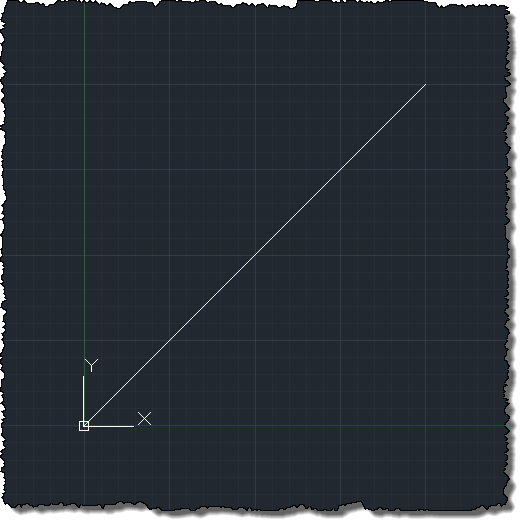
Our transient line

When you move your cursor across the line (to within 0.1 of a drawing unit, which I chose as the standard geometric tolerance was way too small to be usable when dealing with point input in this way) it should turn yellow:
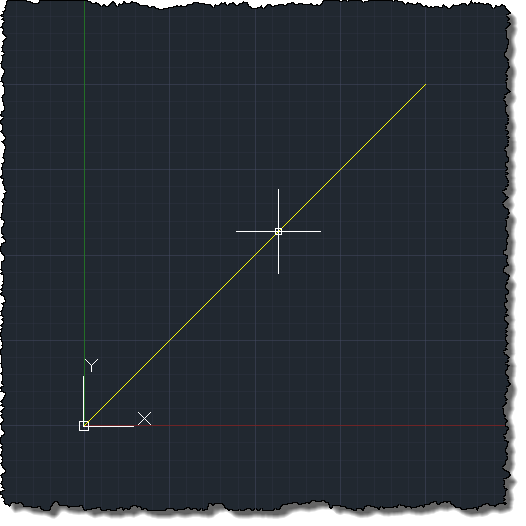
Which turns yellow when hovered over

And when you click the left-button of the mouse, it should turn red:
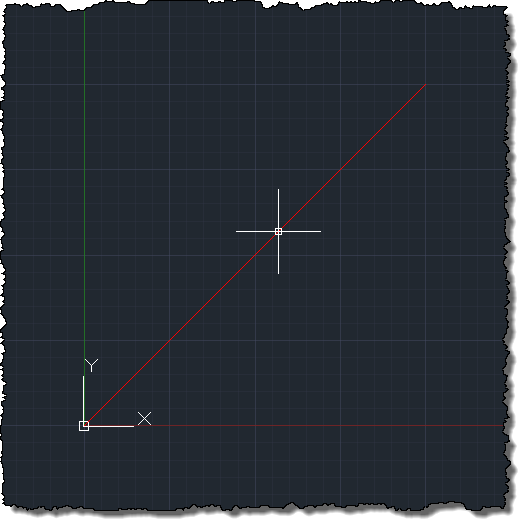
And red when clicked

In itself this isn't anything very impressive, but it provides the underpinnings to create something much more so. You're essentially now able to create a transient gizmo that can react to mouse movement and button clicking, and in turn manipulate state in your AutoCAD session, in some way.

I've provided a TRU command to remove graphics and dispose of everything properly. You would probably want to take care of all this in your own application initialization and termination code, of course.

Incidentally there are optimisations that are probably worth making to this particular implementation: for instance, as this mechanism could end up being used by users throughout their typical drawing session – much in the way the ViewCube is – I'd suggest checking the cursor position against an area of the drawing that you hold in memory, to stop always checking it against the geometry itself (as I've done in this sample). I'm sure you'll find out other ways to optimise the use of this mechanism as you work through the specifics of your own implementation.

19 responses to “Creating reactive, transient AutoCAD geometry using .NET”

  1. awesome, I do civil tools that display a ton of transient graphics, and will have to look closer at this.

  2. Hi Kean,
    Very interesting indeed, I find it more elegant than what we can do in objectarx using (global acedRegisterFilterWinMsg method).

    ----
    I would add here a link to a post of Fenton Webb explaining how to implement win msgs filters in object arx for those who want to find an ObjectARX equivalent of your post:
    adndevblog.typepad.com/autocad/2012/06/how-to-react-to-the-cursor-keys-properly-without-affecting-autocad-using-objectarx.html

  3. Pretty cool stuff.
    What next? Showing grips on that transient graphics? 😉

  4. Right - and then implement some serialization to make them persistent... 😉

    Kean

    P.S. I should make it clear that I am joking, just in case anyone actually thinks this is going to happen.

  5. Hi Kean,

    This reminded me an old issue I couldn't manage to do with VBA and I wish it is possible with .NET : How to catch cursor position while moving the mouse (independently wether it's over an object in the drawing or not)?

    Do have some advices regarding that.

    Thanks

    Mourad

  6. Hi Mourad,

    You do indeed get this information via this mechanism - it's not dependent on being over an object.

    Regards,

    Kean

  7. Stuart Elvers Avatar

    Kean,

    I comment vary rarely because your posts are typically very sound and informative so figuring out solutions to my issues are usually easy but that is not the case here.

    Have you tried to run your TRS command more than once during a single session? I appears there is a crash in the constructor in the base Transient and I haven't been able to narrow down a solution.

    When running your code line for line it builds and executes just as expected but when you run TRU to dispose the objects and then run TRS a second time, it will crash when it hits the SelectableTransient constructor. Here is a copy of the dump file that gets generated with AutoCAD crash that points to the managed location in code:

    at Autodesk.AutoCAD.Runtime.CommandClass.InvokeWorkerWithExceptionFilter(MethodInfo mi, Object commandObject, Boolean bLispFunction)

    at Autodesk.AutoCAD.EditorInput.AcMgTransient.{ctor}(AcMgTransient* , Type type)

    at Autodesk.AutoCAD.EditorInput.Transient..ctor()

    at TransientTest.SelectableTransient..ctor(Entity ent) in D:\X\TransientTest\TransientTest\Class1.cs:line 37

    at TransientTest.Commands.TransientSelection() in D:\X\TransientTest\TransientTest\Class1.cs:line 267

    at Autodesk.AutoCAD.Runtime.CommandClass.InvokeWorker(MethodInfo mi, Object commandObject, Boolean bLispFunction)

    at Autodesk.AutoCAD.Runtime.CommandClass.InvokeWorkerWithExceptionFilter(MethodInfo mi, Object commandObject, Boolean bLispFunction)

    at Autodesk.AutoCAD.Runtime.PerDocumentCommandClass.Invoke(MethodInfo mi, Boolean bLispFunction)

    at Autodesk.AutoCAD.Runtime.CommandClass.CommandThunk.Invoke()

    As you can see it appears to happen during the Wrapper constructor for the base Transient and no matter what I do, I have yet to be able to get it to work. I have searched all over the place for anyone trying to implement a derived Transient such as this but haven't been able to find anything so I am asking you if you have any further insight on why the code that was posted only works once.

    Thank you.

  8. Stuart Elvers Avatar

    I have been going back and forth between this and something else for the past 2 days trying to figure out the best way to implement what I am trying and its funny that I comment on here then shortly after have a some-what breakthrough. I found a solution to the Crash but I am not sure it is the best.

    Comment out the _st.Dispose(); and the _st = null; lines in TRU and the code does not crash on multiple TRS/TRU calls. I was able to run the code 20-30 times without problems.

    This makes me somewhat uneasy though as I want to make sure these items are disposed. Can you shed some light as to the reason why NOT disposing of the Transient object itself prevents a crash?

    These items are not in a Transaction so I can not rely on that mechanism, can I rely on the Transient Manager (AddTransient/EraseTransient) mechanism to do something similar and dispose of my Transient instances?

    Thank you.

  9. Hi Stuart,

    I'm not seeing the crash on my system. Could you provide exact steps to reproduce (and on what product version)? Also, have you made any changes to the code?

    Regards,

    Kean

  10. Stuart Elvers Avatar

    Kean,

    Thank you for responding and checking on your end.

    I have not made any changes to the code. It is an exact copy line for line to your post.

    Your question did shed some light because I was originally testing the project using .Net 3.5 in ACAD MEP 2012. I then tested it in 5 other versions.

    ACAD 2011 (Crashes)
    ACAD 2012 (Crashes)
    ACAD MEP 2011 (Crashes)
    ACAD MEP 2012 (Crashes)

    I rebuilt to .Net 4.0 and referenced the 3 ACAD 2013 dlls.

    ACAD 2013 (No Crash)

    If you are using/testing using the latest version then that is probably why you didn't experience the crash. I hoewever typically build and debug first in 2011/2012 and then make modifications for 2013+ once I verified backwards compatability. I am not sure if its even worth sending in to ADN (I am a member) if its only crashing in 2012 and earlier versions plus the fact that I can remove the _st.Dispose() and it works in those versions as well. What would you suggest?

    Afterwards for testing purposes I simply put the entire TRS command in a try/catch to see if there are any exception thrown and a NullReferenceException is thrown on the Constructor of the SelectableTransient. Here is a dropbox link to a zip of my test project with the try/catch, just so you and anyone else that comes across this in the near future can verify. Its a Visual Studio 2010 project building to .Net 3.5 and referencing the ObjectARX 2012 SDK managed dlls.

    dl.dropbox.com/u/49935588/TransientTest.zip

    If you test in 2012 you can see that removing the dispose calls prevents the exception when it goes to create a new instance of _st a second time. I guess the _st.Dispose is disposing a lot more than it should in the TRU command in the earlier Managed ARX libraries but its been fixed in 2013+.

    Thanks again.

    Stu.

  11. Kean Walmsley Avatar

    Stu,

    This is great analysis - thanks for working through this. I had only tested with AutoCAD 2013, so this all makes perfect sense.

    I don't currently have 2012 installed (and won't be back in the office until next week), but I would just try disposing of the Line first, to see if that helps, at all.

    Also, the code should really be more robust in the way it handles multiple calls to TRS without matching calls to TRU: the sensible approach would be only to initialise _st and _ln if they're currently null.

    Otherwise you might indeed check in with ADN, to see what they have to say. I suspect it would be to confirm that something was indeed fixed in 2013 to enable this to work properly, but then you never know.

    Regards,

    Kean

  12. Jean-François Gay Avatar
    Jean-François Gay

    Thanks Kean & Stuart. I've been struggling with this issue for 4 days now...
    I can confirm, with .Net 4 and AutoCAD 2012, that if I 'dispose' the Transient-derived object, the Transient constrcutor fails at the next call. I have tried to dispose of the Transient first, but it makes the EraseTransient fail:

    System.NullReferenceException: Object reference not set to an instance of an object.
    at Autodesk.AutoCAD.GraphicsInterface.Drawable.GetImpObj()
    at Autodesk.AutoCAD.GraphicsInterface.TransientManager.EraseTransient(Drawable erased, IntegerCollection viewportNumbers)
    ....

    Like Stuart, I am worried about the fact that something is not Disposed, but to what I have seen, there is no major memory leak, if any...

    I do have a question for you Kean: Your blogs seem to be the only (or at least the best by far) resource for AutoCAD .Net development, especially for Transient objects... But there still seem to be a major lack of documentation / explainations on the transient graphics system. For exemple, I have been trying to find clear documentation on the difference between WorldDraw and ViewportDraw, or on how to properly use SetAttributes and IsApplicable (and all other overrides - a good exemple is the SetAttribute override: there isn't even a description of what the method does in my ObjectARX for AutoCAD 2012 doc).

    Is there a resource somewhere with complete explainations and examples of each methods/overrides related to the Transient graphic system?

    Thanks
    (And B.T.W. congrats on this great post, and this entire blog! I'm going through your articles almost every day! You're the king Kean!)

  13. Thanks for the kind words, and for confirming the problem on AutoCAD 2012. At this stage I'd have to say that this is (at best) unsupported on 2012 and would recommend against using the approach on versions prior to 2013. Sorry about that.

    I tend to use the ObjectARX documentation along with the AutoCAD .NET docs (which are steadily improving with Lee Ambrosius' hard work). If you have specific areas you'd like to see explained better, please do post comments here or on the AutoCAD DevBlog - if the documentation doesn't exist then someone on this side of the fence should either be able to dig something up or create something to explain that particular API.

    Regards,

    Kean

  14. can you help me write code. when we click on line then linecolor is changed and line is selected

  15. Please post to the discussion group: someone there should be able to help you.

    Kean

  16. In your post. when user click left mouse on the line, the line was changed color but line not was selected, now i want it is selected.

  17. I understand what you're asking. I'm just sending you to get support somewhere else.

    One day I *may* find the time to look into this, but it definitely won't be for the next 2-4 weeks. And you really can't rely on me finding the time.

    Kean

  18. Hi can anybody help me to display line feature dynamically in AutoCAD 2015 using COM API.

    1. Kean Walmsley Avatar

      Please post your question to the relevant online forum.

      Kean

Leave a Reply

Your email address will not be published. Required fields are marked *