Object properties
-
Happy New Year, everyone! I had a very relaxing break over the holiday period: during the better part of two weeks I managed to stay away from my PC and even my BlackBerry, which I admit I'm generally not very good at ignoring. So now I'm easing back into the swing of things, remembering how to type and open modelspaces, among other things. 🙂 To save my brain from unnecessary stress during the first few weeks of 2008, I've decided to take inspiration from the ADN website. Today's post is based on this DevNote, which shows how to create a…
-
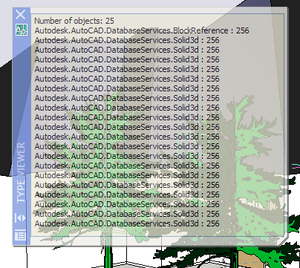
After a brief interlude we're back on the series of posts showing how to implement basic user-interfaces inside AutoCAD using .NET. Here's the series so far: Using a modal .NET dialog to display AutoCAD object properties Using a modeless .NET dialog to display AutoCAD object properties Using a modeless .NET dialog to display properties of multiple AutoCAD objects In this post we're going to swap out the modeless form we've been using in the last few posts in the series and replace it with an instance of AutoCAD's in-built palette class (Autodesk.AutoCAD.Windows.PaletteSet). Firstly, why bother? Well, the PaletteSet class is…
-
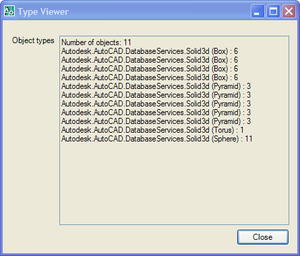
After a few comments on this previous post I decided that, rather than rushing on to show palettes, I'd first extend the existing code to work with multiple entities and provide specific support for solids. Here are the main changes to the way the code works: Changes to the Commands class The form object is now a static member, and so is shared across documents To support this I added a DocumentCreated event to make sure it gets added when new documents are created or opened Initialization/termination happens via IExtensionApplication, not on class construction/destruction In OnMonitorPoint we get the first…
-
In this previous post we looked at creating a simple modal dialog and using it to display object properties. This post looks at the structural changes you need to make to your application for the same dialog to be used modelessly. In a later post we'll look at the benefits you get from leveraging the Palette system for modeless interaction inside AutoCAD. Firstly, let's think about the interaction paradigm needed by a modeless dialog. A few things come to mind: There is no longer a need to hide and show the dialog around selection Rather than asking the user to…
-
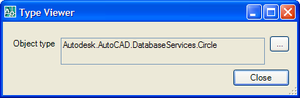
Firstly, a big thanks for all your comments on the first anniversary post. It's good to know that people are finding this blog useful, and I hope the flow of ideas (internal and external) doesn't dry up anytime soon. So keep the comments coming! 🙂 This post is going to start a sequence of posts that look at how to integrate forms into AutoCAD. This post looks at modal forms, and later on we'll look more at modeless forms and - in particular - palettes. Just to be clear, these posts will focus on the basic integration - the more…
-
Now this may seem like a very trivial post, but this was actually a significant problem for my team when preparing the material for the Autodesk Component Technologies presentation we delivered at last year's DevDays tour. Basically the "type" (or really "sub-type") of a Solid3d (an AcDb3DSolid in ObjectARX) is not exposed through ObjectARX and therefore neither is it exposed through the managed interface. It is possible to get at the information from C++ using the Brep API, but this is currently not available from .NET (and yes, we are aware that many of you would like to see this…
-
This question came in a couple of weeks ago from csharpbird, and I promised myself to turn it into a post: The Hatch class of the current AutoCAD version does not provide the OriginPoint property.How to get/set the OriginPoint of the Hatch object using P/Invoke? The reason I wanted to delay making an official post is that I have good news (that I couldn't talk about until the product was announced): the Autodesk.AutoCAD.DatabaseServices.Hatch object now has an Origin property in AutoCAD 2008. 🙂 But this does raise an interesting topic - how to get at information that isn't available through…
-
In the last post we looked at some code that combined user-input from the AutoCAD command-line with .NET reflection to determine an object type, a property belonging to that type, and the value to which we want to change that property on instances of that type (phew!). Here's where we look at hooking that up with some code to work recursively through the drawing database and make the changes to the actual objects. Firstly, let's look at some C# code to check the type of an entity, and then - as appropriate - to query the property's value and to…
-
I ended up having a fun weekend, in spite of the circumstances. My wife and eldest son were both sick with a cold (which, inevitably enough, I now feel I'm coming down with myself), so we mostly stayed around at home. So I got to spend a little time working on an idea that came to me after my last post. While the code I provided last time does pretty much exactly what was asked of it (allowing the person who requested it to change the colour of every entity in the modelspace – whether in nested blocks or not…
-
Someone asked me earlier today how to iteratively change the color of entities inside blocks. The following code uses a recursive helper function to iterate down through the contents of a block, changing the various entities (other than block references, for which we simply recurse) to a specified colour. Here's the C# code: using Autodesk.AutoCAD.ApplicationServices; using Autodesk.AutoCAD.DatabaseServices; using Autodesk.AutoCAD.EditorInput; using Autodesk.AutoCAD.Runtime; using Autodesk.AutoCAD.Colors; namespace BlockTest { public class BlockCmds { [CommandMethod("CC")] public void ChangeColor() { Document doc = Application.DocumentManager.MdiActiveDocument; Database db = doc.Database; …