Raspberry Pi
-
I've decided to interrupt my series on creating a face-recognising security cam to cover another Raspberry Pi-related topic, this week. I'll try to finish my series write-up for next Wednesday. At the recommendation of an old friend from University, I recently devoured the excellent "Ready Player One" by Ernest Cline. Ernest was apparently born about a year before me, so to say that the copious pop-culture references from the 1980s resonated would be a massive under-statement. I just wish I'd come across it sooner (in time to have a shot at solving the Easter Egg and winning a 1981 DeLorean,…
-
In the last two posts in this series, we introduced the concept and architecture behind the Facecam, and looked at the desktop-based component to build our face recognition database (facedata.xml). In this post we'll take a look at the Raspberry Pi-resident face recognition engine. This component is implemented as a daemon (which is basically the Unix/Linux equivalent of a Windows service, for those unfamiliar with the term) that looks in an "input" folder for images to process and populates an "output" folder with the results of the face recognition process. In the next post in the series, we'll look at…
-
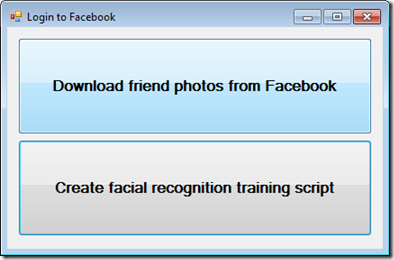
In the first post in this series, we introduced the idea behind the Facecam, a Facebook-enabled security camera running on a Raspberry Pi device. Over the next three posts we're going to look in more detail at the system's components. In this post, we're going to start by looking at the component – the only one that doesn't actually run on the Raspberry Pi – that downloads the information from Facebook to build the facial recognition database to be used by the device. As mentioned last time, I've coded this as a .NET application – actually by extending the WinForms…
-
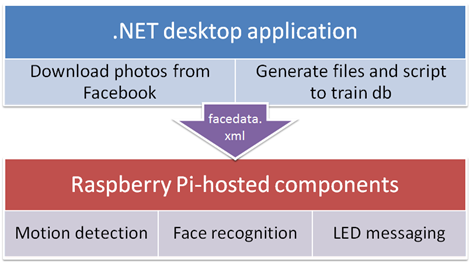
This series of posts builds upon the mini-series on building a motion-detecting security cam based around the Raspberry Pi. Once you have your motion detecting security cam up and running, you should be able to move on to the next stage: enabling that system to recognize faces that it has been trained against. My specific project (which I'm calling the Facecam, although I haven't applied for a trademark 😉 pulls data down from Facebook and uses that to train the face recognition system, but that's far from being a requirement: it's also very possible to train the database in other…
-

In the first post in this series, we took a look at some fundamentals related to building your own motion-detecting security camera using a Raspberry Pi. In this post, we're going to look at very specific steps to get one working. The first major step I took after the last post was to drop the Raspbian "wheezy" OS distribution in favour of Arch Linux ARM. This was an important change, as it increased the stability of the system significantly, and even allowed me to increase the capture resolution of the webcam back up to 960 x 720. Where "wheezy" would…
-

As mentioned in these previous posts, I've been spending some time developing a social media-enabled security cam using a Raspberry Pi and a standard webcam. The eventual idea is that the security cam will check visitors against a database of photos of a homeowners' friends extracted from Facebook. I have a lot of the needed "social" components in place – more on those in a future post – but I did just want to document some of the steps needed to create a functional security cam that simply uploads captured videos to Google Drive and sends an email with both…
-
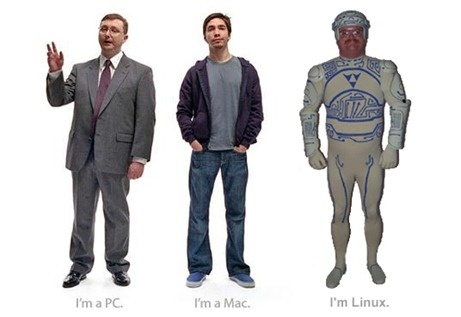
So starts the next leg of my journey to become platform agnostic. After using a Mac as my primary system for the last year or so (albeit only doing a modest amount of Mac-specific coding, for now, and almost always having a Windows session alive inside Parallels Desktop), I now have my first Linux system, in the form of an incredibly cool Raspberry Pi device. This is nearly the first time I've touched command-shell Unix since graduating from University – I've opened a Terminal window a few times to do something trivial on OS X – but I'm happy to…
-

While I was away on holiday, Scott Sheppard announced an Autodesk-internal competition of which the eight lucky winners would receive a currently-still-hard-to-come-by Raspberry Pi Model B (so named in homage to the computer that helped inspire a generation of British programmers, the BBC Micro). All that contestants had to do was submit an idea for a compelling use of the device (and then submit a video of the completed project, along with instructions to replicate it on Instructables.com). I'd been interested for some time in getting my hands on one of these cool little systems, and had a few ideas…