A regular follower of this blog and someone I now consider a friend through our online interactions, Alex Fielder, recently laid down the gauntlet for the topic of the coming series of posts.
He started with Twitter…
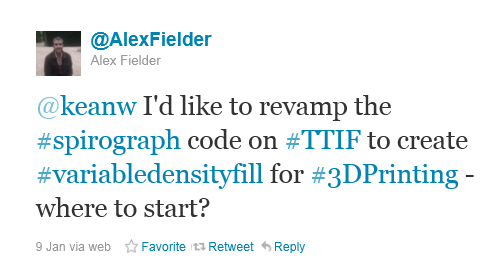
… and then moved on to The Swamp (which he thankfully also brought to my attention using Twitter).
Alex has become interested in an area that I can see becoming increasingly relevant: given the fact that 3D printing is an additive, rather than subtractive or mold-based, process, shouldn't we take advantage of this fact to optimise the composition of an object's internal structure? This optimisation could bring benefits in terms of cost and weight (as we can use less material) or strength (as we can add structure that increases tensile strength). And it seems he's not alone, in thinking along these lines.
The more I think about it, myself – and I admit this is a long way from being my field of specialization – this feels like it has the potential to be a real game-changer. And when you can hook up simulation and analysis tools to provide information on optimal fill patterns, things become really interesting.
But anyway – first things first. Clearly the ideal would be to tackle this kind of challenge in 3D (I don't know of any 3D printers that take third angle projection input ;-), but you have to start somewhere.
Alex's post pointed us, quite specifically, at hyperbolic tessellation as a technique for generating fill patterns (see this article for an idea of the possibilities):

Alex had suggested my Spiro app (which is also posted as a Plugin of the Month on Autodesk Labs), as being a potential starting point for this.
After looking into it, it seemed to make more sense to attack this a bit differently than my work on Spiro (which used an approach of collecting a set of points to generate a single polyline).
Also, getting my head around the underlying mathematics was going to be a challenge, so I knew I was going to need to borrow some code from somewhere for this, anyway. Alex also suggested that my series of posts on turtle graphics might also be a good starting point – and this also occurred to me – although a lot would depend on the ultimate algorithm I ended up finding (and whether this kind of tiling could be generated in the hyperbolic plane using L-systems).
To get started on this, I decided to look into two main areas, each of which will be addressed by posts next week:
- Creating hyperbolic geometry inside AutoCAD
- Creating hyperbolic tessellations inside AutoCAD
There seem to be a few approaches for defining hyperbolic geometry: the most popular appears to be the Poincaré disk model – which connects points using circular arcs – and the Klein disk model – which connects points using straight lines (at least that appears to be the difference from my – probably ill-informed – viewpoint… I have no doubt there are more subtle differences that I'm missing).
We don't care very much about the underlying mathematics, at the end of the day, as this is really about the generated pattern. In the next post, we'll look at getting a straightforward Poincaré disk (something akin to this one) implemented inside AutoCAD, and then (most likely) disregard it in the following post, where we generate hyperbolic tessellations using straight-line segments to connect our points. At least that's my expectation. 🙂
Incidentally, for those interested in the domain of 3D printing, there's a Singularity University live webcast coming up on January 24, 2012 that you're likely to find interesting (it also has Carl Bass, Autodesk's CEO, as guest speaker):
Advances in fields such as artificial intelligence, robotics, and digital manufacturing are undoubtedly going to revolutionize manufacturing during this decade, enabling us to design and "print" complex products and "manufacture" these in our own homes. Exponentially advancing technologies will provide major new opportunities for entrepreneurs to create world-changing technologies. But they also may threaten industries and jobs across the world.
What are these technologies, where exactly do the opportunities lie, and where will the jobs go? These are some of the topics that Autodesk CEO Carl Bass and Singularity University VP of Academics and Innovation Vivek Wadhwa will discuss in the next Which Way Next?
Which Way Next?
A Singularity University Live Webcast
Guest: Carl Bass, CEO of Autodesk Inc.
Commentator: Vivek Wadhwa, Singularity University
Topic: AI, Robotics and Digital Manufacturing
Date: Tuesday, January 24, 2012
Time: LIVE at 12:30 PM (Pacific)
Log-in to participate & submit questions: www.singularityu.org


Leave a Reply to Kean Walmsley Cancel reply