After introducing the series and looking at sample applications for 2D graphics using Paper.js and 2.5D graphics using Isomer, it's now really time to go 3D.
We're going to use much of the same code we saw in the last post – with some simplification as we no longer need to sort the solids by distance – but this time we're going to feed data into an HTML client app that's fundamentally similar in nature to the one seen in this series of posts using Three.js. I'm happy to have some experience using Three.js, because it happens to be a technology that's at the core of something exciting our Cloud Platforms team is building. More on that later (please scroll to the bottom of this post for more information on that).
It's worth saying a few words about Three.js. It's basically a topological layer on top of WebGL that allows you to build a scene based on objects, rather than having to deal with low-level graphics API calls. As such it's supported in most modern browsers, the main outlier being Internet Explorer (which has partial WebGL support with IE11, apparently). But as AutoCAD's browser control – used for both HTML palettes and documents – is based on the Chromium Embedded Framework, at least for AutoCAD-resident use (such as we'll see today) we're just fine.
As before, let's start by looking at the C# code that gets called from JavaScript to retrieve the bounding box information about our 3D solids, as well as the commands to launch our HTML UI.
using Autodesk.AutoCAD.ApplicationServices;
using Autodesk.AutoCAD.DatabaseServices;
using Autodesk.AutoCAD.Runtime;
using Autodesk.AutoCAD.Windows;
using Newtonsoft.Json;
using System;
using System.Collections.Generic;
using System.IO;
using System.Reflection;
using System.Text;
namespace JavaScriptExtender
{
public class Commands
{
private PaletteSet _3ps = null;
private static Document _launchDoc = null;
[JavaScriptCallback("GetSolids")]
public string GetSolids(string jsonArgs)
{
var doc = GetActiveDocument(Application.DocumentManager);
// If we didn't find a document, return
if (doc == null)
return "";
// We could probably get away without locking the document
// - as we only need to read - but it's good practice to
// do it anyway
using (var dl = doc.LockDocument())
{
var db = doc.Database;
var ed = doc.Editor;
// Capture our Extents3d objects in a list
var sols = new List<Extents3d>();
using (var tr = doc.TransactionManager.StartTransaction())
{
// Start by getting the modelspace
var ms =
(BlockTableRecord)tr.GetObject(
SymbolUtilityServices.GetBlockModelSpaceId(db),
OpenMode.ForRead
);
// Get each Solid3d in modelspace and add its extents
// to the list
foreach (var id in ms)
{
var obj = tr.GetObject(id, OpenMode.ForRead);
var sol = obj as Solid3d;
if (sol != null)
{
sols.Add(sol.GeometricExtents);
}
}
tr.Commit();
}
return GetSolidsString(sols);
}
}
private Document GetActiveDocument(DocumentCollection dm)
{
// If we're called from an HTML document, the active
// document may be null
var doc = dm.MdiActiveDocument;
if (doc == null)
{
doc = _launchDoc;
}
return doc;
}
// Helper function to build a JSON string containing our
// sorted extents list
private string GetSolidsString(List<Extents3d> lst)
{
var sb = new StringBuilder("{\"retCode\":0, \"result\":[");
bool first = true;
foreach (var ext in lst)
{
if (first)
first = false;
else
sb.Append(",");
sb.Append(
string.Format(
"{{\"min\":{0},\"max\":{1}}}",
JsonConvert.SerializeObject(ext.MinPoint),
JsonConvert.SerializeObject(ext.MaxPoint)
)
);
}
sb.Append("]}");
return sb.ToString();
}
[CommandMethod("THREEDOC")]
public static void ThreeDocument()
{
_launchDoc = Application.DocumentManager.MdiActiveDocument;
_launchDoc.BeginDocumentClose +=
(s, e) => { _launchDoc = null; };
Application.DocumentWindowCollection.AddDocumentWindow(
"Three.js Document", GetHtmlPathThree()
);
}
[CommandMethod("THREE")]
public void ThreePalette()
{
_launchDoc
= null;
_3ps =
ShowPalette(
_3ps,
new Guid("9CEE43FF-FDD7-406A-89B2-6A48D4169F71"),
"THREE",
"Three.js Examples",
GetHtmlPathThree()
);
}
// Helper function to show a palette
private PaletteSet ShowPalette(
PaletteSet ps, Guid guid, string cmd, string title, Uri uri
)
{
if (ps == null)
{
ps = new PaletteSet(cmd, guid);
}
else
{
if (ps.Visible)
return ps;
}
if (ps.Count != 0)
{
ps[0].PaletteSet.Remove(0);
}
ps.Add(title, uri);
ps.Visible = true;
return ps;
}
// Helper function to get the path to our HTML files
private static string GetHtmlPath()
{
// Use this approach if loading the HTML from the same
// location as your .NET module
//var asm = Assembly.GetExecutingAssembly();
//return Path.GetDirectoryName(asm.Location) + "\\";
return "/wp-content/uploads/files/";
}
private static Uri GetHtmlPathThree()
{
return new Uri(GetHtmlPath() + "threesolids.html");
}
}
}
Here's the code in action:
Here's the HTML page from my blog:
<!doctype html>
<html>
<head>
<title>Three.js Solids</title>
<link rel="stylesheet" href="style.css">
</head>
<body>
<script src="http://code.jquery.com/jquery-1.7.1.js"></script>
<script src="js/three.min.js"></script>
<script src="js/controls/TrackballControls.js"></script>
<script
src="http://app.autocad360.com/jsapi/v2/Autodesk.AutoCAD.js">
</script>
<script src="js/acadext.js"></script>
<script src="js/threesolids.js"></script>
</body>
</html>
As before, it relies on an external JavaScript file:
// Global variables
var useWebGL;
var container, root = null;
var camera, scene, renderer, trackball;
var sols;
// Some namespace shortcuts
var Vector3 = THREE.Vector3;
var PointLight = THREE.PointLight;
var BoxGeometry = THREE.BoxGeometry;
var Mesh = THREE.Mesh;
var MeshLambertMaterial = THREE.MeshLambertMaterial;
function init() {
// Get our solids from AutoCAD
sols = getSolidsFromAutoCAD();
// Get the overall bounding box
var minX = Infinity,
minY = Infinity,
minZ = Infinity,
maxX = -Infinity,
maxY = -Infinity,
maxZ = -Infinity;
for (var sol in sols) {
var s = sols[sol];
minX = Math.min(minX, s.min.X, s.max.X);
minY = Math.min(minY, s.min.Y, s.max.Y);
minZ = Math.min(minZ, s.min.Z, s.max.Y);
maxX = Math.max(maxX, s.min.X, s.max.X);
maxY = Math.max(maxY, s.min.Y, s.max.Y);
maxZ = Math.max(maxZ, s.min.Z, s.max.X);
}
var delX = Math.abs(maxX - minX),
delY = Math.abs(maxY - minY),
delZ = Math.abs(maxZ - minZ);
// See whether we can use WebGL or not
useWebGL = hasWebGL();
// Build the canvas area and add a linebreak beneath it
container = document.createElement('div');
container.style.background = '#FFFFFF';
document.body.appendChild(container);
var br = document.createElement('br');
document.body.appendChild(br);
// Build the area our button(s) will reside on the page
var controls = document.createElement('div');
controls.setAttribute('id', 'control');
document.body.appendChild(controls);
// Set the scene size (slightly smaller than the
// inner screen size, to avoid scrollbars)
var width = window.innerWidth - 17,
height = window.innerHeight - 90;
// Set some camera attributes
var viewAngle = 45,
aspect = width / height,
near = 0.1,
far = maxZ * 100;
// Create the renderer, camera, scene and trackball
renderer =
useWebGL ?
new THREE.WebGLRenderer() :
new THREE.CanvasRenderer();
camera = new THREE.PerspectiveCamera(viewAngle, aspect, near, far);
camera.position.set(minX + delX / 2, minY + delY / 2, maxZ * 1.5);
scene = new THREE.Scene();
// Create some point lights and add them to the scene
var pointLight = new PointLight(0xFFEEFF);
pointLight.position.set(minX - delX, minY - delY, maxZ + delZ);
var pointLight2 = new PointLight(0xEEFFFF);
pointLight2.position.set(maxX + delX, maxY + delY, maxZ + delZ);
scene.add(pointLight);
scene.add(pointLight2);
// And the camera
scene.add(camera);
// Create our trackball controls
trackball = new THREE.TrackballControls(camera);
trackball.target.set(minX + delX / 2, minY + delY / 2, 0);
trackball.rotateSpeed = 1.4;
trackball.zoomSpeed = 2.0;
trackball.panSpeed = 0.5;
trackball.noZoom = false;
trackball.noPan = false;
trackball.staticMoving = true;
trackball.dynamicDampingFactor = 0.3;
trackball.keys = [65, 83, 68]; // [a:rotate, s:zoom, d:pan]
trackball.addEventListener('change', render);
// Look at the same position as the trackball using our camera
camera.lookAt(new Vector3(minX + delX / 2, minY + delY / 2, 0));
// Start the renderer
renderer.setSize(width, height);
renderer.setClearColor(0xCCCCCC, 1);
// Attach the renderer-supplied DOM element
container.appendChild(renderer.domElement);
}
function animate() {
requestAnimationFrame(animate);
trackball.update(camera);
}
function render() {
renderer.render(scene, camera);
}
function Commands() { }
Commands.refresh = function () {
// Clear any previous geometry
if (root != null) {
scene.remove(root);
delete root;
// Get the geometry info from AutoCAD again
sols = getSolidsFromAutoCAD();
}
// Create the materials
var dark = new MeshLambertMaterial({ color: 0x000000 });
var light = new MeshLambertMaterial({ color: 0xFFFFFF });
// Set up the root vars
var rootDim = 0.01, segs = 9;
// Create our root object
var boxGeom =
new BoxGeometry(rootDim, rootDim, rootDim, segs, segs, segs);
// Create the mesh from the geometry
root = new Mesh(boxGeom, dark);
scene.add(root);
// Process each box, adding it to the scene
for (var sol in sols) {
var s = sols[sol];
var box = new Mesh(boxGeom, light);
box.position.x = s.min.X + (s.max.X - s.min.X) / 2;
box.position.y = s.min.Y + (s.max.Y - s.min.Y) / 2;
box.position.z = s.min.Z + (s.max.Z - s.min.Z) / 2;
box.scale.x = (s.max.X - s.min.X) / rootDim;
box.scale.y = (s.max.Y - s.min.Y) / rootDim;
box.s
cale.z = (s.max.Z - s.min.Z) / rootDim;
root.add(box);
}
// Draw!
renderer.render(scene, camera);
};
// Feature test for WebGL
function hasWebGL()
{
try
{
var canvas = document.createElement('canvas');
var ret =
!!(window.WebGLRenderingContext &&
(canvas.getContext('webgl') ||
canvas.getContext('experimental-webgl'))
);
return ret;
}
catch(e)
{
return false;
};
}
(function () {
init();
var panel = document.getElementById('control');
for (var fn in Commands) {
var button = document.createElement('div');
button.classList.add('cmd-btn');
button.innerHTML = fn;
button.onclick = (function (fn) {
return function () { fn(); };
})(Commands[fn]);
panel.appendChild(button);
panel.appendChild(document.createTextNode('\u00a0'));
}
Commands.refresh();
animate();
})();
The stylesheet and the extension to AutoCAD's Shaping Layer are the same as last time (I've perhaps foolishly kept the same name for the function as in the previous post, even though it no longer does any location-based sorting of the solids' bounding boxes).
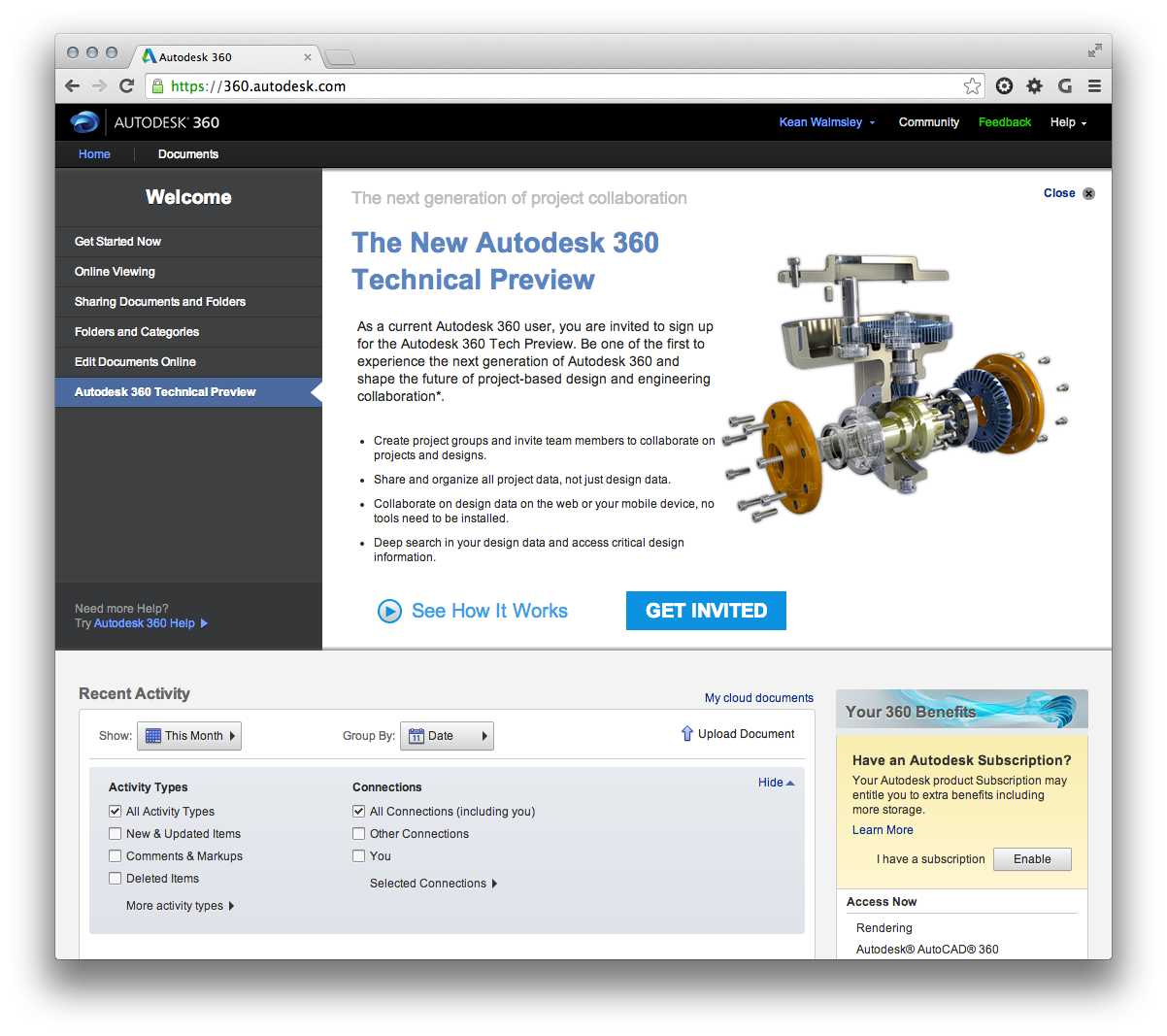
Hopefully you can see the potential that WebGL and Three.js present for zero client 3D in HTML5 browsers. It's this rich capability that our Cloud Platforms organization has harnessed for the new model viewer in Autodesk 360. If you haven't already taken it for a spin, head on over and check out the new Autodesk 360 Tech Preview. The new viewer is really impressive.
In tomorrow's post we'll take a sneak peek at the new Autodesk viewer embedded in a web page, just to give you a sense of what's coming… some very cool stuff!
Leave a Reply